Static Analysis
Overview
From the previous section, the app was successfully installed and launched — but immediately flagged the device as insecure, indicating the presence of runtime protection mechanisms. Before bypassing anything, the goal here is to analyze the APK statically: extract its structure, understand its logic, and map out what protections are in place.
All findings from this section feed directly into Dynamic Analysis.
Tools
| Tool | Purpose |
|---|---|
| ADB | Extract APK from emulator |
| apktool | Decompile APK structure and inspect manifest |
| blutter | Analyze compiled Dart snapshot (libapp.so) |
| strings + grep | Extract and search hardcoded values |
| MobSF | Automated static analysis for manifest and permission review |
1. Extract APK from Emulator
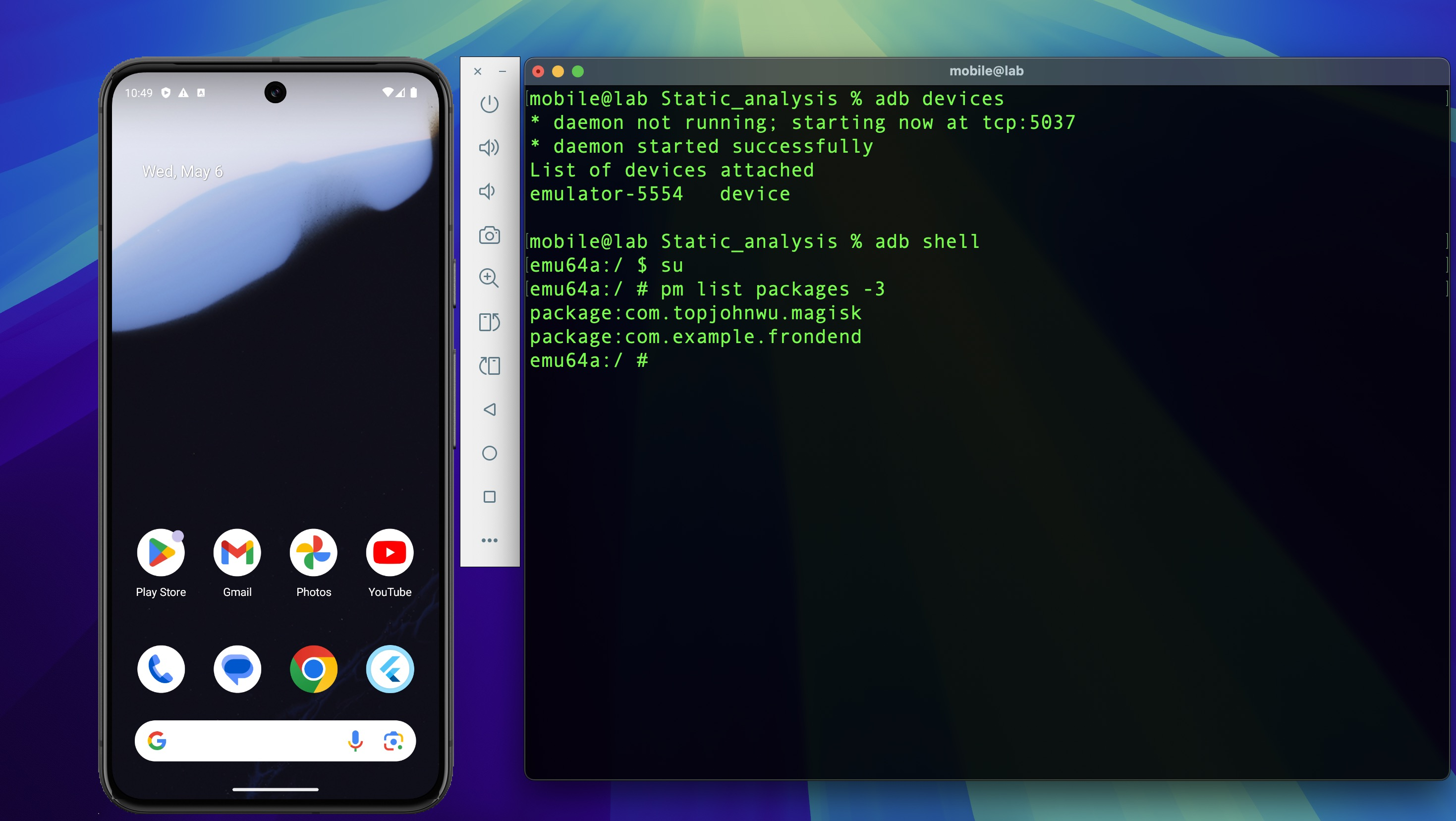
Check ADB connection to the emulator, then enter a root shell to list installed third-party packages:
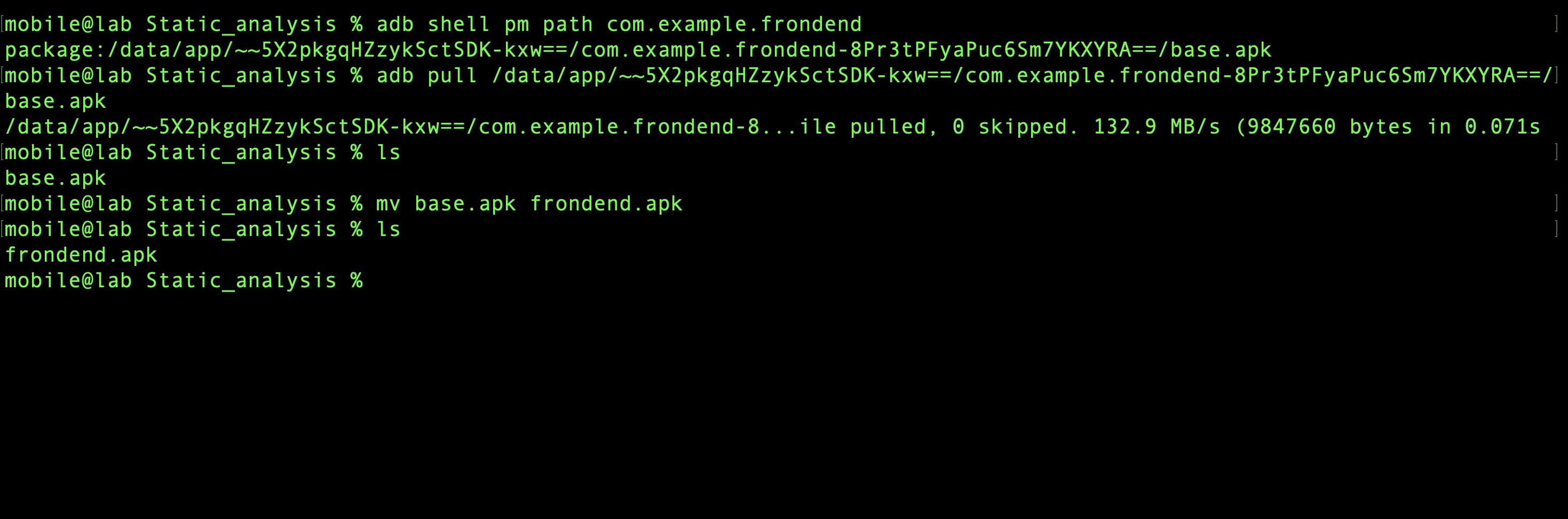
Locate the APK path and pull it to the host machine:
2. Decompile APK with apktool
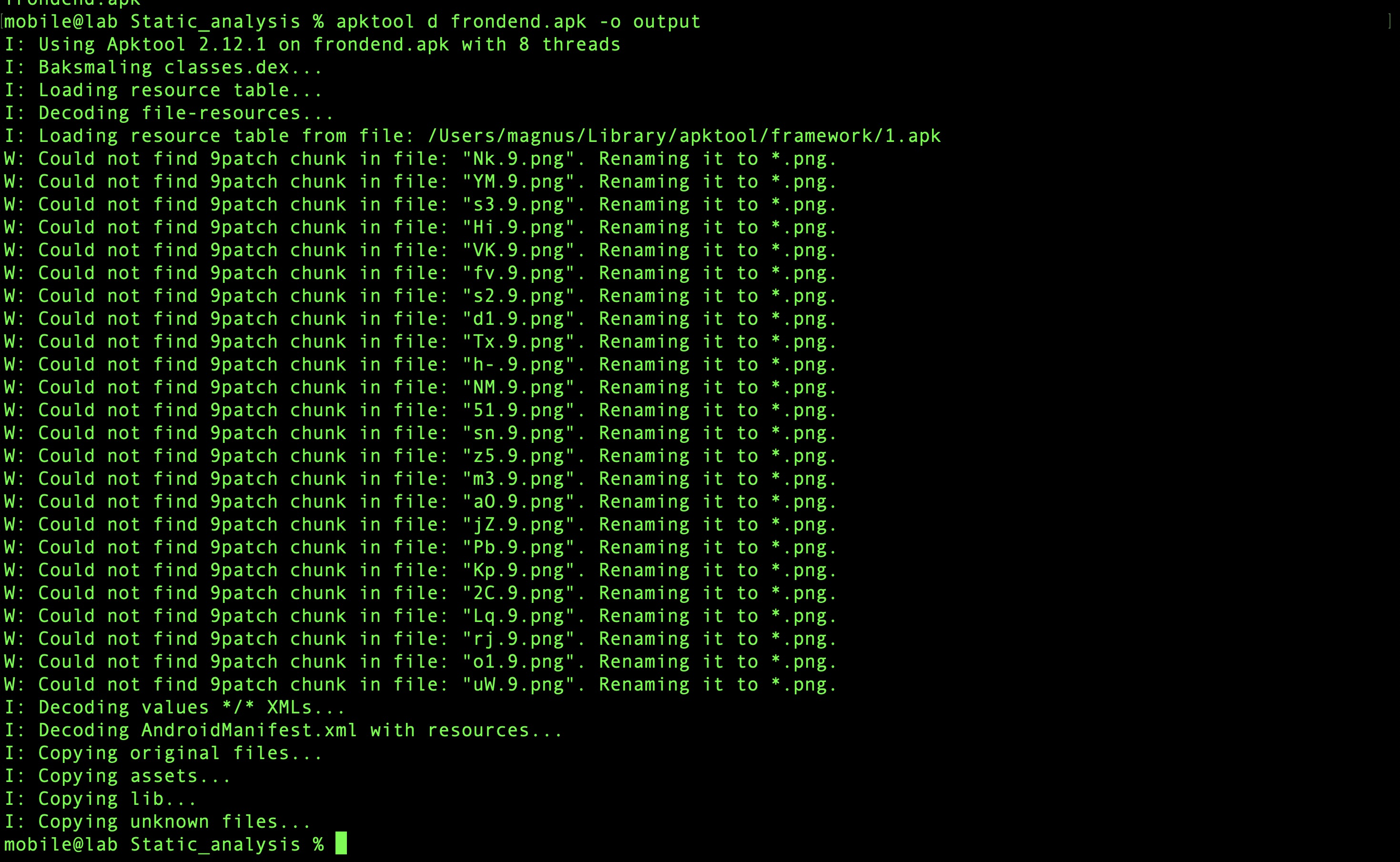
Decode the APK structure:
AndroidManifest.xml Review
Open the manifest in VSCode and inspect its contents.
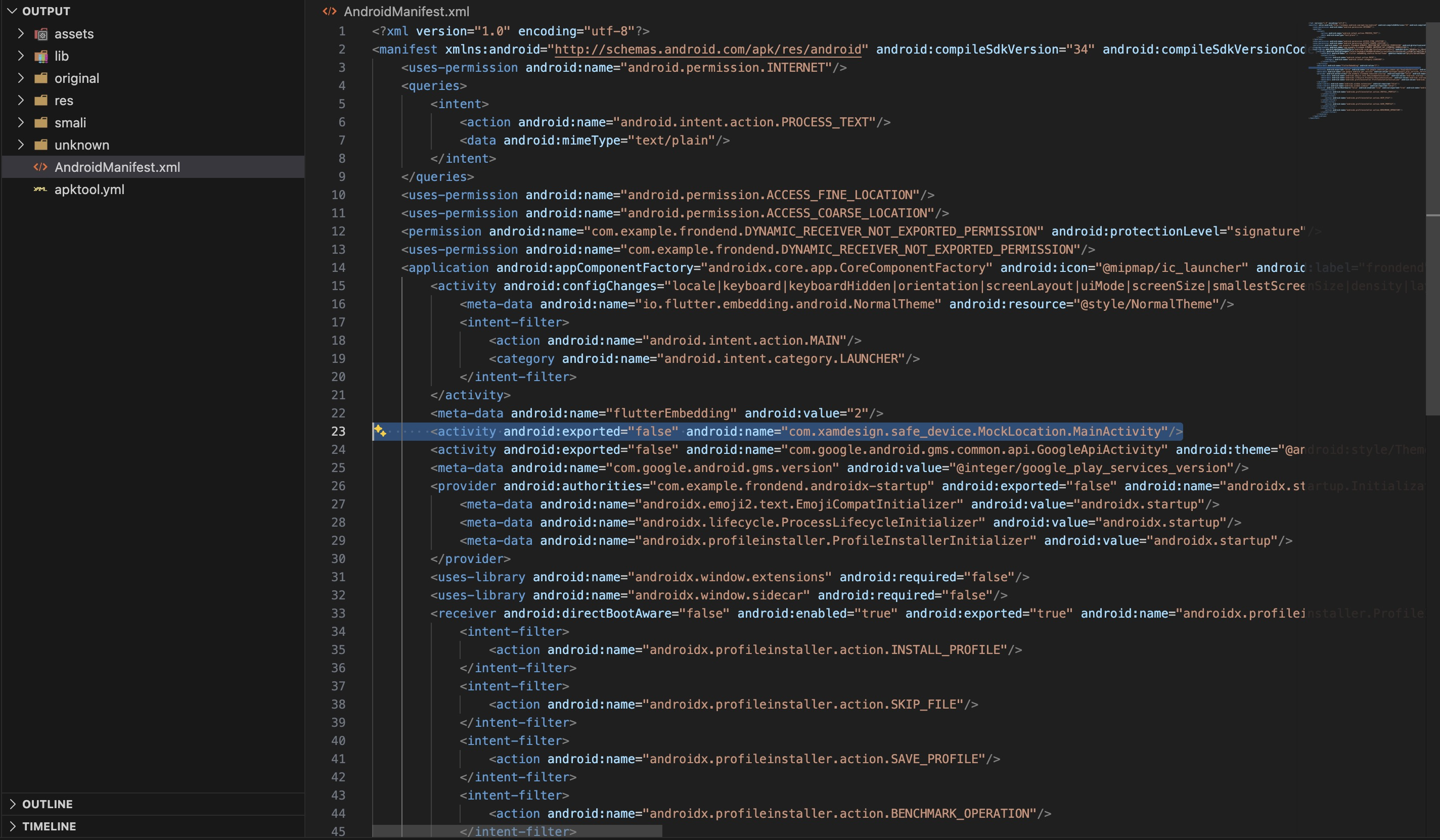
Key findings:
| Item | Finding |
|---|---|
| Target SDK | 34 |
android:exported |
MainActivity exported as launcher — all other components internal |
| Permissions | INTERNET, ACCESS_FINE_LOCATION, ACCESS_COARSE_LOCATION |
| Notable component | com.xamdesign.safe_device.MockLocation.MainActivity |
Location permissions are not standard for a Todo app — their presence in the manifest is the
first indicator that the app is doing something beyond its stated functionality. The
safe_device component confirms it. Searching the package name on pub.dev reveals it is a
device integrity library for detecting root, emulator, and mock location:
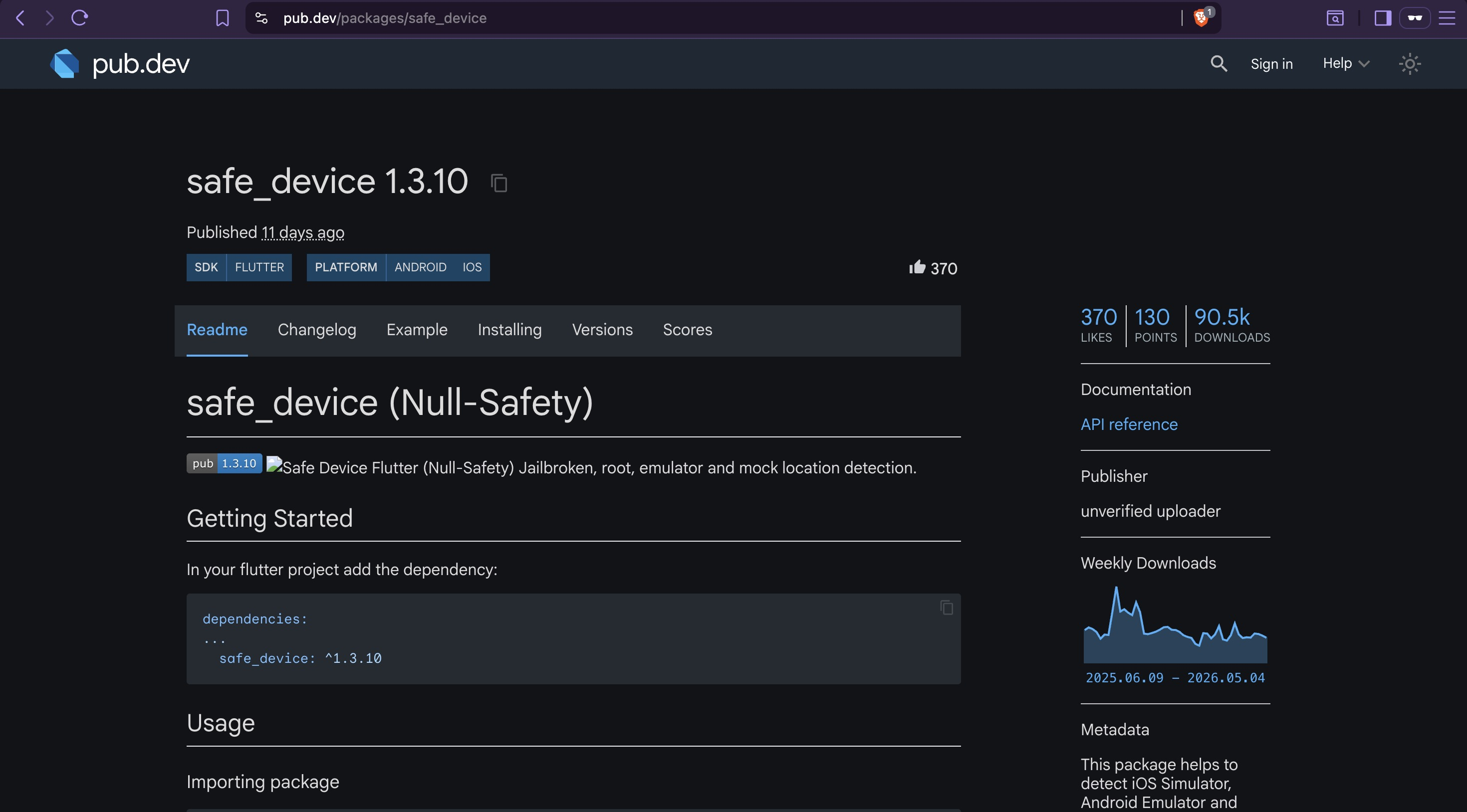
This is the root detection mechanism that will be targeted in Dynamic Analysis. The manifest gave us the package name; blutter will give us the exact call chain.
3. Inspect Flutter Assets
Listing the lib directory reveals the native library structure:
lib/arm64-v8a/
├── libapp.so         ← compiled Dart application logic
├── libflutter.so     ← Flutter engine
├── libtoolChecker.so ← additional native security module
└── libdatastore_shared_counter.so
libtoolChecker.so is an additional native security module — its name suggests a tool or
environment detection check beyond what safe_device provides. It is noted here as part of
the attack surface map but is not a bypass target in this lab; the root detection implemented
via safe_device in Dart is sufficient to block the app and is the target in Dynamic Analysis.
Unlike Java/Kotlin apps where application logic lives in .dex files and is readable after
decompilation, Flutter compiles all Dart code into a native AOT binary (libapp.so). Standard
decompilers produce nothing useful against this — a Dart-aware tool is required.
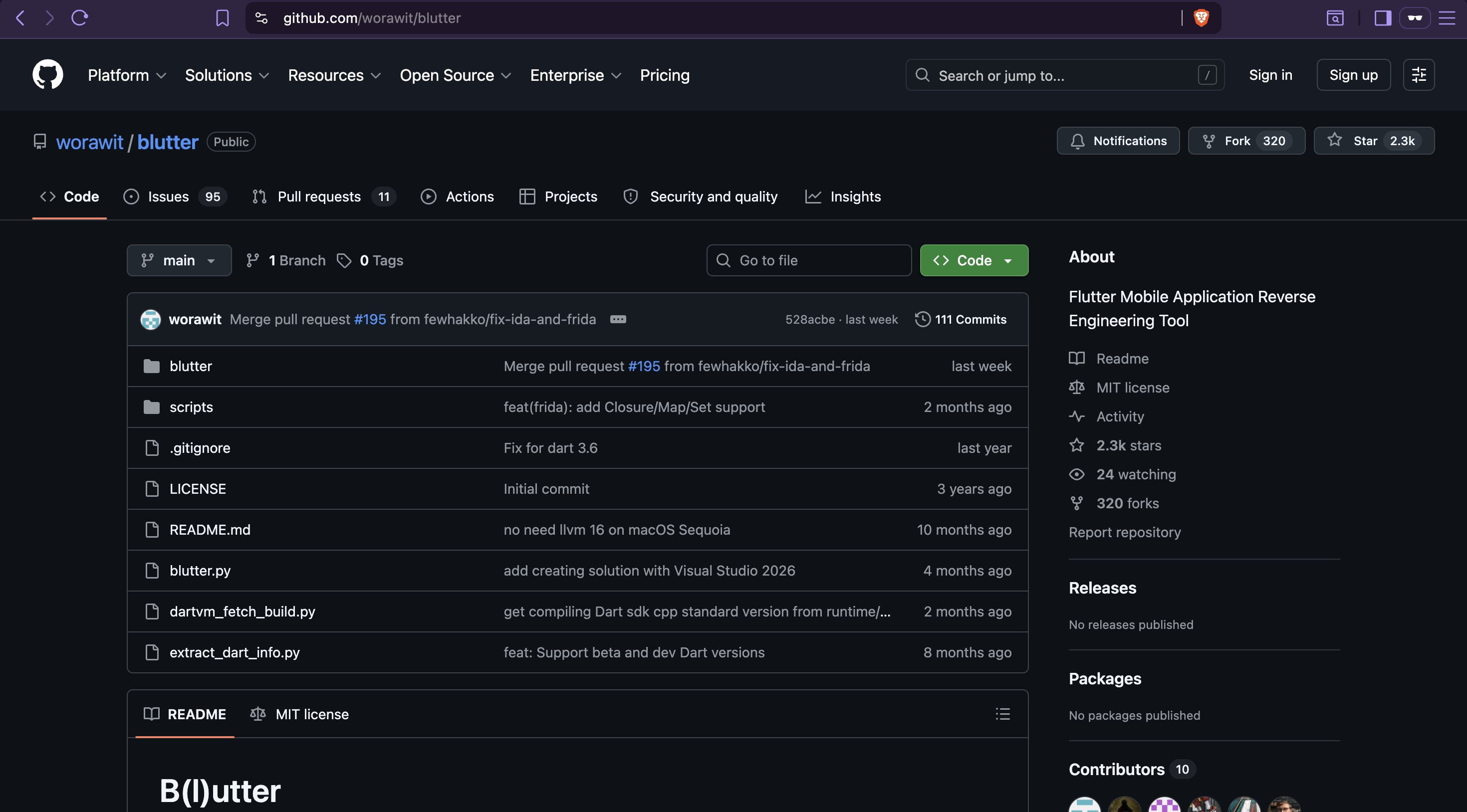
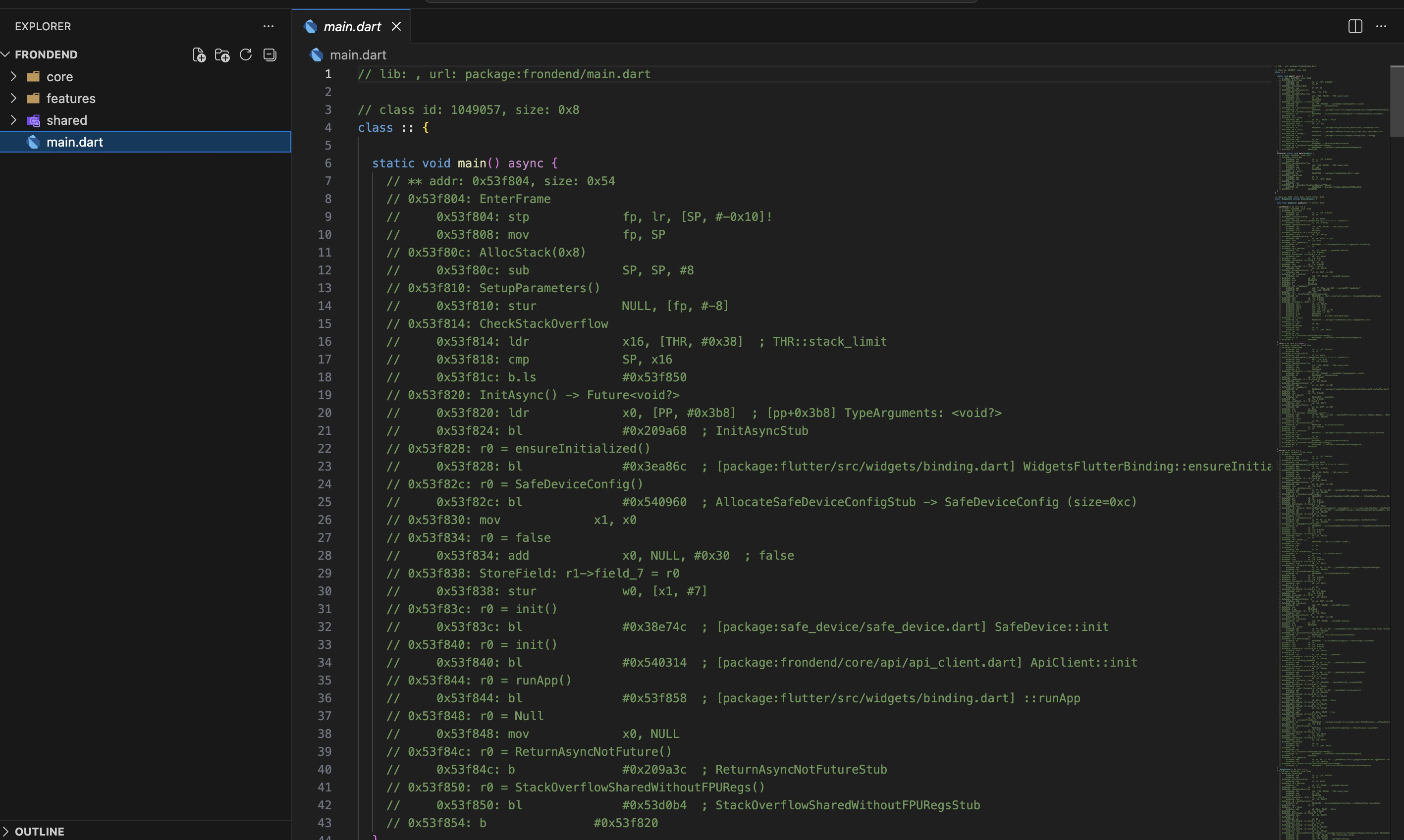
Run blutter against the Dart snapshot to reconstruct class and function structure:

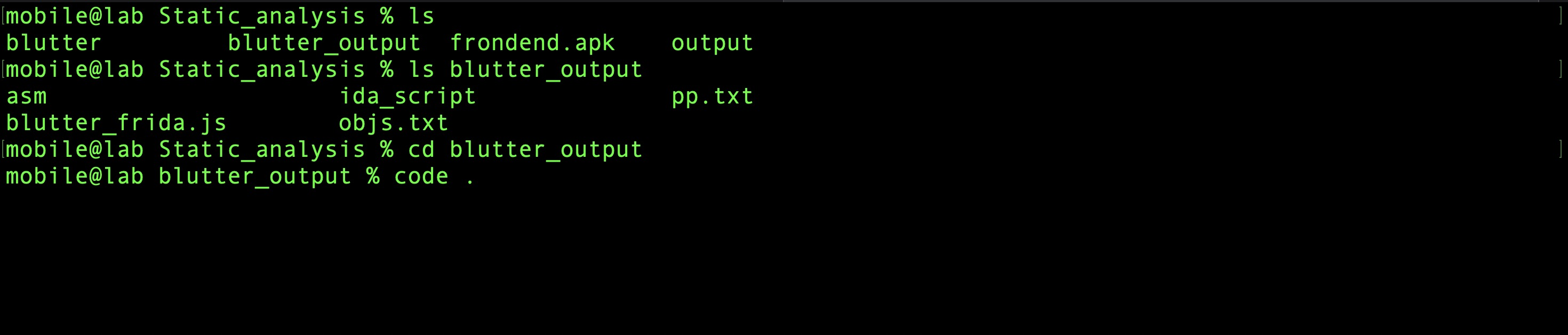
The output contains reconstructed pseudo-assembly and object pool strings — enough to trace application logic without source code.
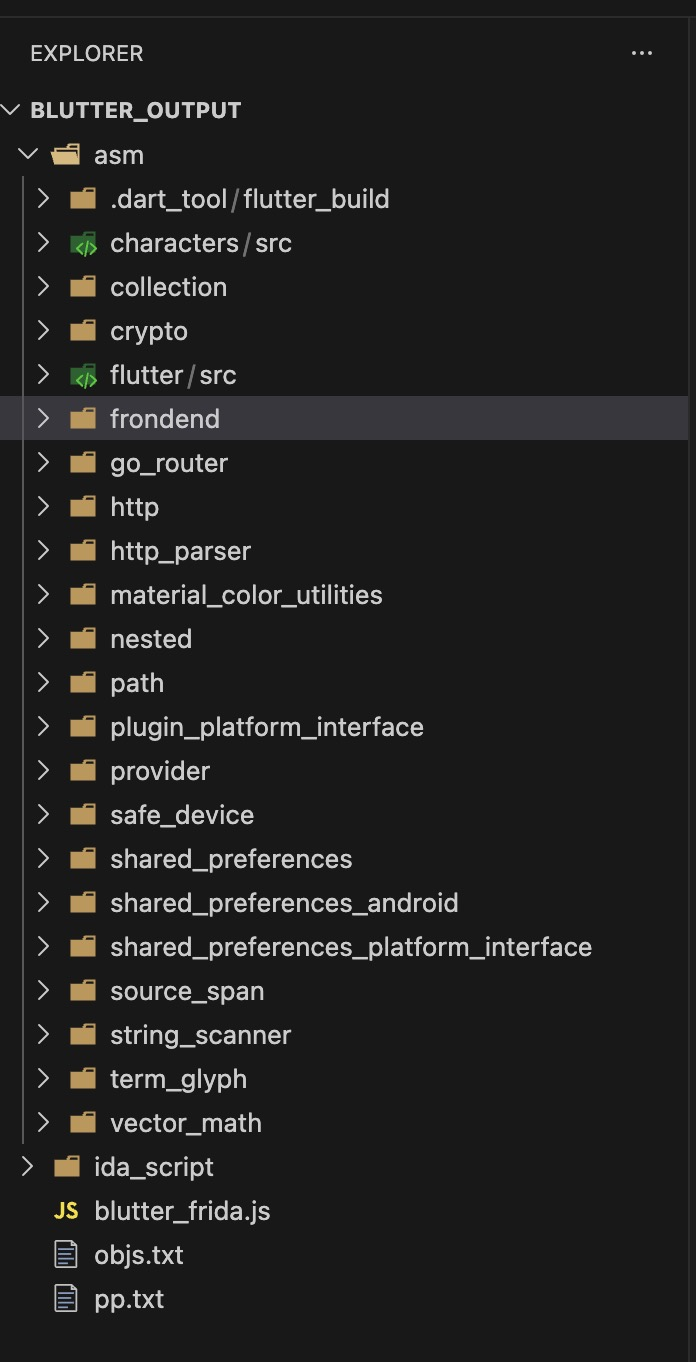
4. Extract Hardcoded Values
API Base URL
Search the blutter output for HTTP strings:
The backend URL is hardcoded directly in the binary. The entire API target is now known without making a single network request — this is a meaningful recon advantage.
Tracing Protection Logic
Starting from a known UI string is a reliable way to trace security logic through a reconstructed binary. Searching for the "Device is not secure" message seen at launch:
./features/auth/controllers/auth_controller.dart:55:  r2 = "Device is not secure"
./features/auth/controllers/auth_controller.dart:245: r0 = "Device is not secure"
./features/auth/controllers/auth_controller.dart:437: r0 = "Device is not secure"
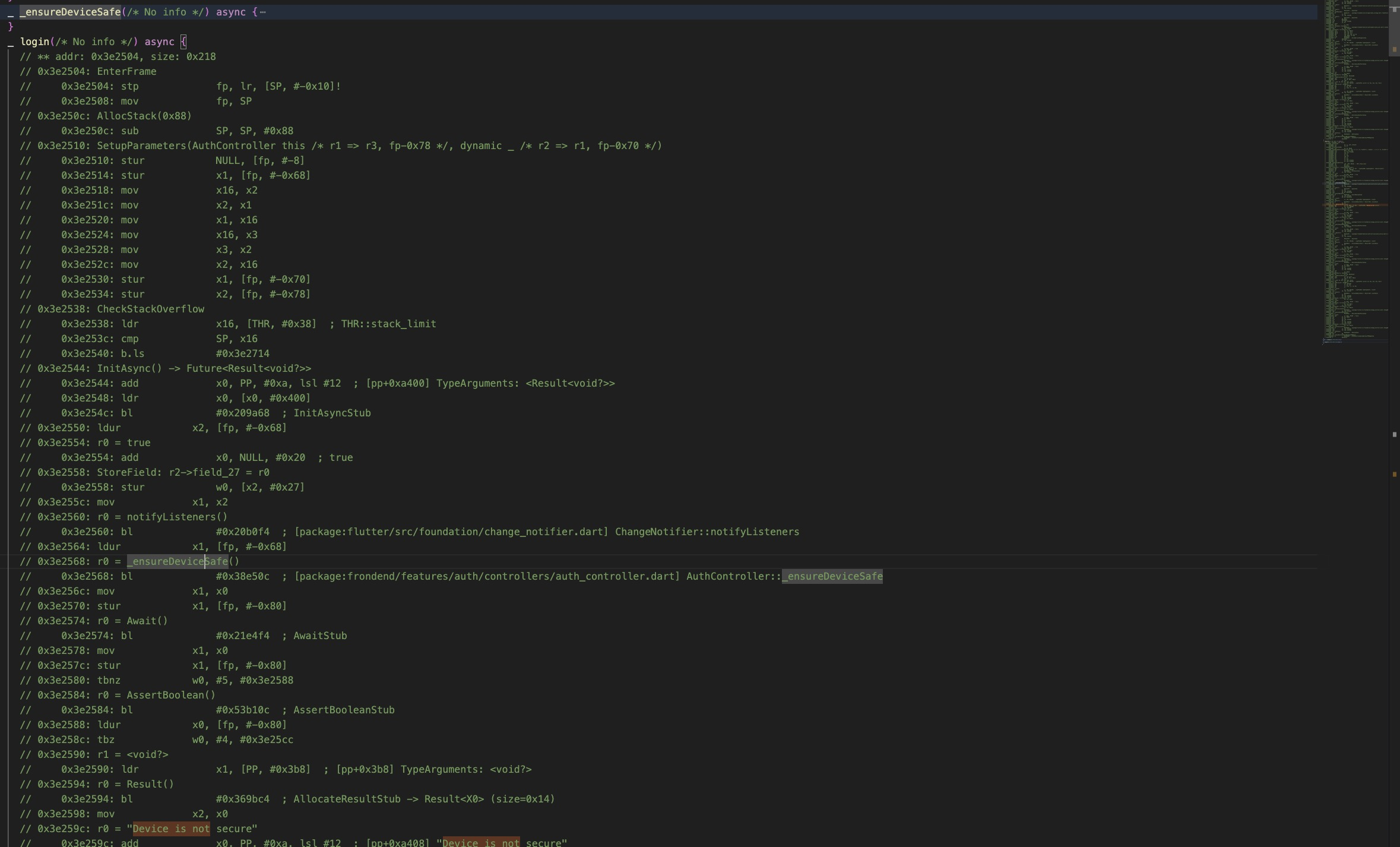
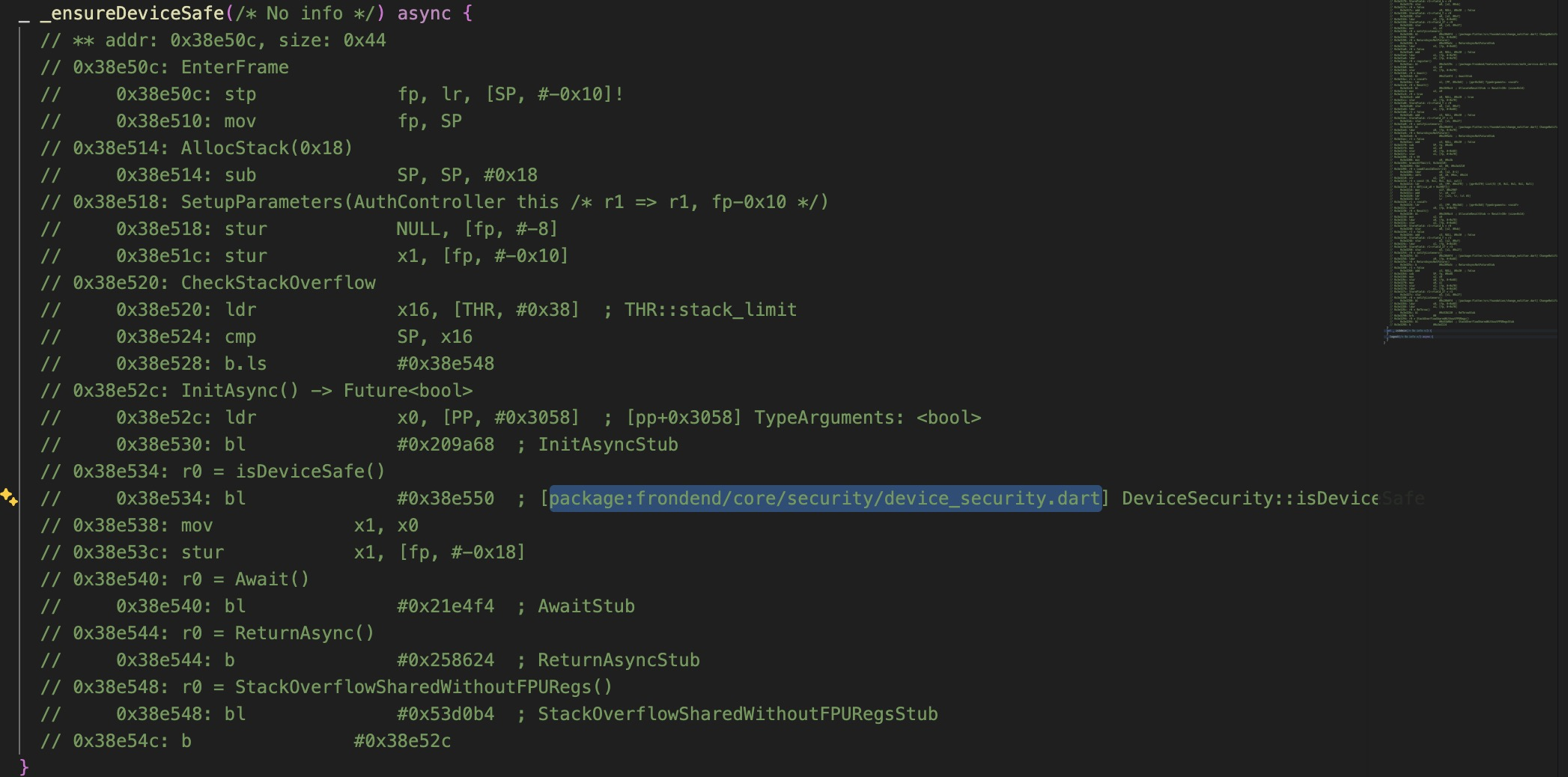
Three occurrences — before login, register, and load user — means the check is not a one-time gate at app launch. It runs on every authentication action. There is no way to navigate around it at the UI level. Tracing further into the reconstructed code reveals the call chain:
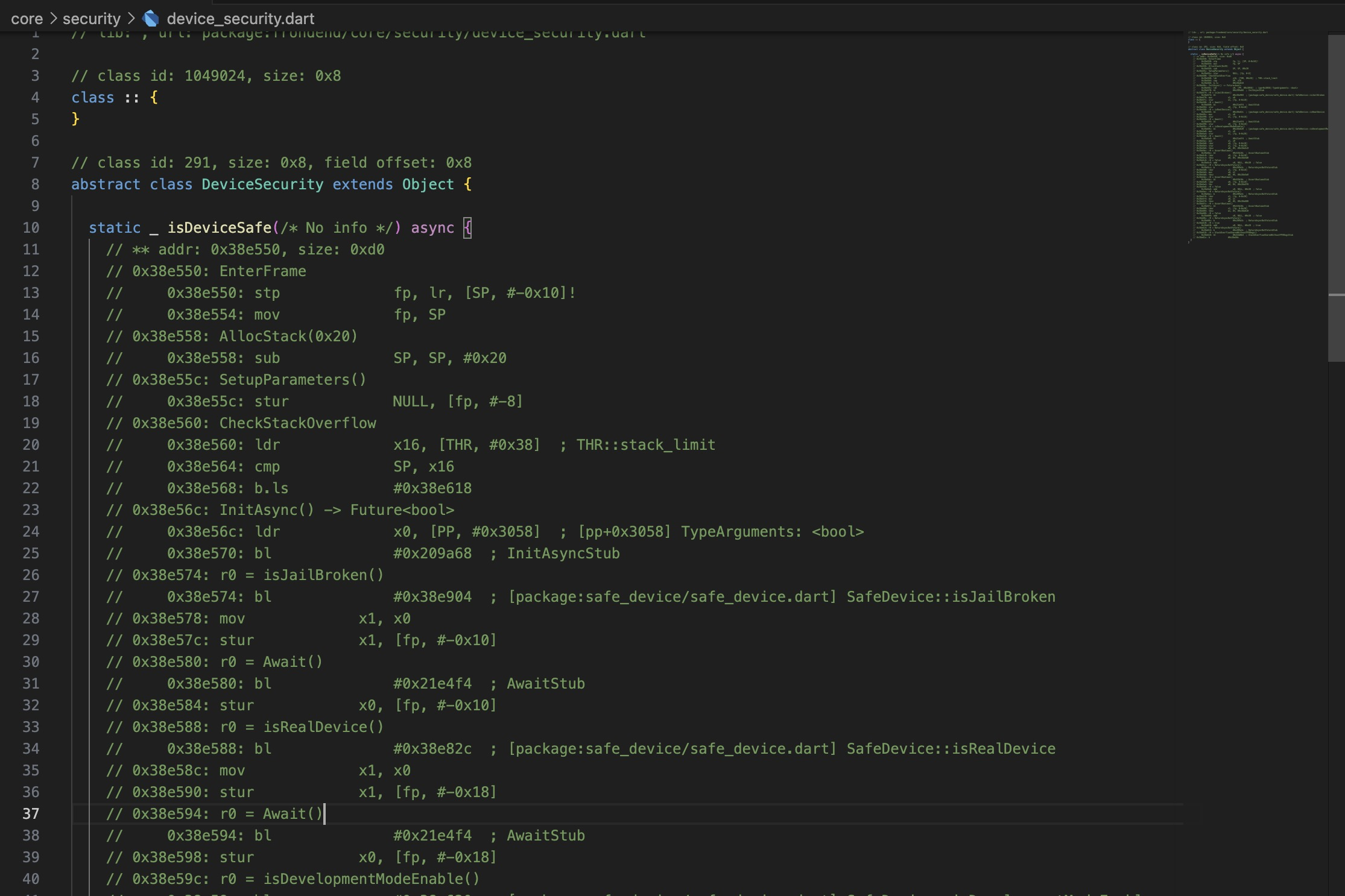
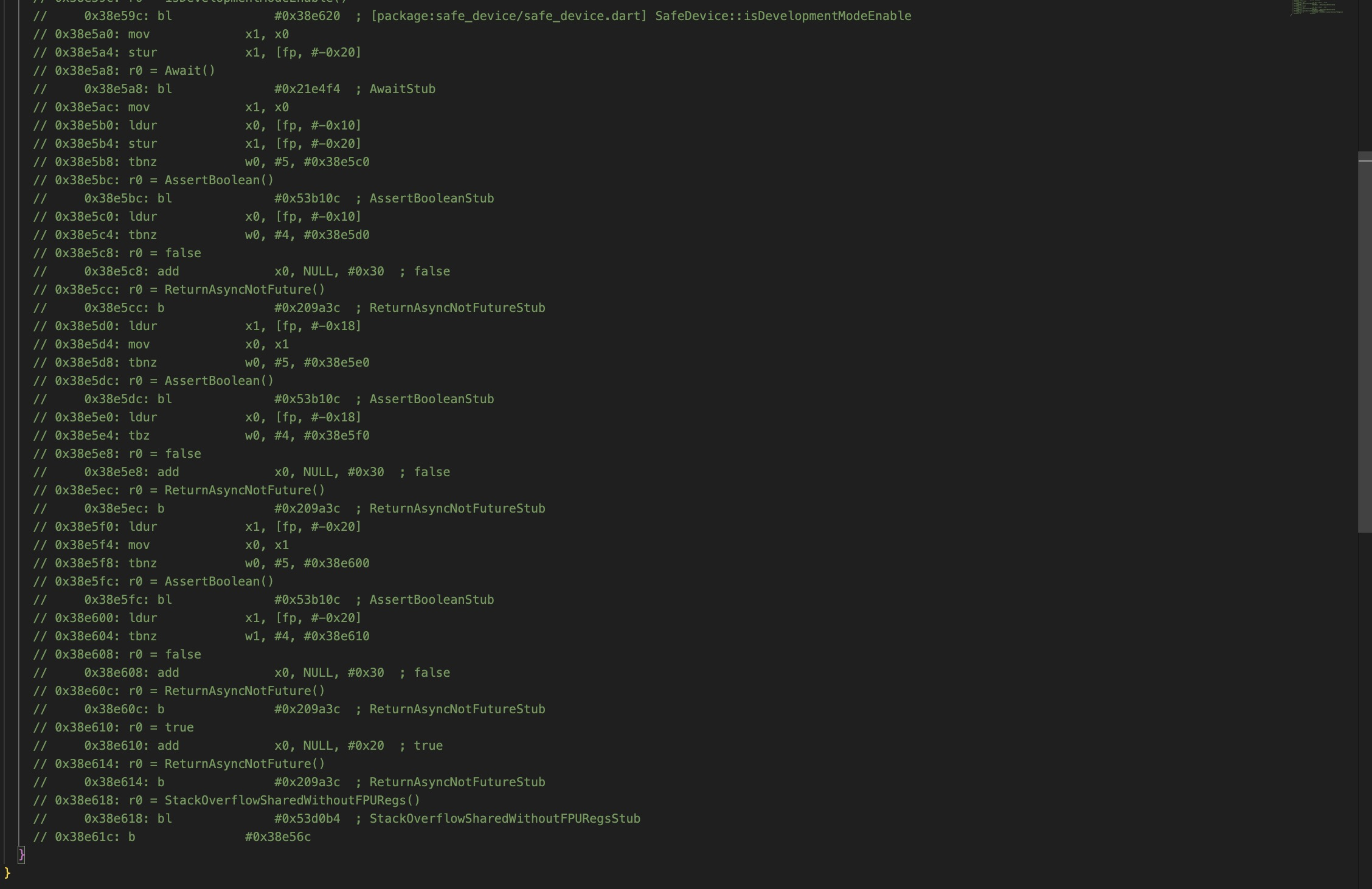
isDeviceSafe calls three checks from the safe_device package:
SafeDevice::isJailBroken()— detects rootSafeDevice::isRealDevice()— detects emulatorSafeDevice::isDevelopmentModeEnable()— detects developer mode
All three must pass simultaneously for the function to return true. The emulator used in
this lab fails all three at once — rooted via Magisk, running inside AVD, and with developer
options enabled for ADB. This means all three checks need to be hooked and overridden at
runtime. Static analysis has given us the call chain; Dynamic Analysis will give us the exact
ARM64 offsets to hook.
5. Summary: Application Logic & Attack Surface
The blutter output reveals a modular architecture organized by feature:
core/
├── api/api_client.dart            ← HTTP client + SSL pinning
├── security/device_security.dart  ← root detection wrapper
└── storage/token_storage.dart     ← JWT storage (SharedPreferences)

features/
├── auth/    ← login, register
├── todo/    ← todo CRUD
├── user/    ← user management (admin only)
└── system/  ← system mode viewer (admin only)
The app has two roles — admin and user — with separate feature sets. Two protection
mechanisms were identified:
Root Detection — implemented via safe_device in core/security/device_security.dart,
called by _ensureDeviceSafe() before every authentication operation.
SSL Pinning — implemented in core/api/api_client.dart via a custom HttpClient. The
app computes the SHA-256 fingerprint of the server certificate and compares it against a
hardcoded value:
Pinning is domain-specific and does not trust the Android system certificate store — meaning the Burp CA installed in Environment Setup is insufficient on its own. Even with the CA installed, every HTTPS request will silently fail at the TLS handshake until pinning is bypassed.
JWT in SharedPreferences — core/storage/token_storage.dart stores the JWT in
SharedPreferences with no encryption. This matters independently of the network attack path:
an attacker with brief physical access to a rooted device can read the XML file directly from
the filesystem — no traffic interception, no bypass tooling required. Valid session tokens are
sitting in plaintext under the app's private data directory, accessible to anyone with a root
shell. This is a separate exploitation path from what the rest of this lab demonstrates, and
it is worth flagging as a standalone finding in any real engagement report.
Automated Analysis with MobSF
MobSF can be run in parallel with manual analysis for broader permission and manifest coverage:
docker pull opensecurity/mobile-security-framework-mobsf:latest
docker run -it --rm -p 8000:8000 opensecurity/mobile-security-framework-mobsf:latest
Login with default credentials (mobsf/mobsf) and upload frondend.apk.
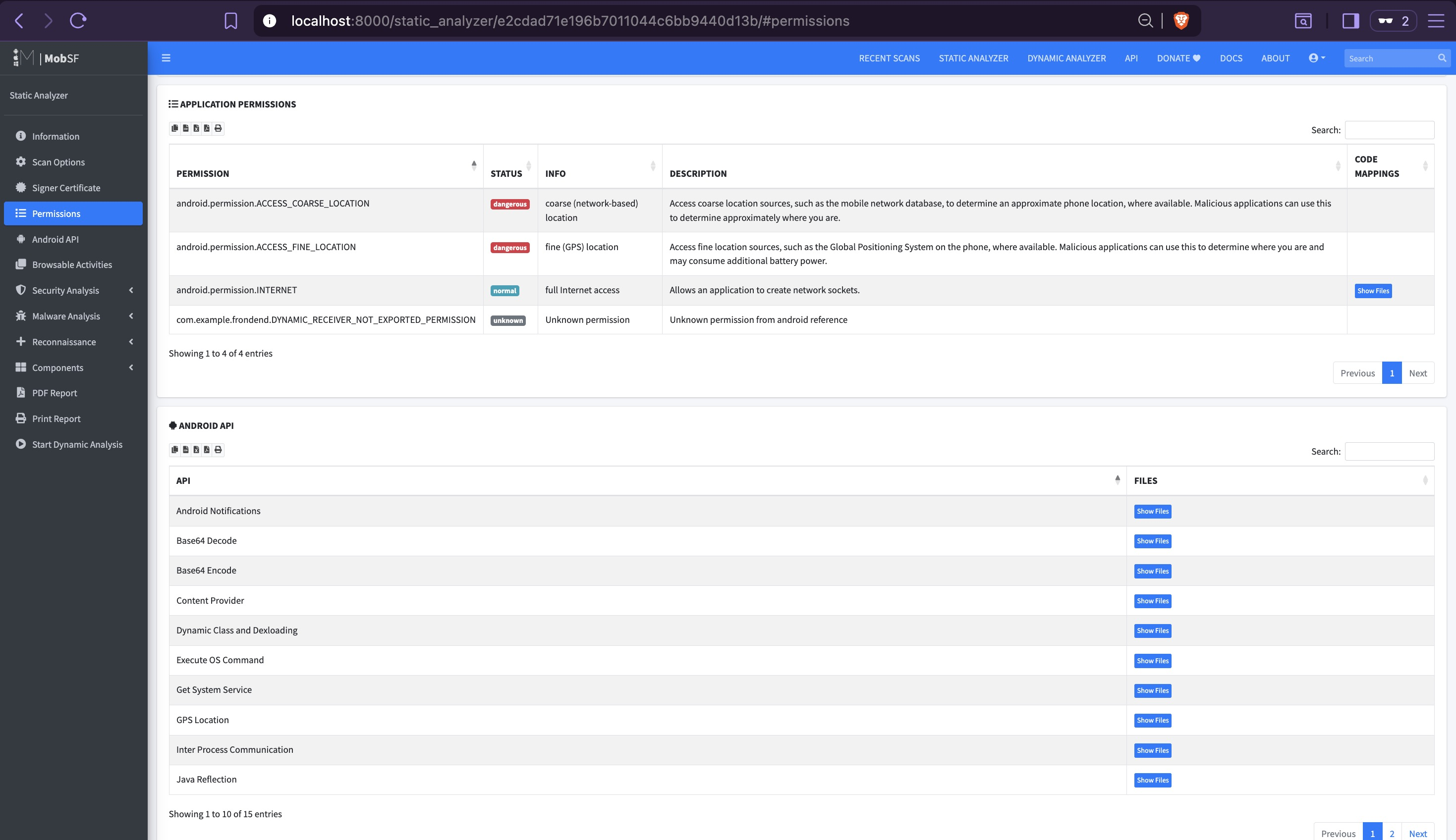
MobSF surfaces the dangerous location permissions and confirms the safe_device mock location
component identified in the manifest — consistent with manual findings.
MobSF is best suited for native Java/Kotlin APKs. For Flutter apps its Dart-level coverage is effectively zero —
libapp.sois opaque to it. Its value here is limited to manifest analysis and permission flagging, both of which manual analysis already covered. Use it as a sanity check, not a primary tool.
Findings Summary
| Finding | Location | Impact | Next Phase |
|---|---|---|---|
| Hardcoded API base URL | core/api/api_client.dart |
Backend target identified without network access | 08 — API Exploitation |
| SSL pinning fingerprint | core/api/api_client.dart |
Blocks HTTPS interception — requires engine-level bypass | 07 — Dynamic Analysis |
Root detection via safe_device |
core/security/device_security.dart |
Blocks app on rooted device — requires Frida native hooks | 07 — Dynamic Analysis |
| Two-role architecture (admin/user) | features/user, features/system |
Admin endpoints accessible if privilege escalation succeeds | 08 — API Exploitation |
| JWT stored unencrypted in SharedPreferences | core/storage/token_storage.dart |
Token readable directly from filesystem on rooted device — no network access required | 07 — Dynamic Analysis |