Dynamic Analysis
Overview
Static analysis identified two protection mechanisms blocking further progress:
- Root Detection — via
safe_devicepackage incore/security/device_security.dart - SSL Pinning — via custom
HttpClientincore/api/api_client.dart
Both need to be bypassed before any traffic interception or API testing can proceed. Without bypassing root detection, the app refuses to authenticate. Without bypassing SSL pinning, every HTTPS request silently fails even with Burp's CA installed.
The order matters: root detection is bypassed first using Frida so the app runs normally on
the rooted emulator. SSL pinning is then bypassed at the binary level by patching
libflutter.so — the Flutter engine itself — so that TLS certificate validation always
succeeds regardless of which certificate the proxy presents.
Why Flutter Dynamic Analysis Is Different
Unlike native Java/Kotlin apps where logic lives in .dex files and Frida Java hooks work
directly against named class methods, Flutter compiles all Dart code into a native ARM64
binary (libapp.so). There are no class names, no method signatures, and no symbol table at
runtime — only raw machine code at memory addresses.
This means:
- Java.use() in Frida does not work — there is no Java layer to hook
- Function names from blutter output are reconstructed labels, not real symbols
- Every hook must be attached via a calculated memory address: libapp.base + offset
- The offset values come directly from blutter's static analysis output
This makes Flutter dynamic analysis closer to native binary exploitation than standard Android pentesting. The offsets are also build-specific — they are valid only for this exact APK compiled from this exact source. Any recompilation, even with identical source code, will produce different offsets and invalidate the Frida script. This is expected behavior, not a failure — it means the bypass script must be regenerated from a fresh blutter run whenever the APK changes.
Tools
| Tool | Purpose |
|---|---|
| Frida | Runtime instrumentation via native ARM64 hooks |
| Ghidra | Reverse engineering libflutter.so for SSL bypass |
| apktool | Decode and repack APK for binary patching |
| uber-apk-signer | Re-sign patched APK before installation |
| Burp Suite | HTTPS traffic interception after bypass |
1. Root Detection Bypass
Identification
When the app launches, it immediately blocks access:
Device is not secure
The check is not UI-level — it runs inside the authentication flow itself, meaning it cannot be skipped by navigating around the login screen. Every call to login, register, or load the current user goes through the same gate.
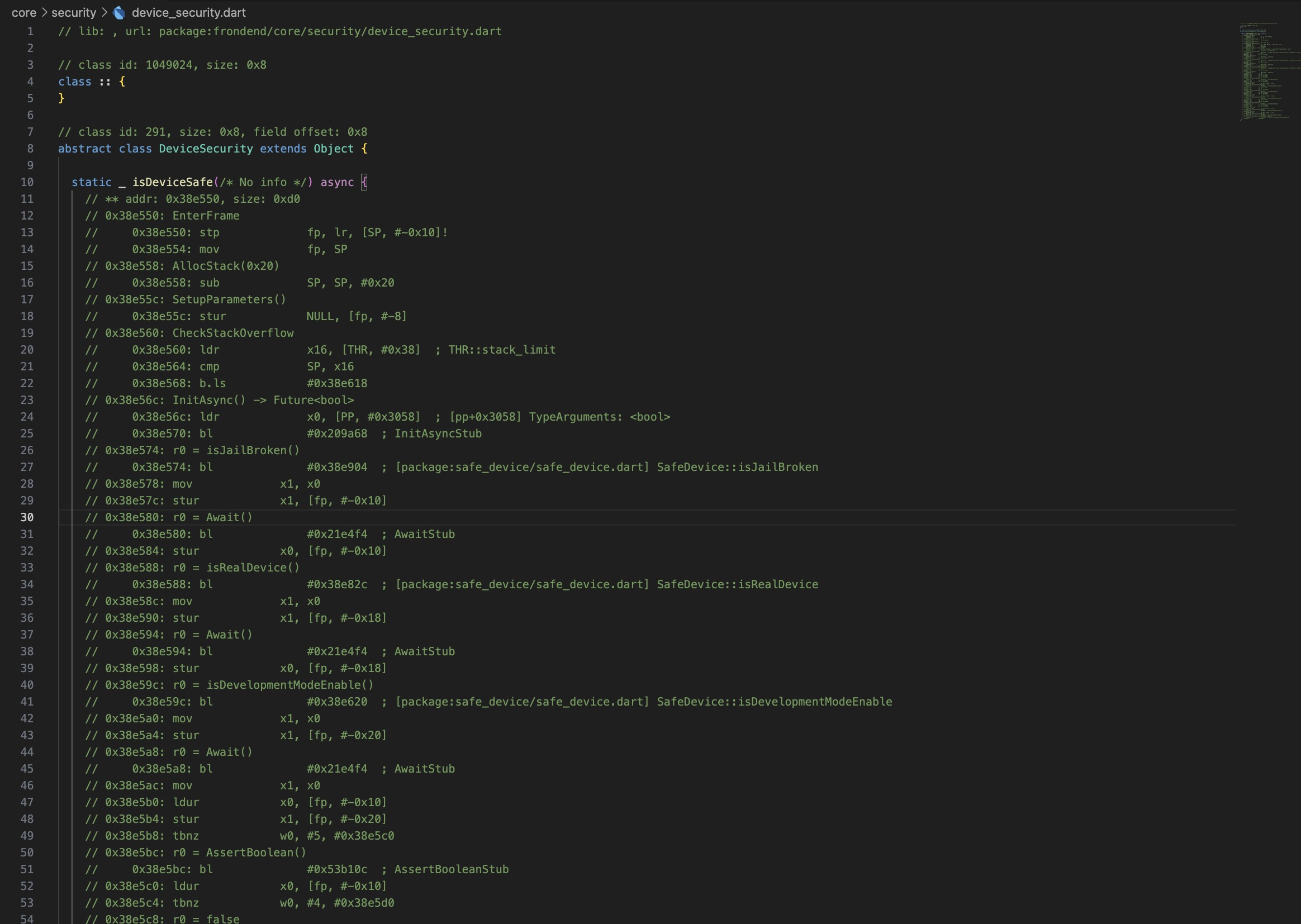
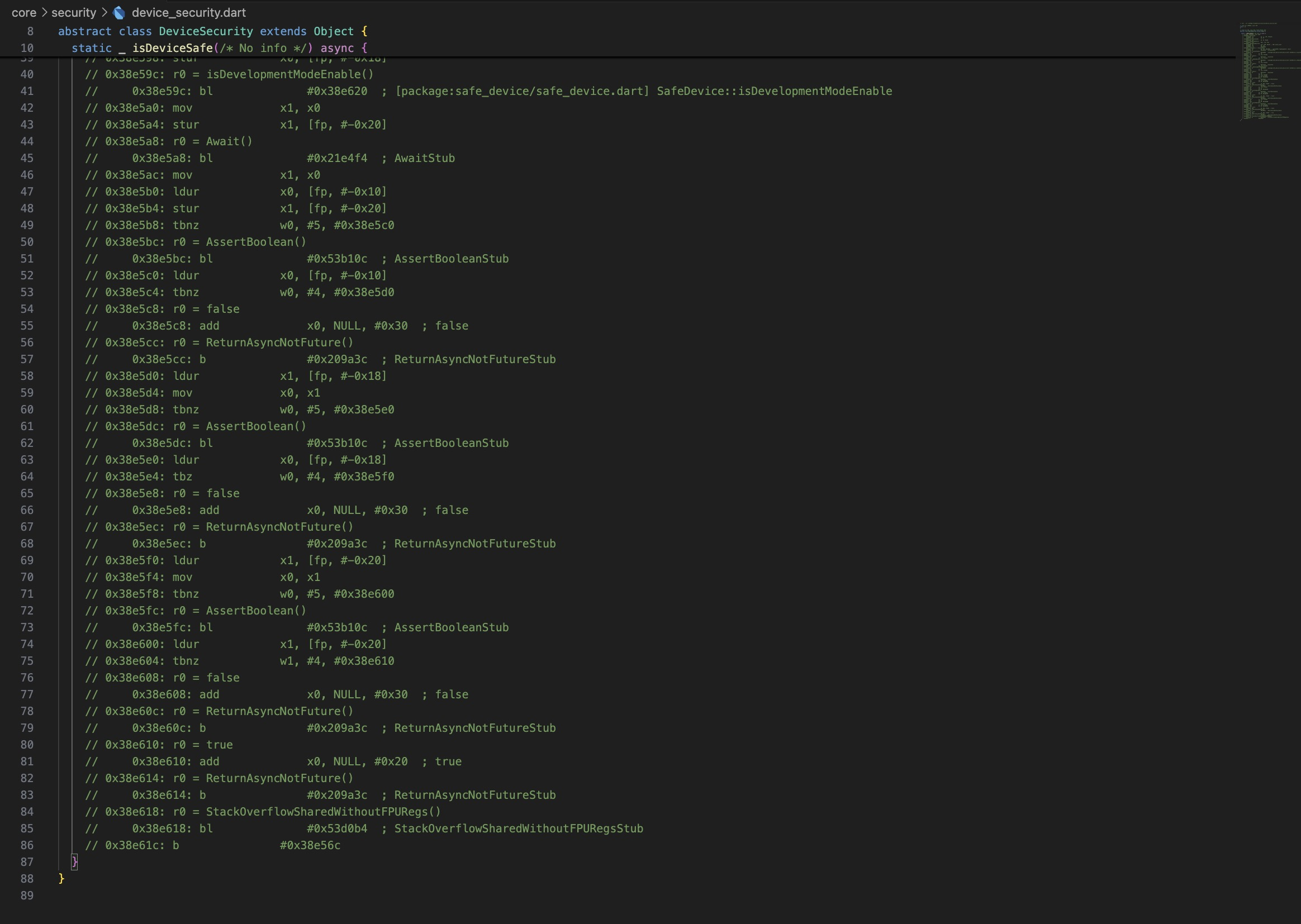
From static analysis, the call chain responsible for this behavior is:
isDeviceSafe performs three checks via the safe_device package. All three must pass
simultaneously — a single failure blocks authentication entirely:
| Function | Required Result | Fails When |
|---|---|---|
SafeDevice::isJailBroken() |
false |
Magisk or su binary detected |
SafeDevice::isRealDevice() |
true |
Running inside an emulator |
SafeDevice::isDevelopmentModeEnable() |
false |
Developer options enabled |
The emulator used in this lab triggers all three simultaneously — rooted via Magisk, running inside AVD, and with developer options enabled for ADB access. All three must be hooked and overridden at runtime.
Decompiled Logic
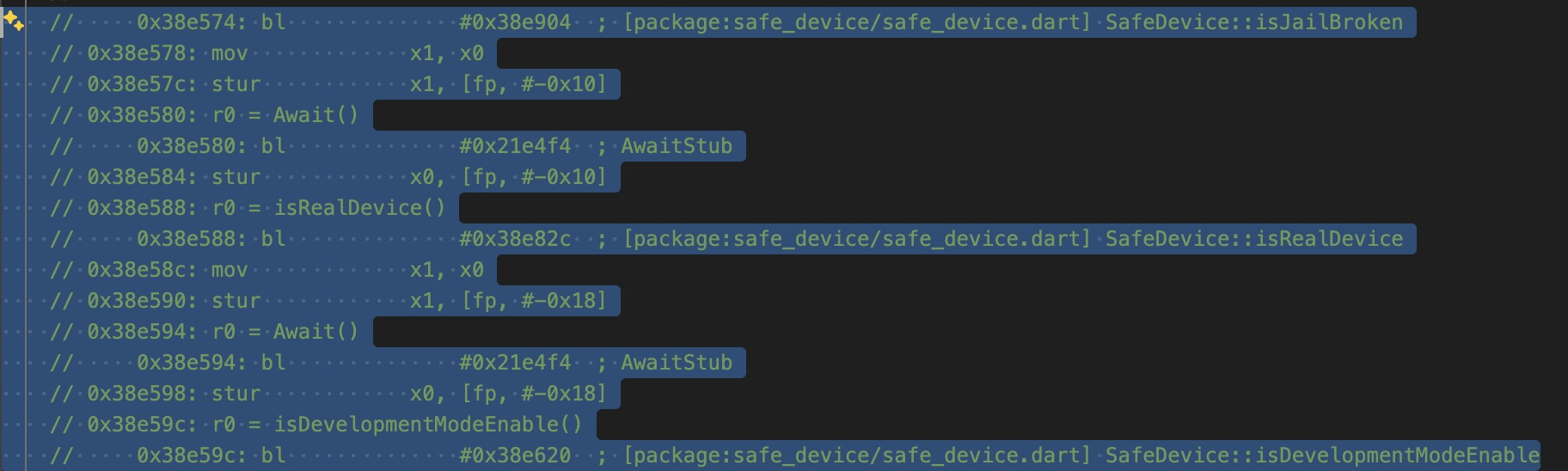
The blutter output provides the exact ARM64 memory offsets for each function call within
libapp.so. These offsets represent the distance from the start of libapp.so to the
instruction that calls each security check. At runtime, Frida resolves the actual memory
address by adding the offset to the module's base address — which changes every run due to
ASLR:
0x38e574: bl  #0x38e904 ; SafeDevice::isJailBroken
0x38e588: bl  #0x38e82c ; SafeDevice::isRealDevice
0x38e59c: bl  #0x38e620 ; SafeDevice::isDevelopmentModeEnable
The bl instruction (Branch with Link) is ARM64's function call instruction. The address
after # is the offset of the target function — these are the hook targets in the Frida
script.
Frida Script
Each function is hooked via its memory offset and its return value is forcibly replaced at the
point of return. The hook uses onLeave — which fires after the original function has
finished executing — so the real check runs to completion, but the result is discarded and
replaced before the caller sees it.
On the Dart ARM64 runtime, boolean values are not primitive integers. They are represented as
tagged pointers to singleton boolean objects in the Dart heap — true = 0x20 and
false = 0x30. This is a Dart runtime implementation detail: unlike C where true is simply
1, Dart booleans are heap-allocated objects with fixed addresses in the object pool. The
bypass works by replacing the return value pointer before the caller reads it:
const ROOT_DETECTION_TARGETS = [
    { offset: 0x38e904, returnValue: false },  // isJailBroken → false
    { offset: 0x38e82c, returnValue: true  },  // isRealDevice → true
    { offset: 0x38e620, returnValue: false },  // isDevelopmentModeEnable → false
];

function installDartBooleanHook(moduleBase, functionOffset, forcedBooleanValue) {
    Interceptor.attach(
        moduleBase.add(functionOffset),
        {
            onLeave(returnValue) {
                returnValue.replace(
                    ptr(forcedBooleanValue ? 0x20 : 0x30)
                );
            }
        }
    );
}

setTimeout(() => {
    const libapp = Process.findModuleByName('libapp.so');
    for (const target of ROOT_DETECTION_TARGETS) {
        installDartBooleanHook(libapp.base, target.offset, target.returnValue);
    }
}, 1000);
The setTimeout delay gives the Flutter engine time to load libapp.so into memory before
hooks are installed. 1000ms works reliably for this app, but it is a heuristic — apps with
heavier initialization may need a longer delay, or a more robust approach using
Process.findModuleByName() in a polling loop until the module is present.
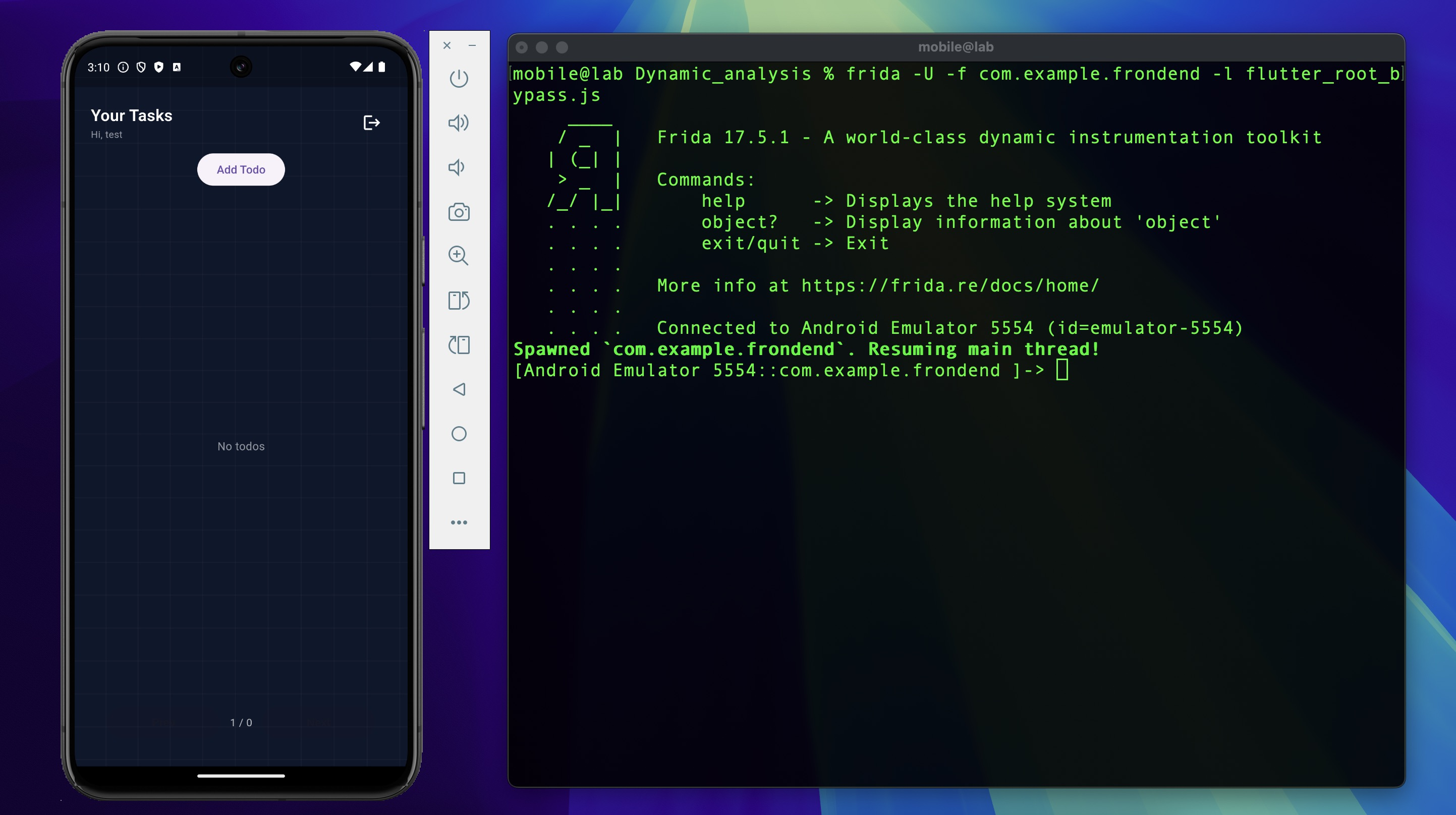
Execution
The -f flag spawns the app fresh rather than attaching to a running process, ensuring hooks
are installed before any security checks run:
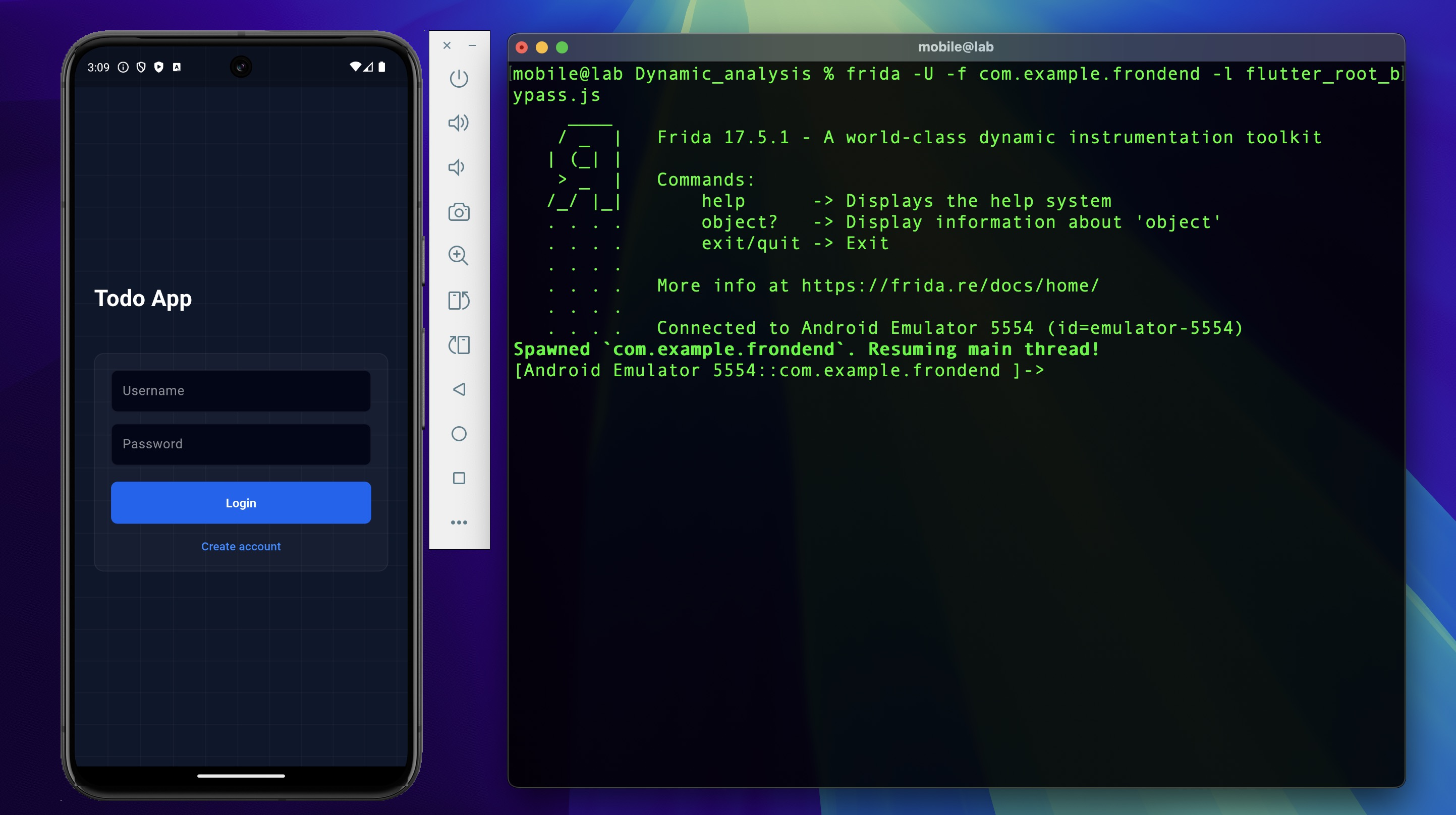
The "Device is not secure" warning no longer appears. Login and registration now succeed on the rooted emulator.
With root active and the app running, the JWT stored in SharedPreferences is directly readable from the filesystem — no network interception required. SharedPreferences writes plaintext XML to the app's private data directory, which is accessible with a root shell:

This is a separate exploitation path from the rest of this lab. An attacker with brief physical access to a rooted device can extract a valid session token without touching the network — no proxy, no bypass tooling, no traffic capture. It is worth flagging as a standalone finding in any real engagement.
Failure Modes
A few things that commonly go wrong here and how to diagnose them:
Hooks attach but the check still fires — the offsets are wrong for this APK build. This
happens when the Frida script was written against a different APK version. Re-run blutter
against the current APK and extract fresh offsets. To verify hooks are attaching at all, add
a console.log inside onLeave and check the Frida console output.
libapp.so not found — the module name lookup failed, usually because the hook installed
before the Flutter engine finished loading. Increase the setTimeout delay or switch to a
polling approach.
App crashes on launch with Frida attached — often caused by anti-tamper checks in
libtoolChecker.so detecting the Frida gadget. This lab does not address that module, but if
encountered, the first step is to check whether the crash occurs without any script loaded
(frida -U -f com.example.frondend with no -l flag) to isolate the cause.
2. SSL Pinning Bypass
Overview
SSL pinning prevents traffic interception by hardcoding the expected server certificate fingerprint in the app. Even with the Burp CA installed in the Android system store, the app ignores the system store entirely — it only accepts connections where the server certificate matches the SHA-256 fingerprint extracted during static analysis:
Since Burp presents its own certificate during interception, the fingerprint will never match. Every HTTPS request silently fails at the TLS handshake — not with a visible error, but with a connection refusal that the app treats as a network error.
In Flutter, the pinning logic is written in Dart (libapp.so) — the developer computes the
fingerprint and compares it — but the actual TLS handshake runs through BoringSSL embedded
inside the Flutter engine (libflutter.so). The Dart code calls into the engine, which calls
into BoringSSL.
Bypassing at the engine level is more robust than hooking the Dart-layer fingerprint comparison. Rather than neutralizing the app's custom comparison code — which could change between versions or be obfuscated — patching BoringSSL's certificate validation function makes the TLS handshake itself always succeed, regardless of what certificate is presented.
Identifying the Flutter Engine Version
Every libapp.so embeds an engine snapshot hash that uniquely identifies which Flutter engine
version built it. This hash links the compiled APK back to a specific engine commit in
Flutter's open-source repository — and from there, to the exact BoringSSL version vendored
into that engine build.
Extract the snapshot hash:
Cross-reference with the reFlutter engine database: https://github.com/Impact-I/reFlutter/blob/main/enginehash.csv
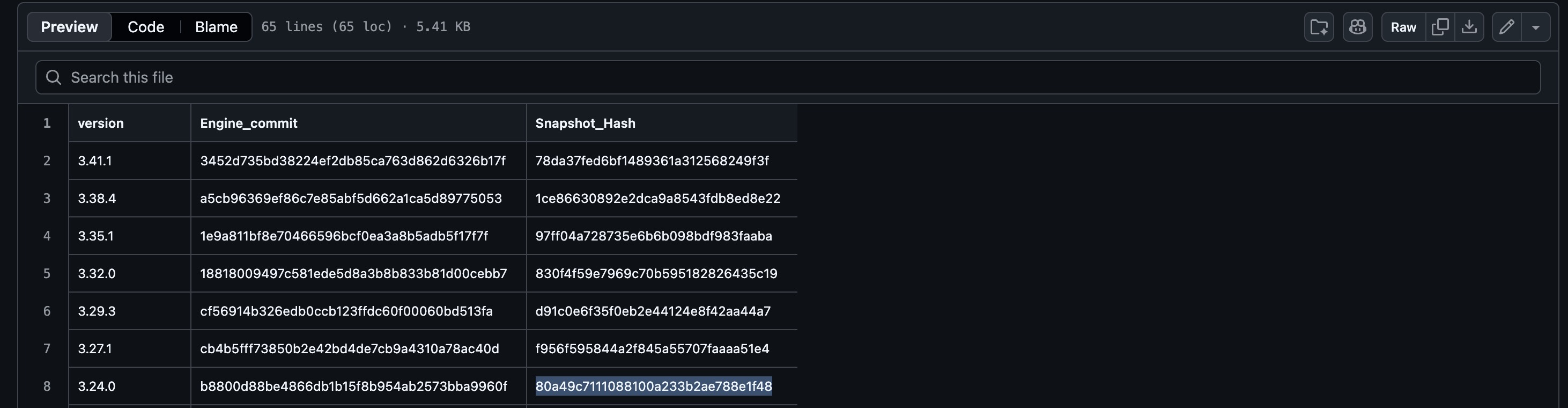
Result: Flutter 3.24.0, engine commit b8800d88be4866db1b15f8b954ab2573bba9960f.
Locating the TLS Verification Function
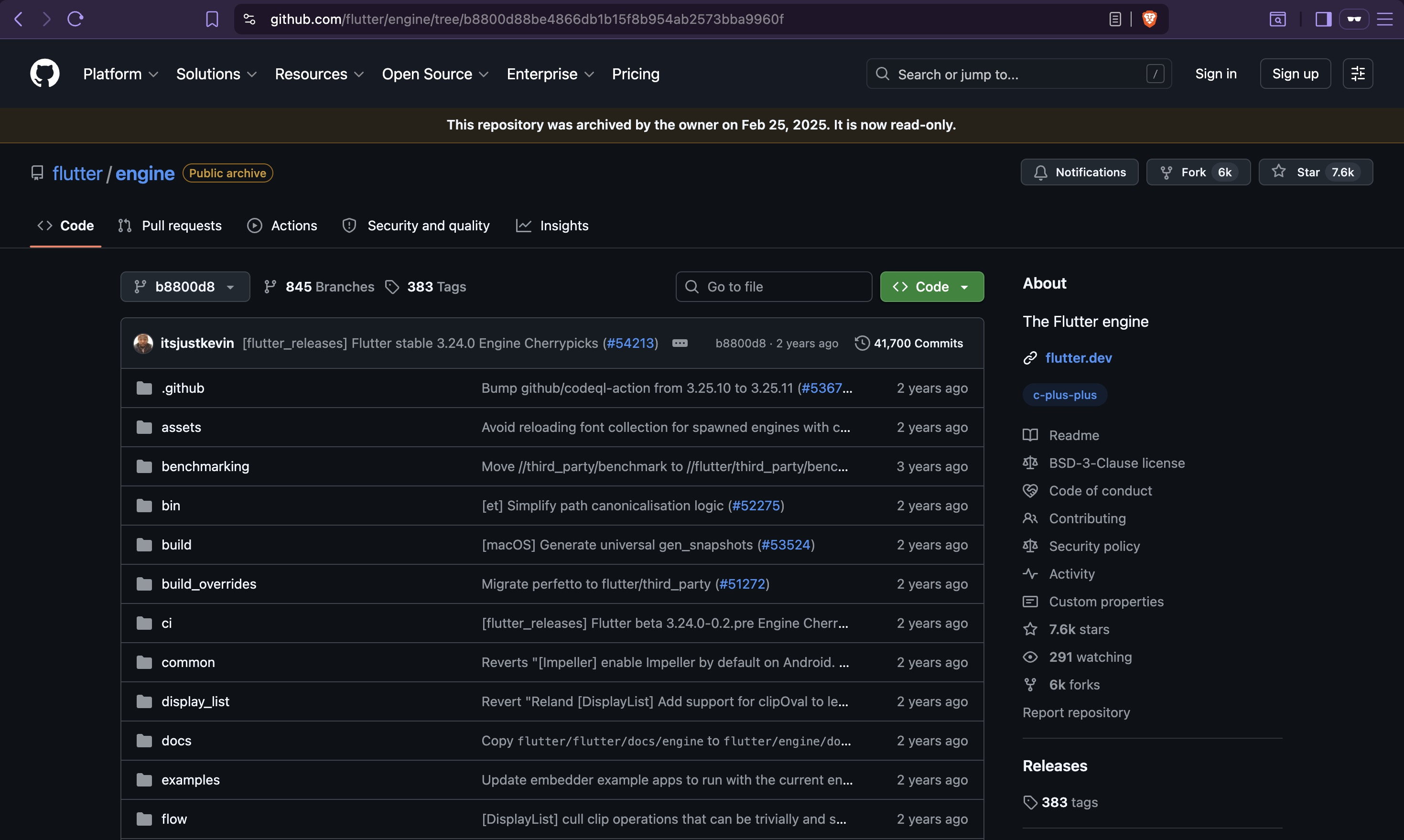
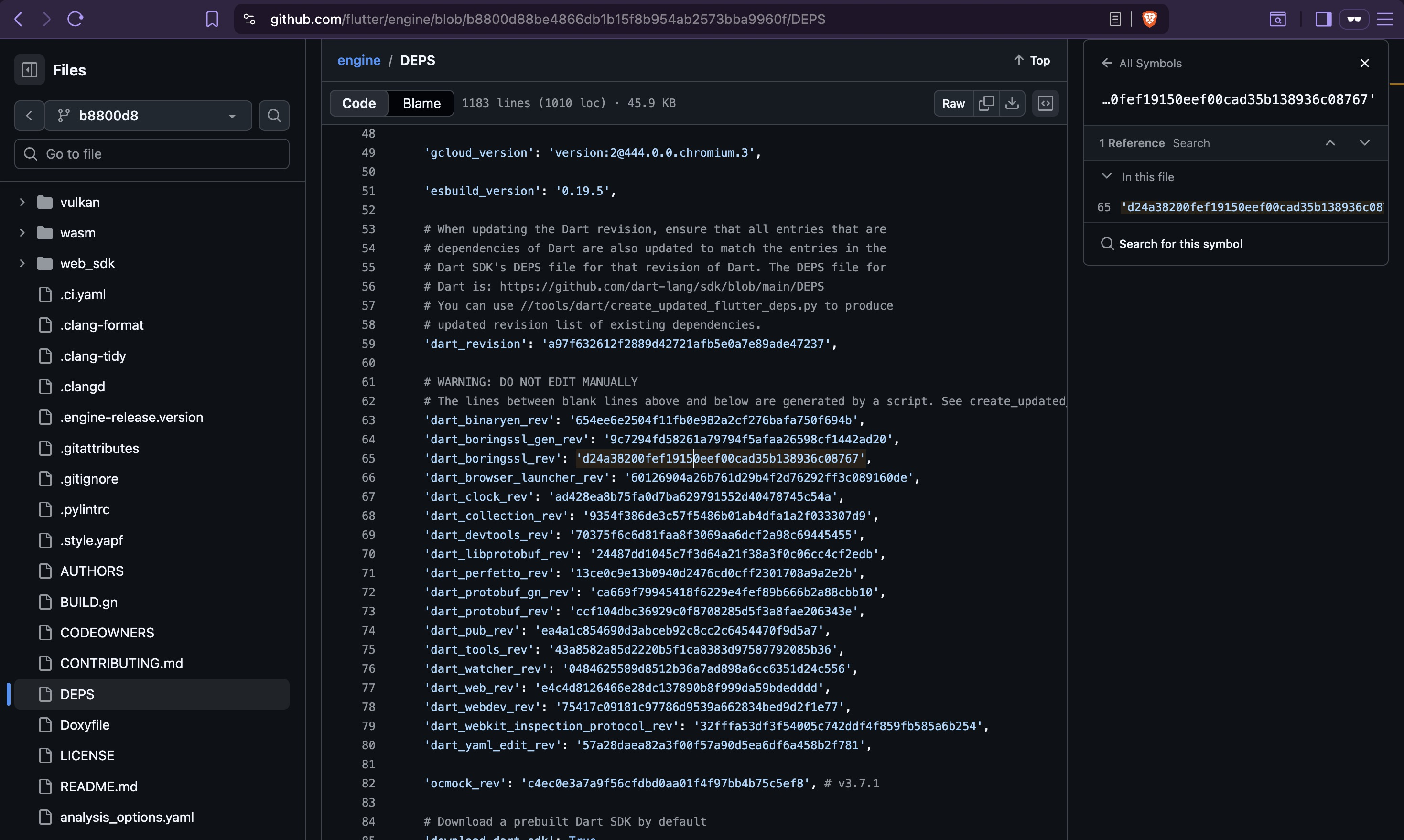
With the engine commit known, the BoringSSL version vendored into that build is readable from
the engine's DEPS file:
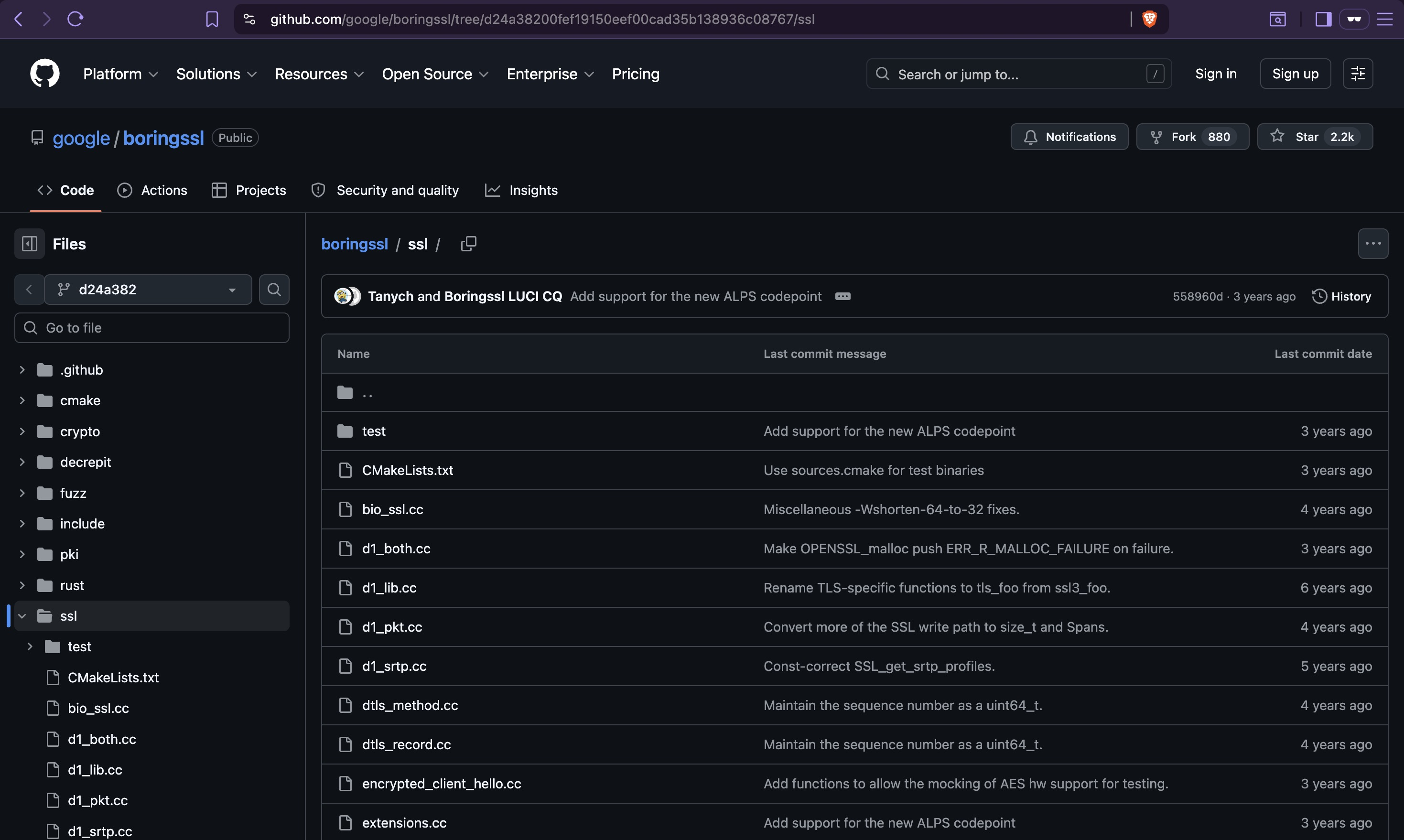
- Engine source: https://github.com/flutter/engine/tree/b8800d88be4866db1b15f8b954ab2573bba9960f
DEPSentry:dart_boringssl_rev: d24a38200fef19150eef00cad35b138936c08767
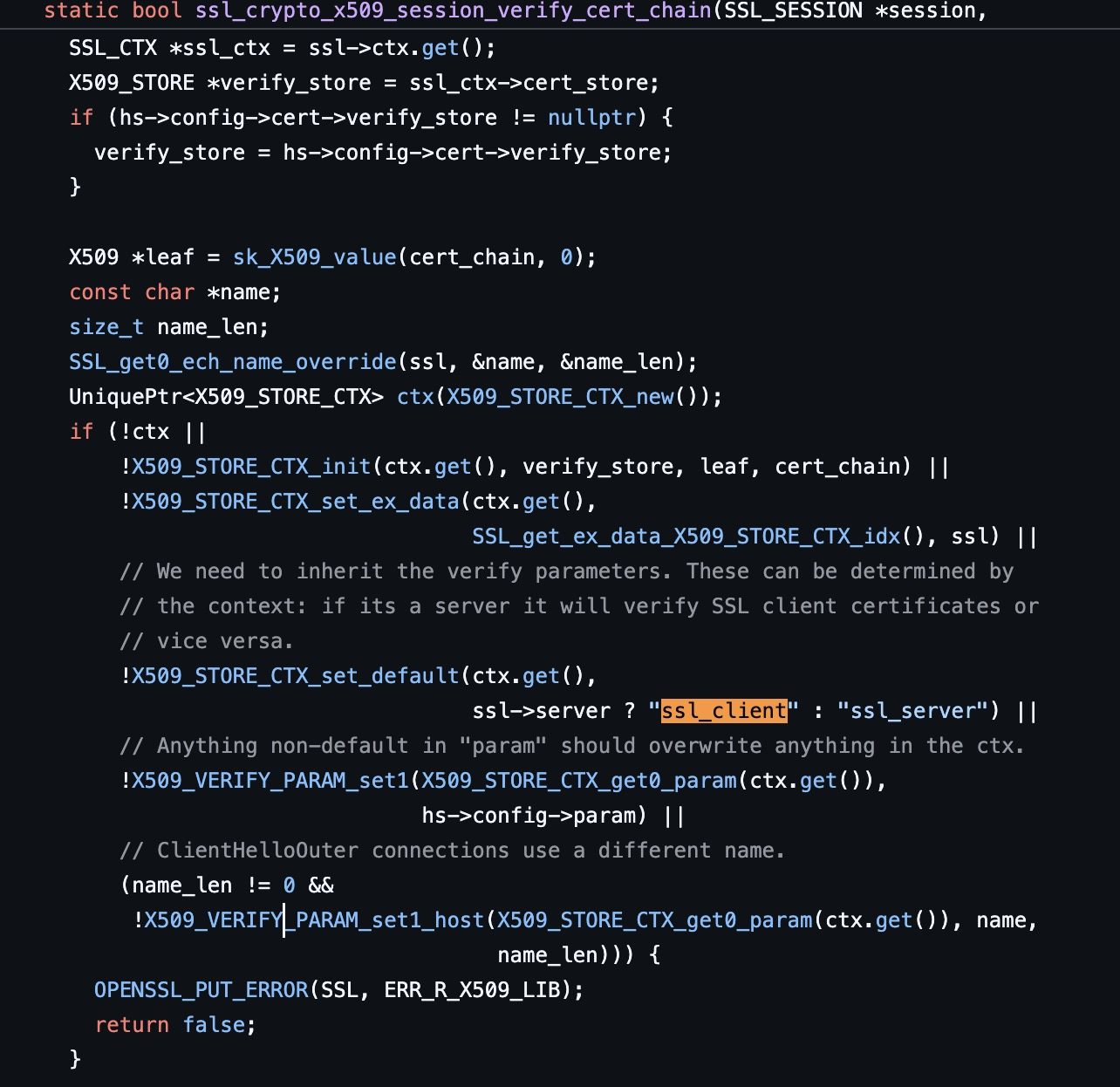
Certificate chain validation lives in ssl/ssl_x509.cc. The function that makes the final
accept-or-reject decision during TLS handshake is ssl_crypto_x509_session_verify_cert_chain:
https://github.com/google/boringssl/blob/d24a38200fef19150eef00cad35b138936c08767/ssl/ssl_x509.cc
static bool ssl_crypto_x509_session_verify_cert_chain(SSL_SESSION *session,
                                                      SSL_HANDSHAKE *hs,
                                                      uint8_t *out_alert) {
  // ... certificate chain setup ...

  int verify_ret;
  if (ssl_ctx->app_verify_callback != nullptr) {
    verify_ret = ssl_ctx->app_verify_callback(ctx.get(), ssl_ctx->app_verify_arg);
  } else {
    verify_ret = X509_verify_cert(ctx.get());
  }

  session->verify_result = X509_STORE_CTX_get_error(ctx.get());

  if (verify_ret <= 0 && hs->config->verify_mode != SSL_VERIFY_NONE) {
    *out_alert = SSL_alert_from_verify_result(session->verify_result);
    return false;  // ← bypass target
  }

  ERR_clear_error();
  return true;
}
The bypass target is the if (verify_ret <= 0 && ...) conditional. If this branch never
executes, the function always reaches return true — every TLS handshake succeeds regardless
of certificate validity.
Reverse Engineering libflutter.so with Ghidra
Extract libflutter.so from the APK:
Load libflutter.so into Ghidra. It is a large stripped binary with no symbol names, so the
approach is to anchor on a unique string from the known source code and navigate from there.
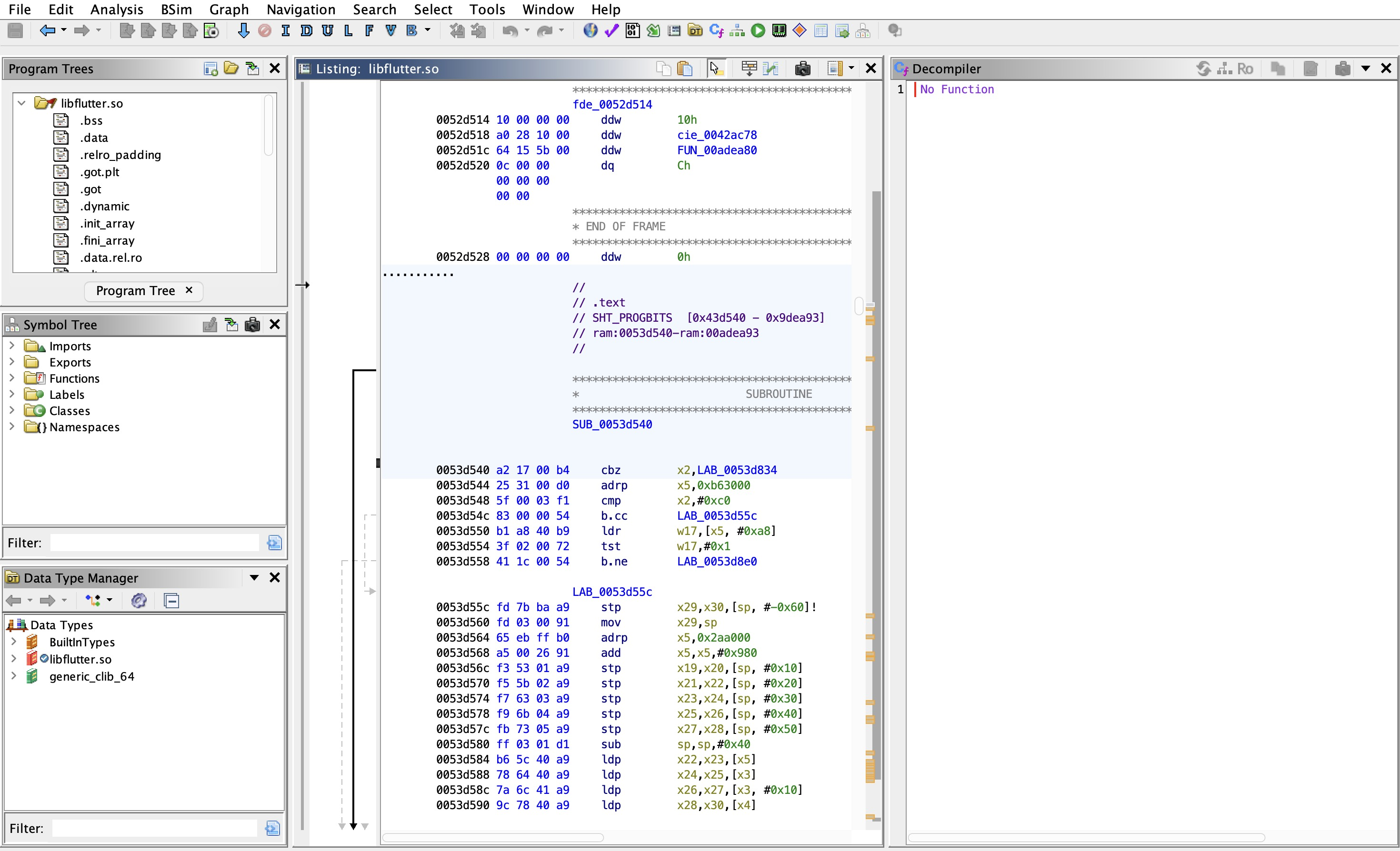
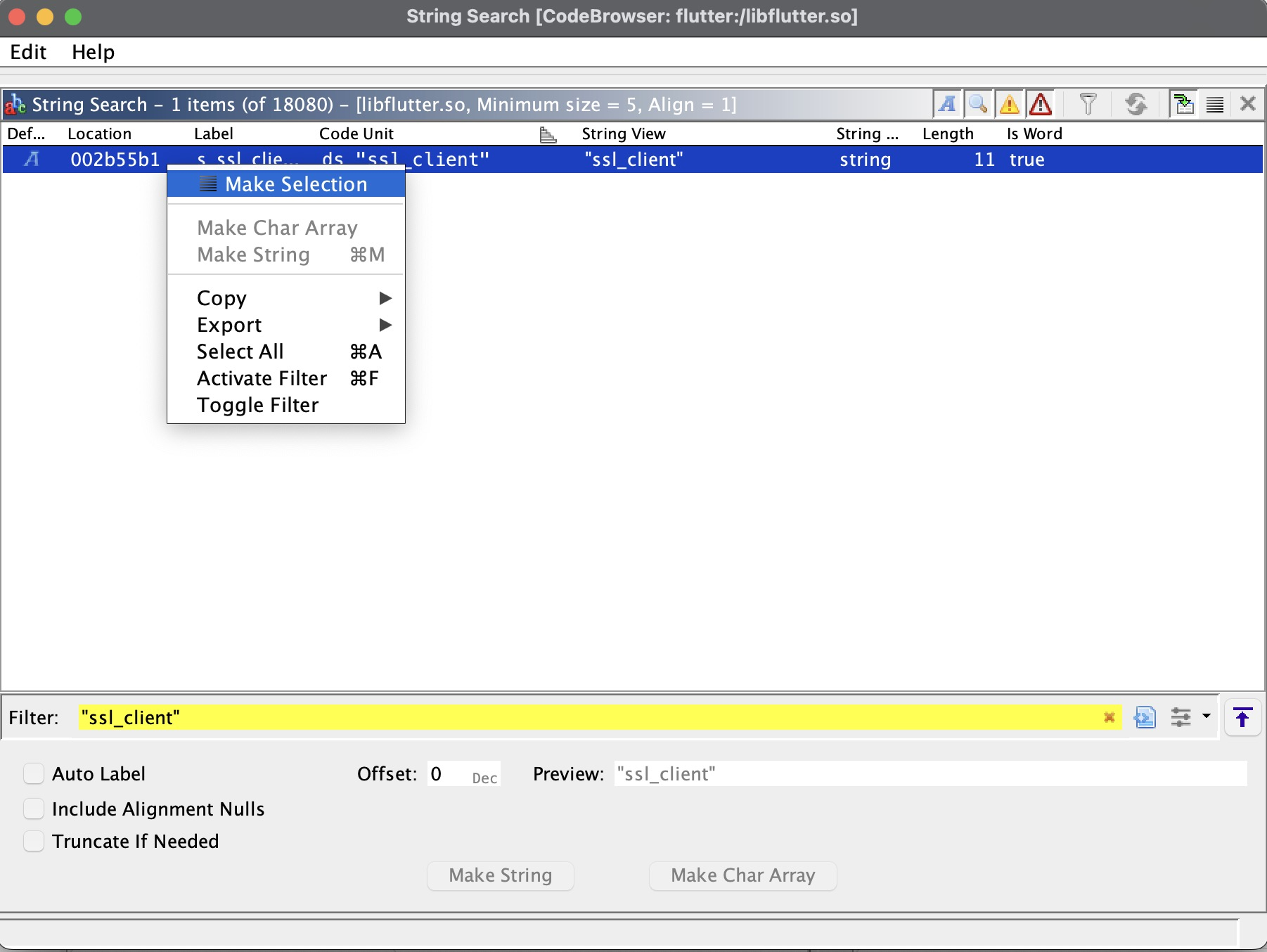
"ssl_client" is the anchor. In the BoringSSL source, this string is passed to
X509_STORE_CTX_set_default() inside ssl_crypto_x509_session_verify_cert_chain — it
configures the certificate verification context for server-side validation. It only appears in
this one function, making it a reliable anchor in the stripped binary. Search for it using
Ghidra's "Search For Strings" dialog:
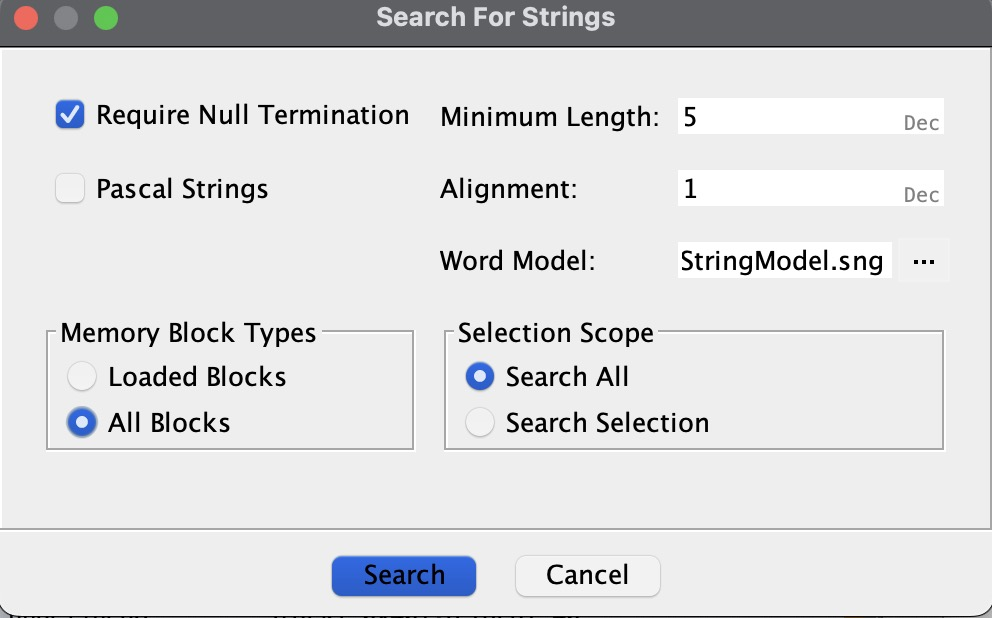
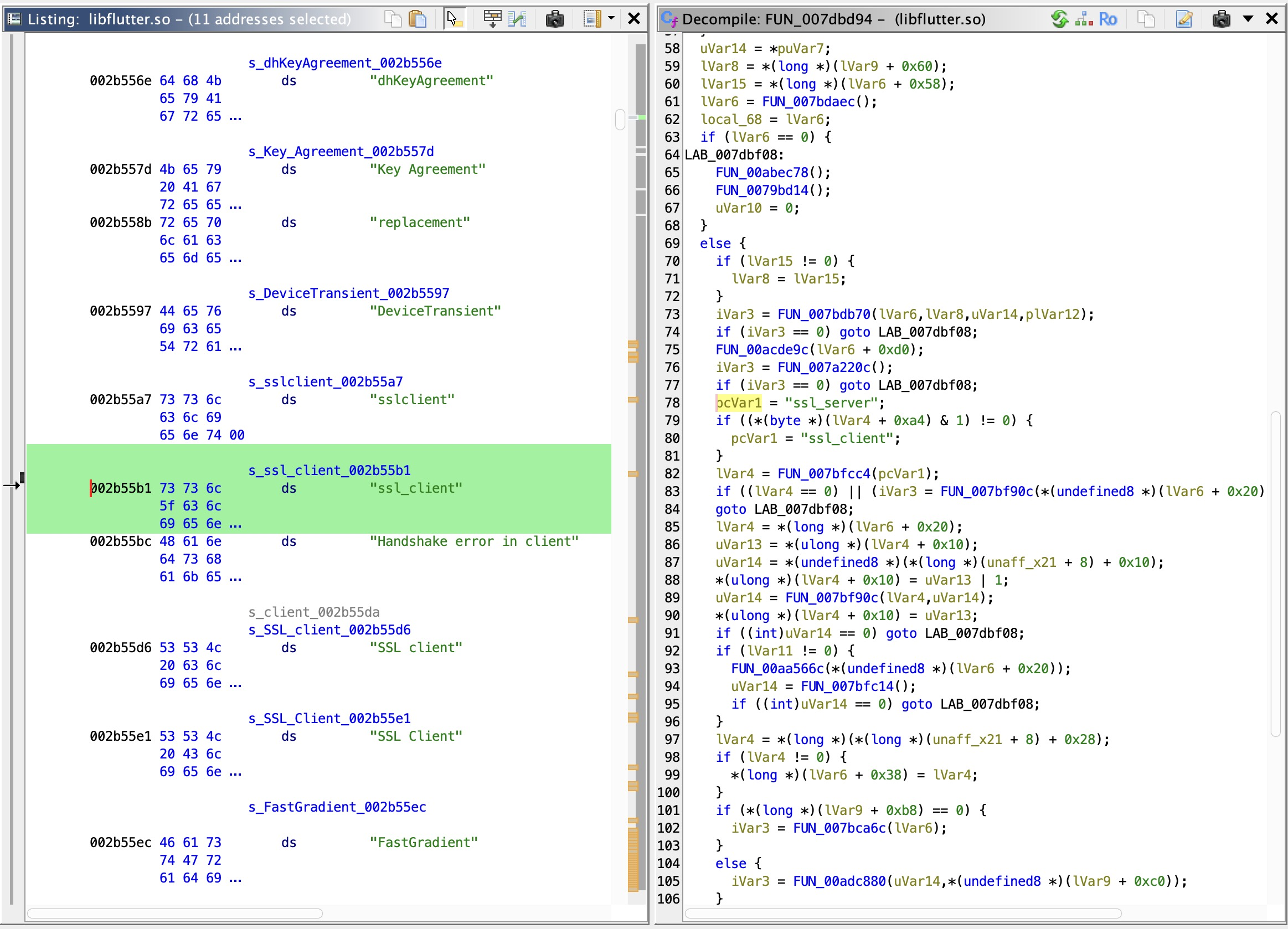
Single hit. Navigate to the cross-reference to land at the usage site inside the target function:
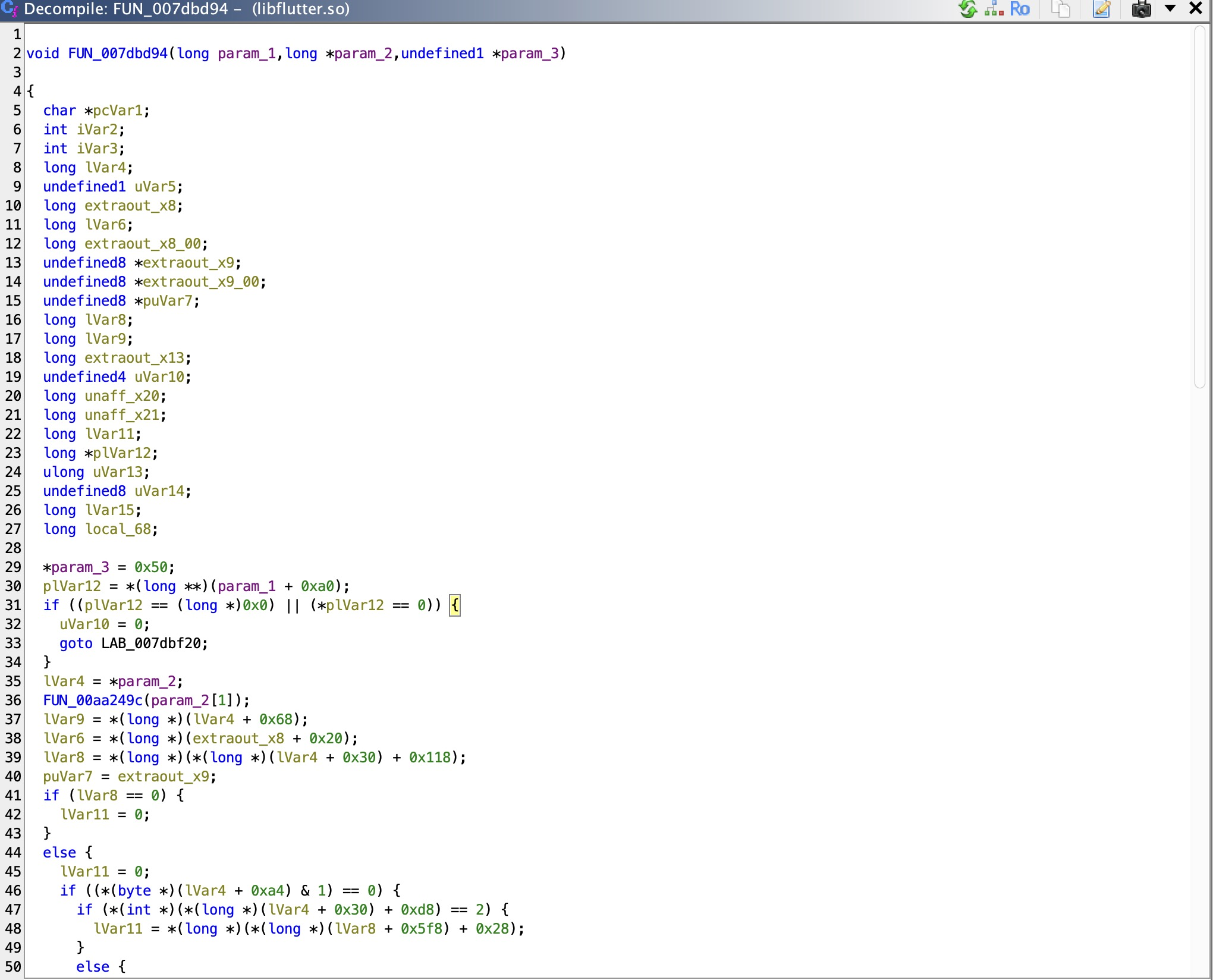
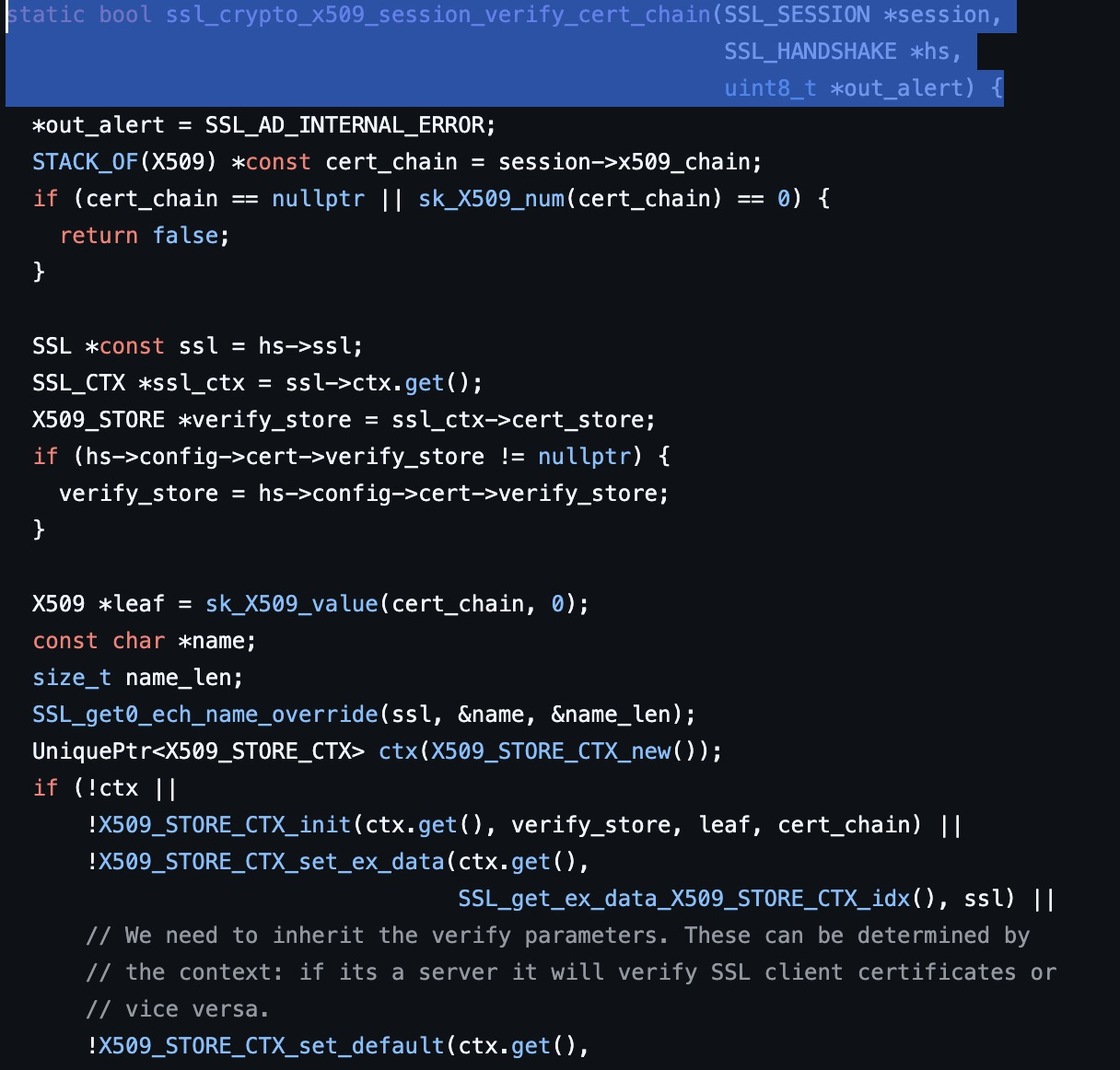
Ghidra decompiles the surrounding function. Compare the decompiled output against the
BoringSSL source to confirm it matches ssl_crypto_x509_session_verify_cert_chain:
Binary Patching
The critical conditional branch in the decompiled output:
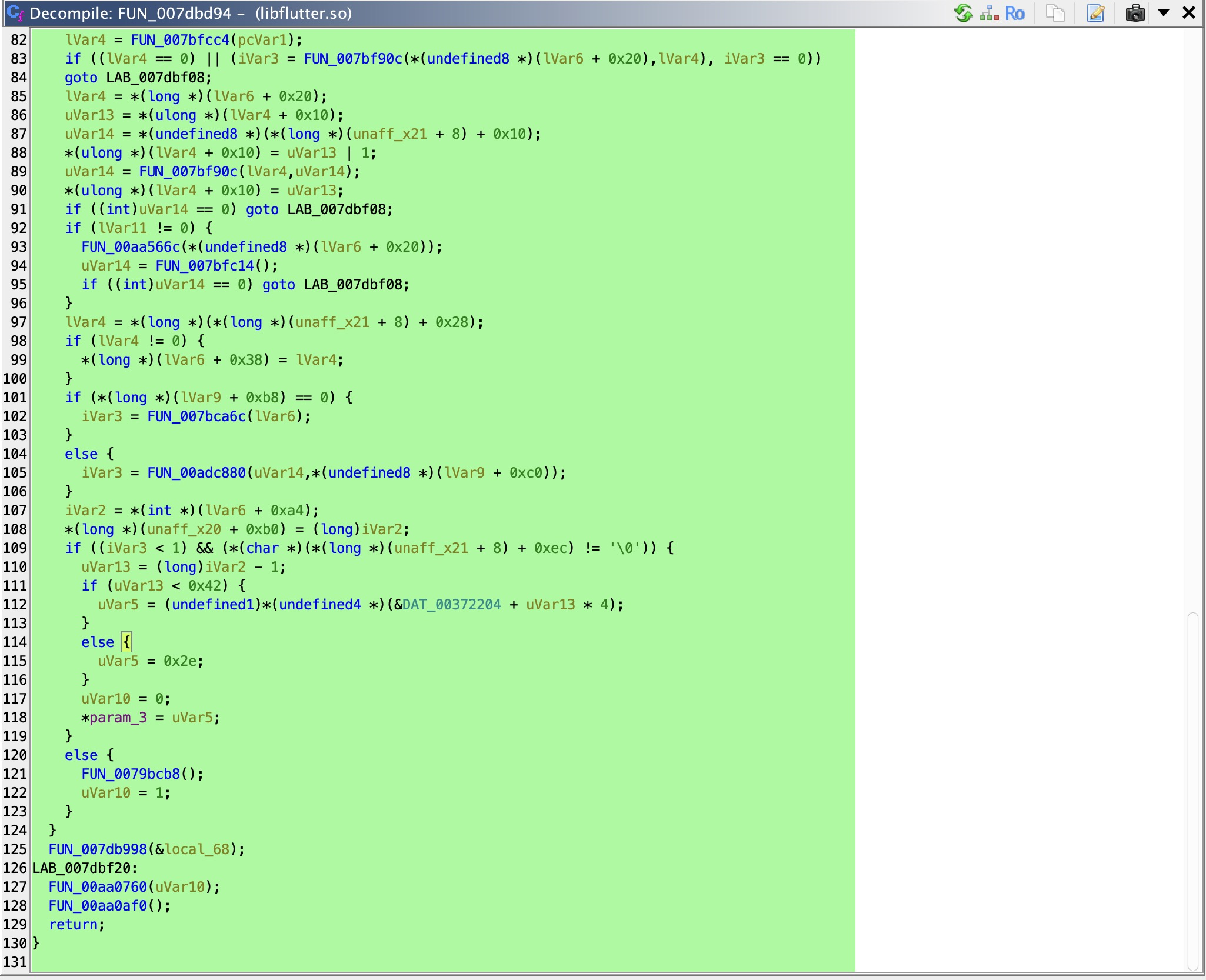
This is the compiled form of if (verify_ret <= 0 && hs->config->verify_mode != SSL_VERIFY_NONE).
When true, execution jumps to the failure path and returns false. The goal is to make this
jump never happen.
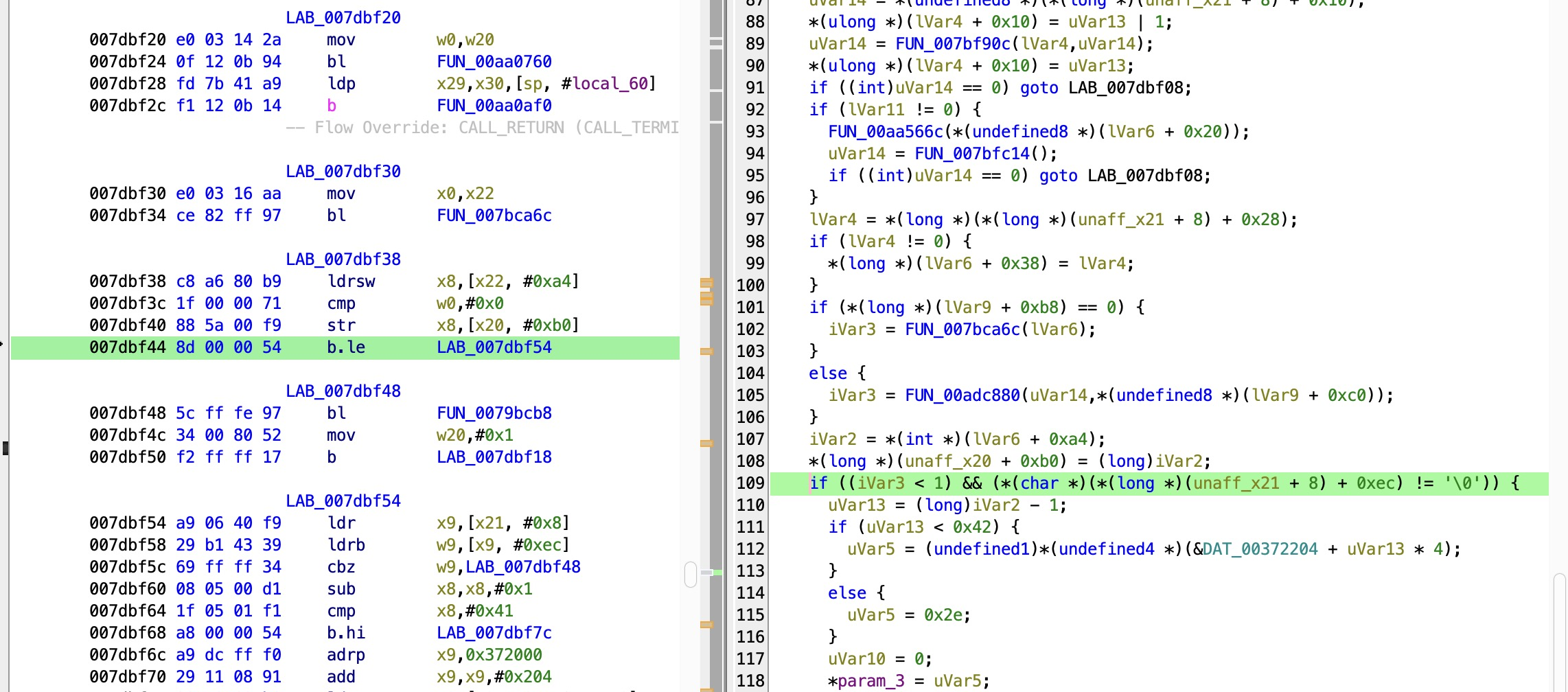
The ARM64 b.le instruction at address 007dbf44 is the specific branch that needs to be
patched — it redirects execution to the failure path when verify_ret <= 0:
Before: 007dbf44  8d 00 00 54  b.le  LAB_007dbf54   ← jumps to failure path
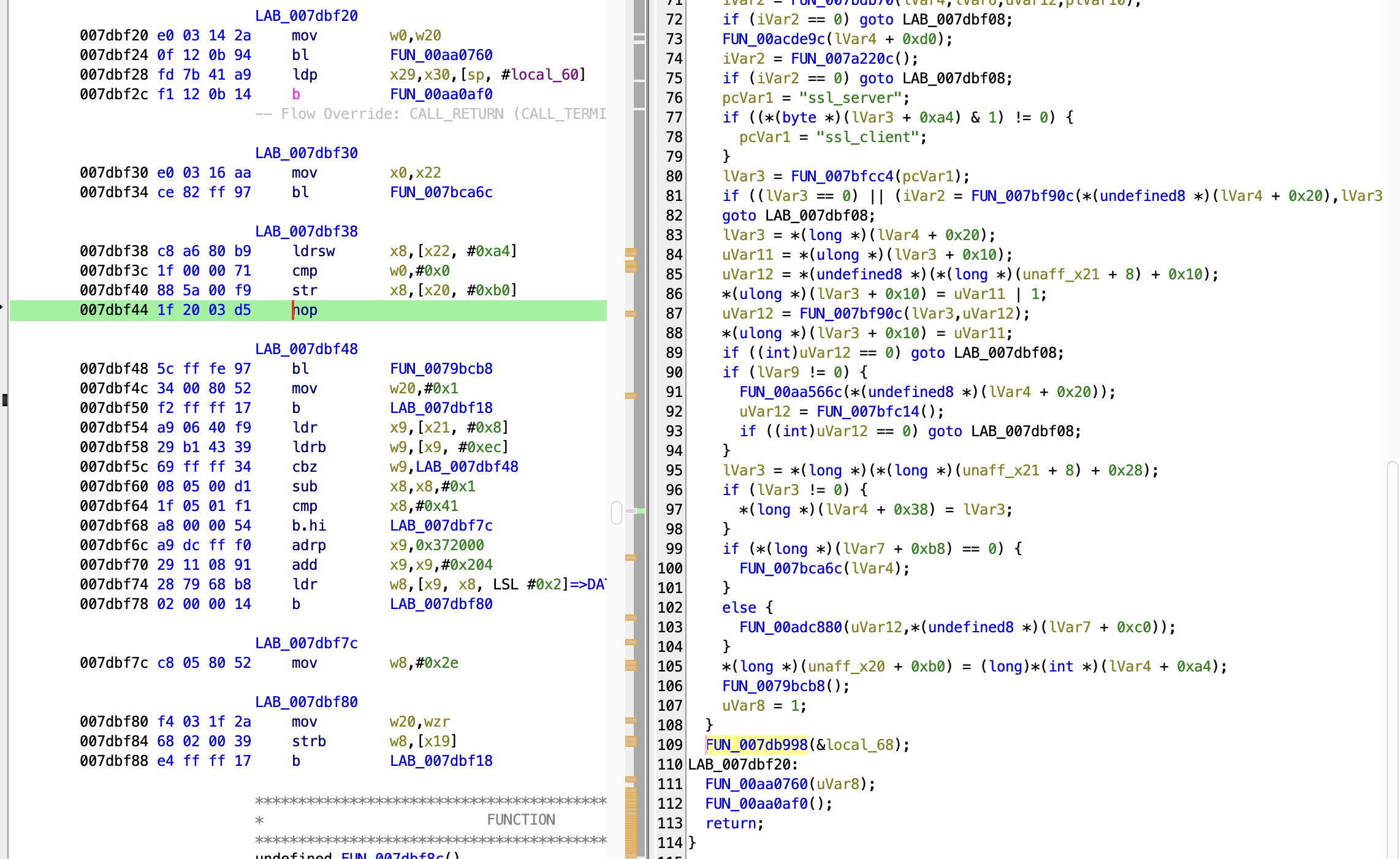
After:  007dbf44  1f 20 03 d5  nop                  ← falls through to return true
Replacing b.le with NOP (encoded as 1f 20 03 d5 in ARM64) means execution falls
through unconditionally to ERR_clear_error() and return true. Four bytes, fixed file
offset.
Before patching:
After patching:
Export the modified binary using Ghidra's Export Program → Original File, replacing the
original libflutter.so inside the decoded APK folder.
Repack and Install
The original APK signature is invalidated the moment the binary is modified. Repack, sign with a debug certificate, and reinstall:
# Repack decoded folder back into APK
apktool b decode -o patched.apk

# Sign with a debug certificate
java -jar uber-apk-signer.jar --apks patched.apk

# Remove original and install patched version
adb uninstall com.example.frondend
adb install patched-aligned-debugSigned.apk
Verify Interception
Both bypasses must be active simultaneously — they solve different problems at different
layers. The patched libflutter.so eliminates TLS validation permanently at the engine level,
baked into the binary. Frida handles root detection at runtime. Neither alone is sufficient.
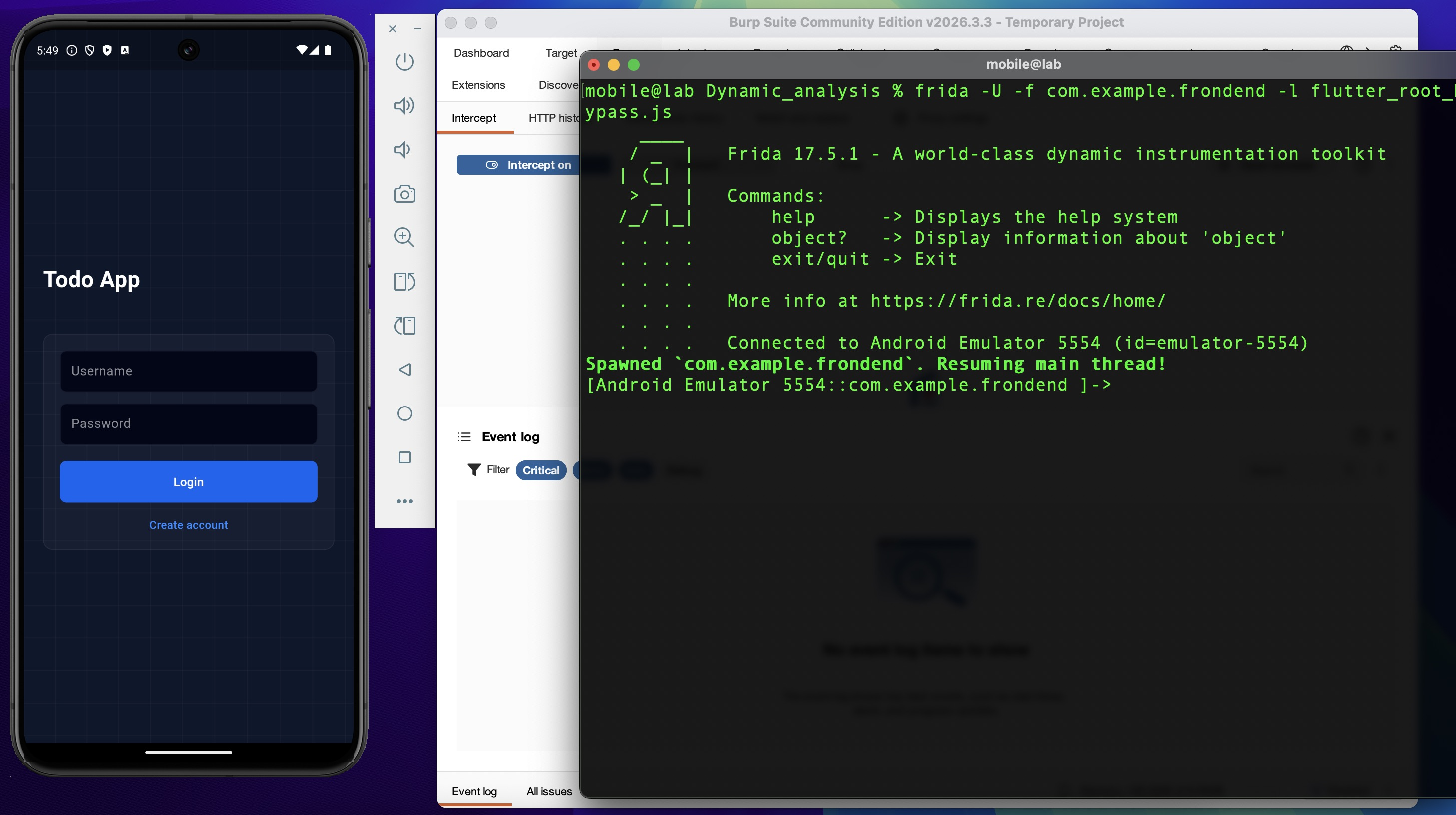
Apply the iptables redirect rules from Environment Setup, then launch with the root bypass script:
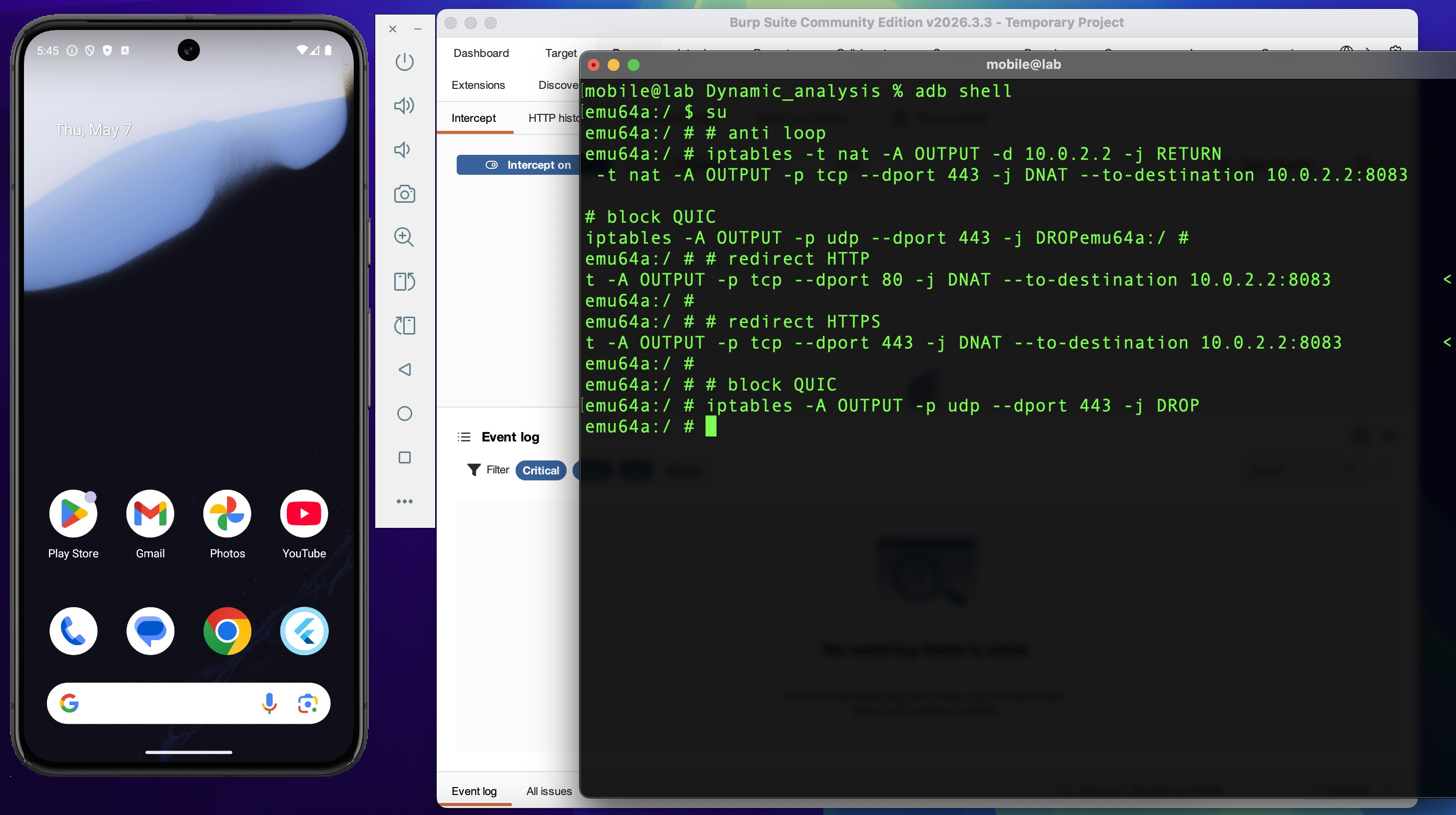
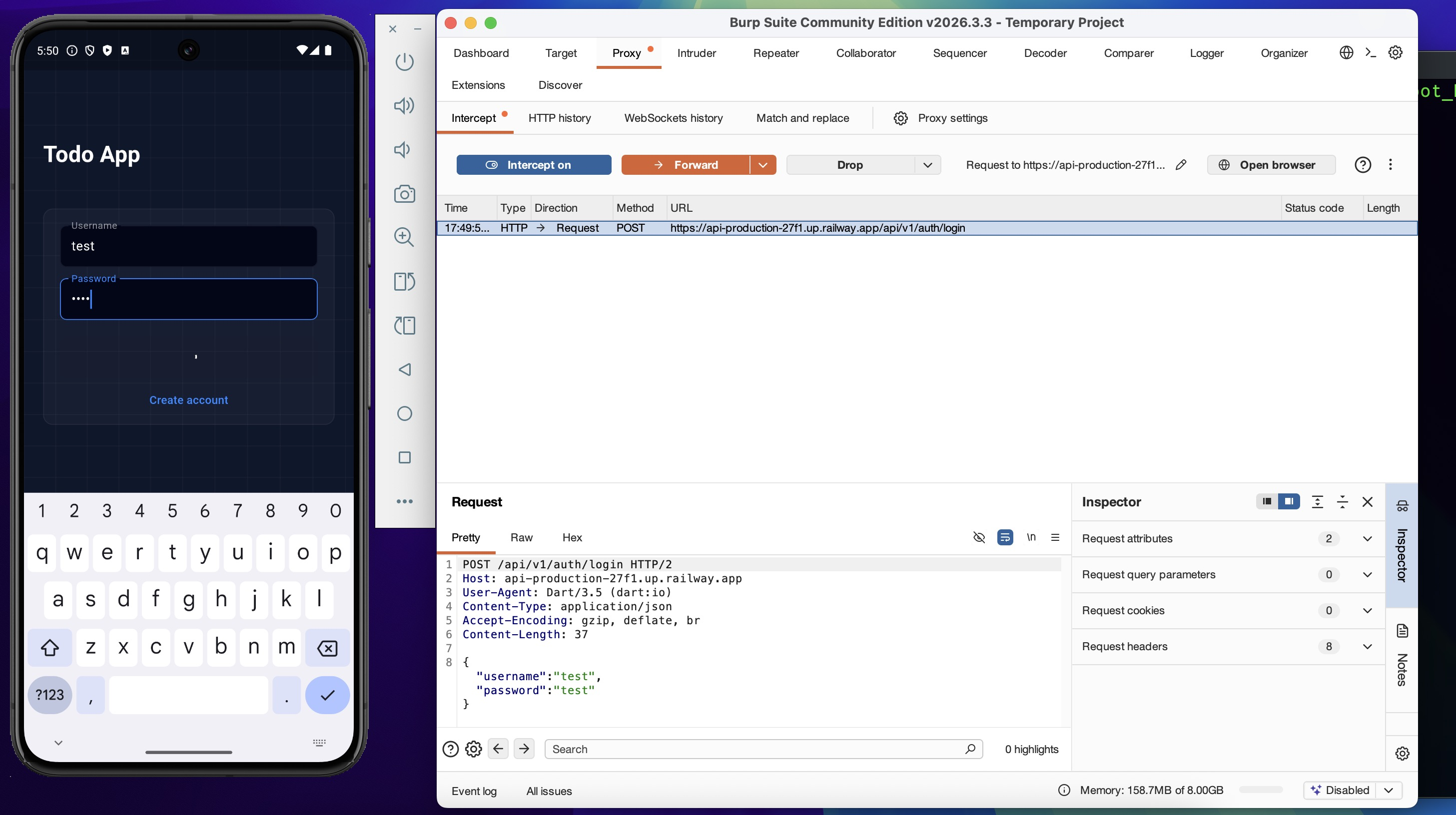
Login with valid credentials. The request is now visible in Burp Suite:
Authenticated API traffic is also captured — full request and response cycle visible and modifiable:
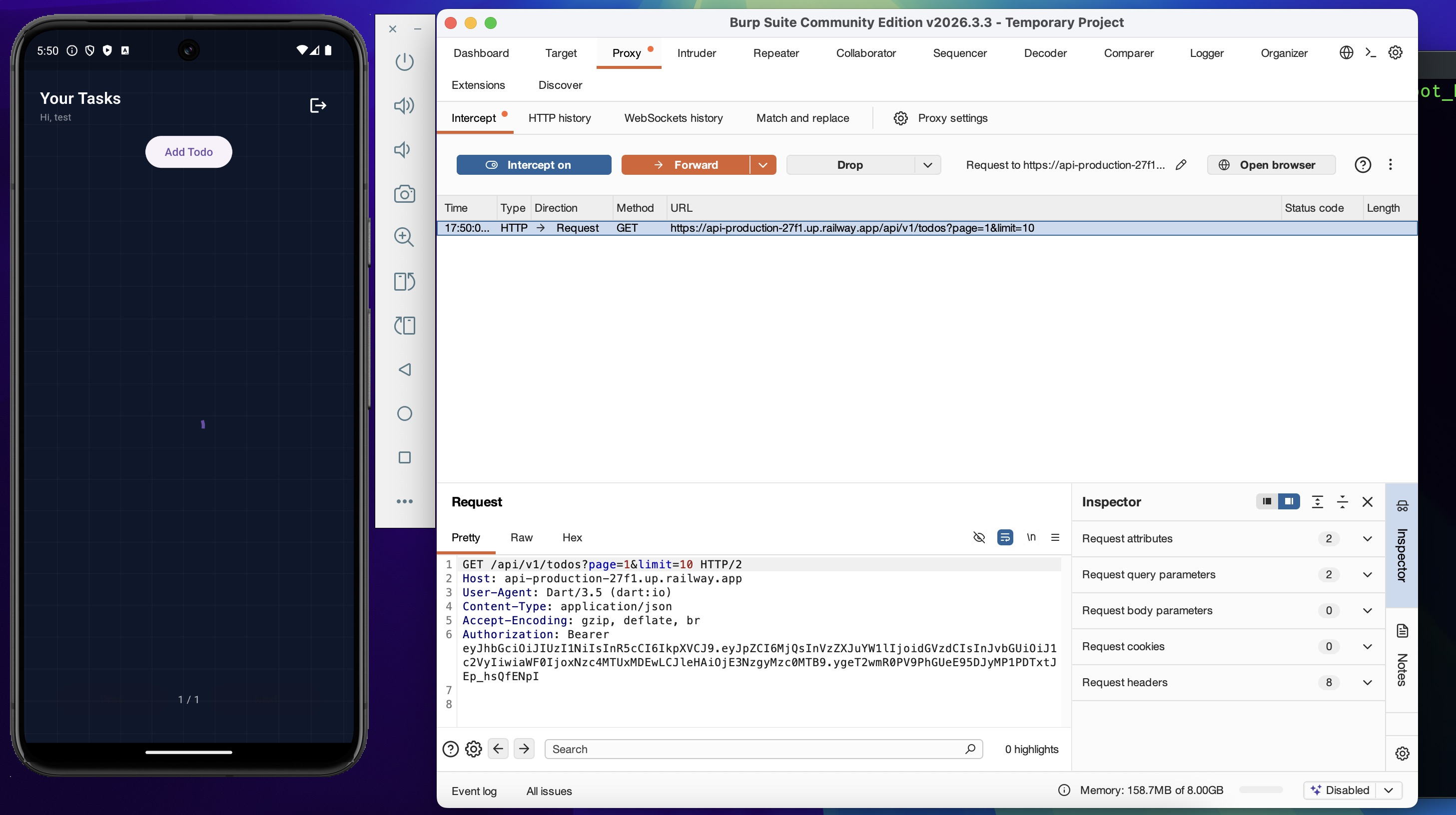
The lab environment is fully operational. The app runs on a rooted emulator, authentication succeeds, and every HTTPS request is interceptable via Burp Suite.
Alternative Methods
The manual approach above — tracing the engine version, reading BoringSSL source, and patching with Ghidra — is deliberate. Understanding exactly which four bytes change, why those bytes matter, and what happens at the CPU instruction level.
Two faster alternatives exist that achieve the same result, with different tradeoffs:
reFlutter — automates the libflutter.so patching and APK repack:
Frida codeshare — bypasses TLS validation at runtime without binary modification:
frida -U \
  -f com.example.frondend \
  -l flutter_root_bypass.js \
  --codeshare TheDauntless/disable-flutter-tls-v1
Both are valid shortcuts when the target is well-known and speed matters. On anything unusual, the manual path is the fallback.
Findings Summary
| Finding | Bypass Method | Impact | Next Phase |
|---|---|---|---|
Root detection (safe_device) |
Frida native hook on ARM64 offsets from blutter | App runs normally on rooted emulator | 08 — API Exploitation |
| JWT in SharedPreferences (unencrypted) | Direct filesystem read with root shell | Token readable without network access — independent attack path | 08 — API Exploitation |
| SSL pinning (BoringSSL layer) | Binary patch libflutter.so via Ghidra |
Full HTTPS visibility in Burp Suite | 08 — API Exploitation |